Visual-ICE™ Cryoablation System
7-1
7 TROUBLESHOOTING
Galil Medical suggests the following options for troubleshooting the Visual-ICE™ System. If the
suggested approaches do not resolve the issue, contact Galil Medical Customer Service.
7.1 Software Recovery
In the event of software corruption or failure, the software may be restored to the previous software
version. Administrative and service users may update the software with an appropriate USB ash
drive.
1. Shutdown the Visual-ICE System.
2. Hold down the Software Reset button by inserting a straightened paper clip into the Software
Reset hole while simultaneously powering up the system. The system displays the Software
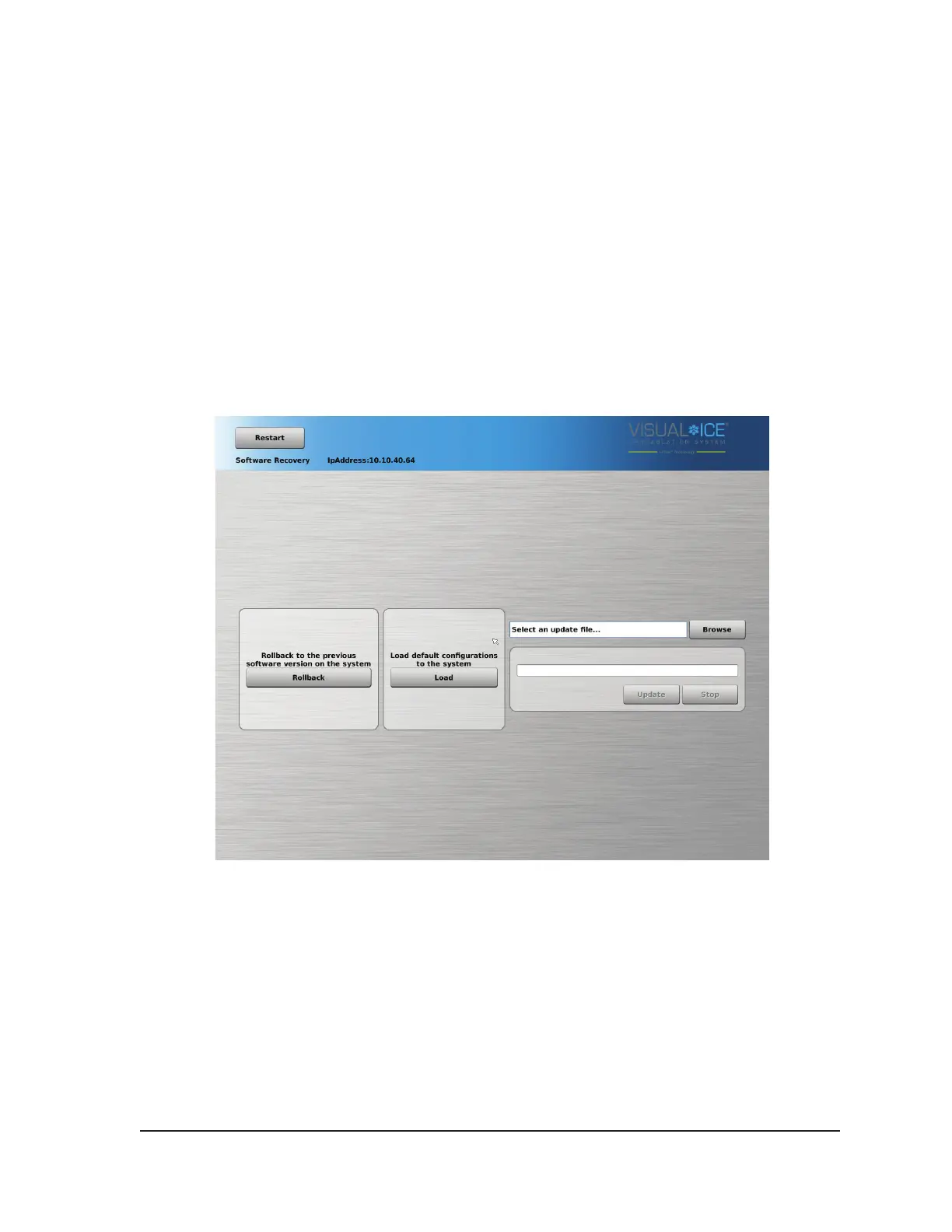
Recovery Screen.
Screen 7-1. Software Recovery Screen
3. Press the Rollback button to restore the software to the previous software version.
4. OPTIONAL: Press the Load button to update the software if the screen displayed a message
indicating that the software conguration is invalid on the login screen (Screen 7-2).



 To Next Page