4-12 User Manual
When the channel has been locked, the software detects that a needle has been connected
and the channel opens for testing. A dark gray channel button indicates a channel with needles
connected. If the needle contains a memory chip, the Visual-ICE System automatically detects
the type of needle being used, the lot number, and the expiration date of the product. If the
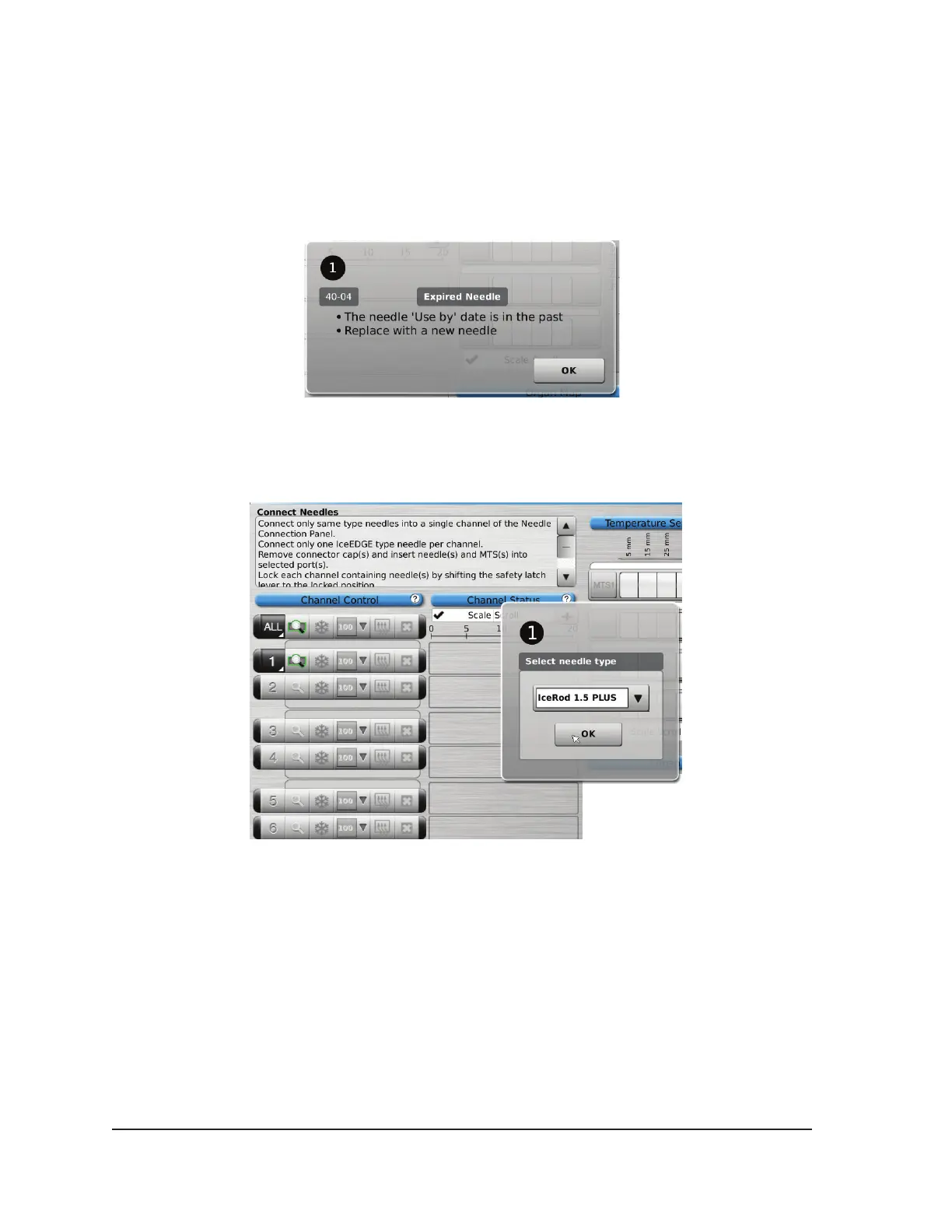
system detects that the expiration date has passed, a message appears and gas ow to that
channel is disabled.
Screen 4-12. Needle Past Expiration Date message
7. If the needle does not contain a memory chip, a menu appears with a selection of needle types
(Screen 4-13). Select the proper needle type from the drop-down menu.
Screen 4-13. Select Needle Type Menu
8. After selecting the rst needle, the selection for subsequent needles defaults to the initial
selection. Conrm needle type displayed in each channel matches the needle type connected.
9. Press and hold the Channel button to open Advanced Channel Controls, which allows you to
change the needle type for a channel, as needed.
10. Prepare to conduct Needle Integrity and Functionality Testing.
CAUTION. Take care to maintain sterility of each needle during testing.
• Secure the needle tubing to the sterile table prior to beginning the needle testing process.
• Fill a large basin (at least 30 cm in diameter) halfway with sterile water or saline.
• Place the needles, individually or in groups, in the basin such that the full length of the needle
shaft is submerged in the sterile water or saline.



 To Next Page