Visual-ICE™ Cryoablation System
4-25
guide needle removal. The Active Zone Indicator is a marked band along the needle shaft,
located 20 mm distal to the heating portion of the needle.
4.7 Advanced Channel Controls
Advanced Channel Controls for each channel provide options to change the needle type for the
selected channel, link two channels together, and program multiple freeze-thaw cycles.
4.7.1 Select Needle Type Control
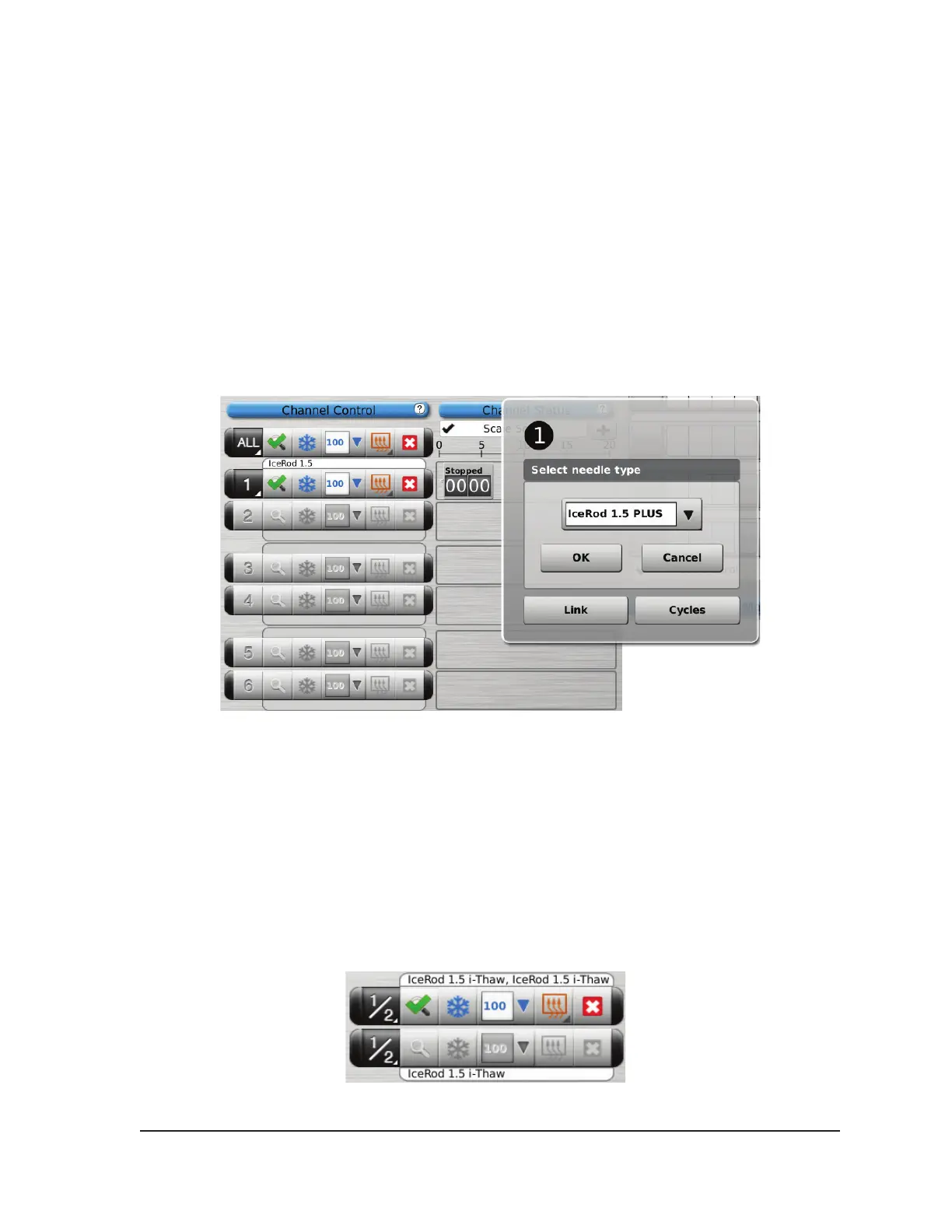
1. To change the needle type for a channel, press and hold the Channel button to enter Advanced
Channel Controls for that channel (Screen 4-24).
2. Select the proper needle type from the drop-down menu.
3. Press the OK button.
Screen 4-24. Advanced Channel Controls
4.7.2 Link Channels Control
1. Press and hold the Channel button to enter Advanced Channel Controls for that channel
(Advanced Channel Controls).
2. Press the Link button to link two channels together for simultaneous operation. When two
channels are linked, the Channel button shows both channels (Screen 4-25).
NOTE: This function is not available on the channel labeled ALL. You can only link channels
that are on the same horizontal plane on the Needle Connection Panel (e.g., 1 and 2, 3 and 4,
5 and 6).
Screen 4-25. Linked Channels



 To Next Page