4-26 User Manual
3. Press the Unlink button (accessed by pressing and holding the Channel button) to remove the
link between two channels so that each operates independently.
4.7.3 Cycle Programming Control
1. Press and hold the Channel button to enter Advanced Channel Controls for that channel.
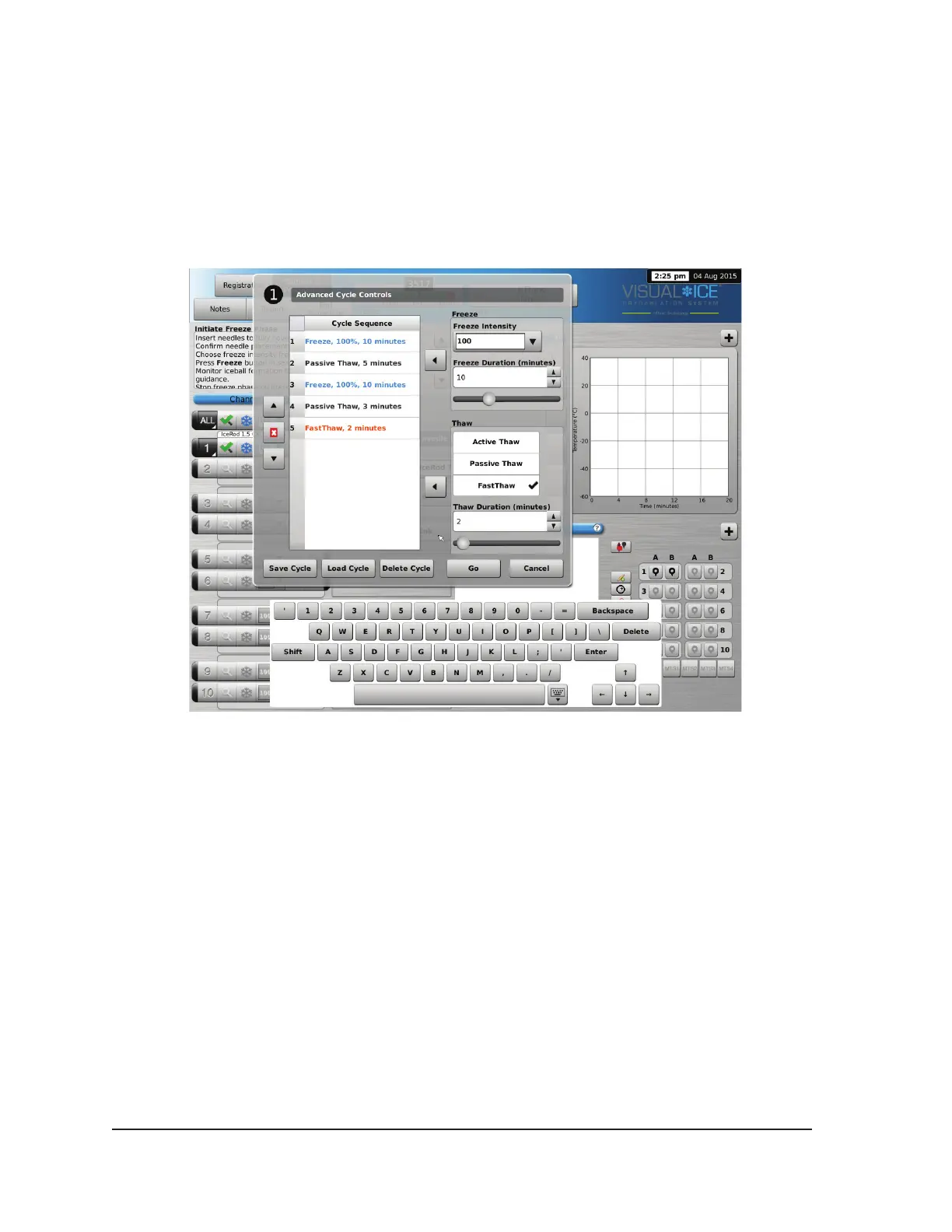
2. Press the Cycles button (Advanced Channel Controls) to enter Advanced Cycle Controls to
program freeze-thaw cycle(s) (Screen 4-26).
Screen 4-26. Advanced Cycle Controls
3. Select the desired freeze intensity from the Freeze controls using the drop-down menu and the
freeze phase duration using the appropriate arrow or the scroll bar.
4. Add the programmed freeze cycle to the Cycle Sequence menu using the left Arrow button next
to the Freeze controls.
5. Select the desired thaw by clicking on the available options in the Thaw controls. Select the thaw
duration using the appropriate arrows or the scroll bar.
6. Add the programmed thaw cycle to the Cycle Sequence menu using the left Arrow button next to
the Thaw controls.
7. Program additional cycles by repeating steps 3 – 6 as appropriate.
8. Arrange the cycle sequence by highlighting a programmed cycle on the Cycle Sequence controls.
Using the Up or Down button, move the cycle into the desired sequence.
9. Remove a cycle from the Cycle Sequence by highlighting the cycle then pressing the Stop
button.
10. Press the Go button to initiate the cryoablation procedure with the programmed cycles.
CAUTION. Any interruption of a programmed phase immediately terminates that phase and the
programmed cycle.



 To Next Page