Visual-ICE™ Cryoablation System
3-13
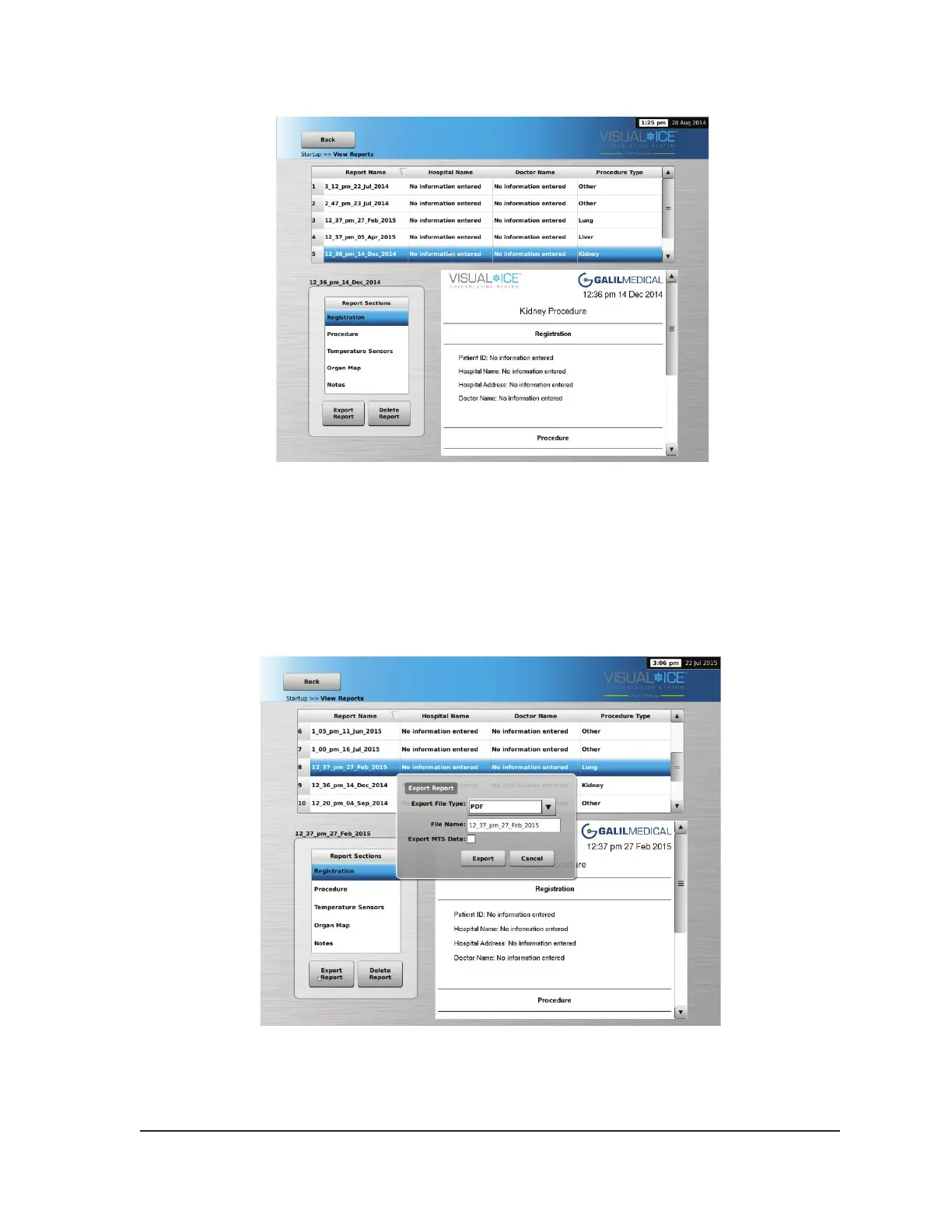
Screen 3-13. View Reports Screen
To sort the list by Report Name, Hospital Name, Physician Name, or Procedure Type, press the
appropriate header section of the report list.
The Export Report button displays a window to choose the Export File Type and File Name for
exporting the report. Reports can be exported in HTML, PDF, or CSV formats. An additional option is
available to export raw MTS data for further analysis.
Screen 3-14. Export Report Screen



 To Next Page