69
Type 8692, 8693
english
Start-up, operation
position controller Type 8692
Procedure:
To input the characteristic points (function values), select the
→ FREE sub-menu option using the arrow keys and confirm by
pressing the selection key on the right (SELEC).
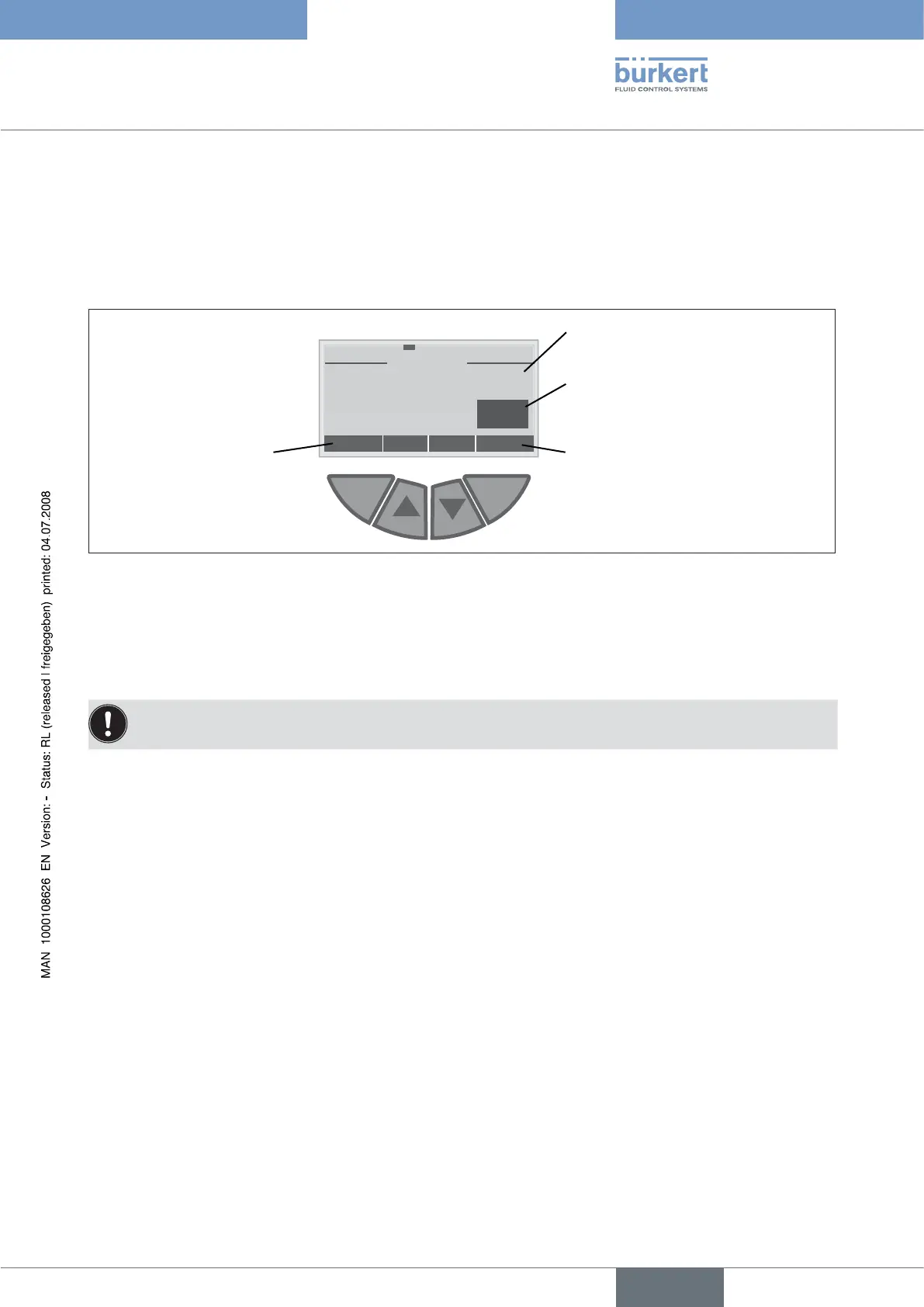
Another sub-menu (FREE) opens in which the individual nodes are listed (as %).
Select the individual nodes using the arrow keys and confirm by pressing the selection key on the right (INPUT) in order to
→
change the value in the SET VALUE sub-menu.
ESC OK
+
-
SET VALUE
y 0 -> : 0.0
% 0.0
This value (as %) is changed
with the arrow keys
Accept the set value
Return without
change
Previously set value (as %)
Fig. 13: Display CHARACT FREE
Using the arrow keys (+/-), set the function value from 0 to 100 % and confirm by pressing the selection key on the right →
(OK).
When all changes have been made, leave the sub-menu by pressing the selection key on the left (EXIT).
→
Press the selection key on the left again (EXIT) to return to the → CHARACT menu option.
Changed values are not transferred into the memory (EEPROM) until the main menu (MAIN) is left.



 To Next Page