86
Type 8692, 8693
english
Start-up, operation
position controller Type 8692
4.3.14 CAL.USER
Calibrating the actual value display and the inputs for the position set-point
value
The following points can be manually calibrated with this function:
Position display (• POS) 0 – 100%
Position set-point value display (• INPUT)
EXIT
calibr. POS
CAL. USER
ENTER
ENTER
OPN
CLS
POS lower 0
EXIT
POS lower 0
INPUT
OK
*
OPN
CLS
POS upper 0
POS upper 0
INPUT
OK
*
calibr. INP
ENTER
INP 4mA 0
EXIT
INP 4mA 0**
INPUT
OK
*
INP 20mA 0
INP 20mA 0**
INPUT
OK
*
copyFACT->USER
RUN
Pressfor
approx. 3 seconds
Reset the settings of CAL.USER
to factory settings
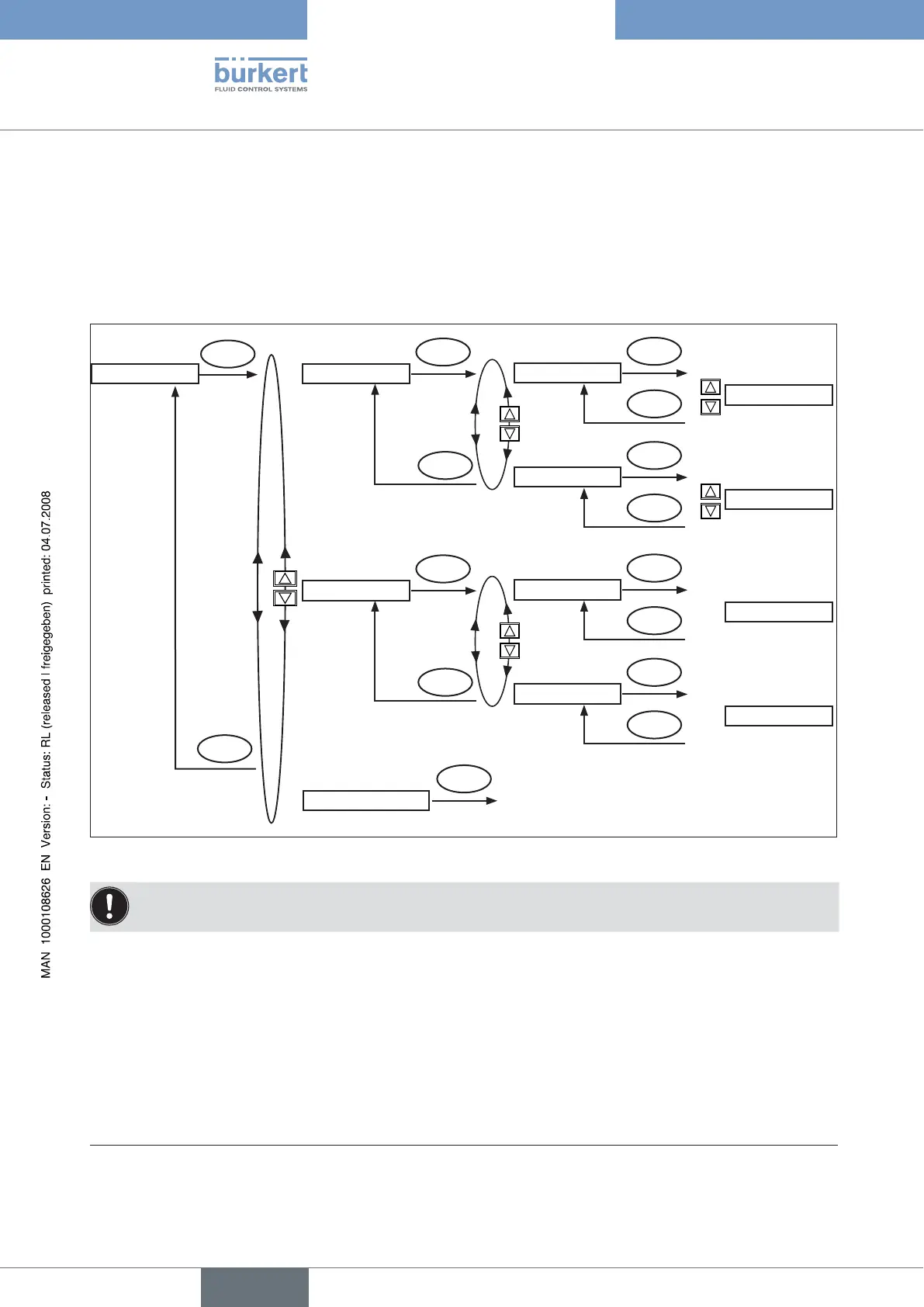
Fig. 36: Operating structure CAL.USER
Remove the CAL.USER auxiliary function to re-activate the factory calibration.
* If the sub-menu is left by pressing the selection key on the left (ESC), the value remains unchanged.
** The signal type is displayed which is selected in the INPUT menu (4 – 20 mA; 0 – 20 mA; 0 – 5 V; 0 – 10 V).



 To Next Page