Chapter 2 BK730-2 Base Page 2-1
2.1 Instrument Panel Functions
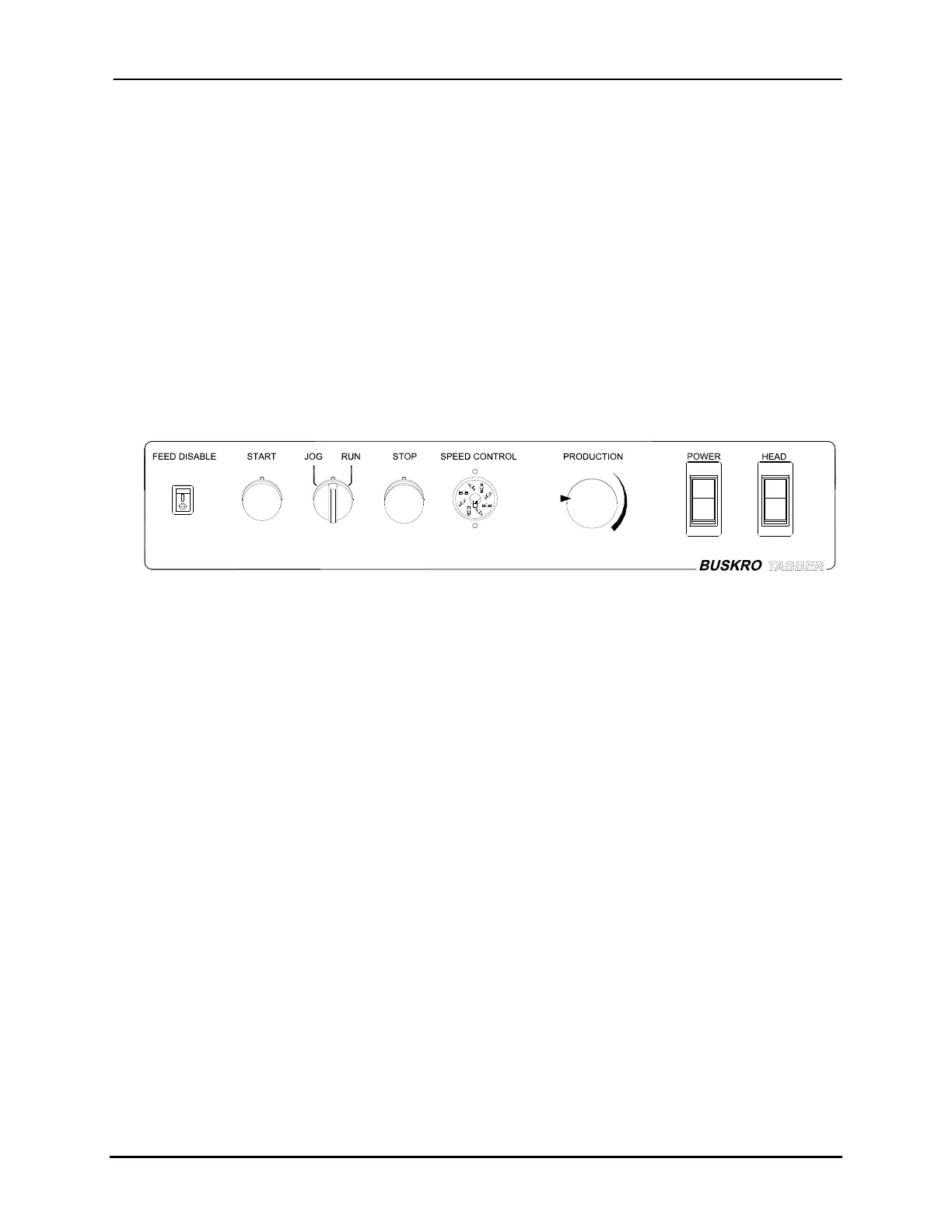
The BK730-2 tabbing base is equipped with a system control panel containing all the
necessary controls to operate the base. The front panel is shown in Figure 2-1 as a
reference. The available controls include:
• Feed Disable control
• Start pushbutton, Jog/Run selector knob, and Stop pushbutton)
• Speed Control module connector
• Production Speed potentiometer
• Main and Head power rocker switches
Figure 2-1: Instrument Control Panel
2.1.1 Feed Disable Control
The Feed Disable switch brings the control of the RUN signal for upstream equipment
from the DIP switch (S1-6) on the new Base Control Board (p/n 9102380) to the operator
front panel. There is a relay coil which whenever energized, will open the NC contacts
used to pass on the RUN signal at pins 9 and 10 of the upstream connector on the Base
Control Board. In order for operator control of this function to work at the front panel, the
DIP switch, S1-6, must be enabled (i.e. open) since electrically, it is connected in parallel
with the front panel switch. The control of the upstream RUN signal is then left to the
FEED DISABLE switch. When it is closed ( | position), a coil is energized which opens
the NC contacts connecting to the upstream RUN contacts at pins 9 and 10 at J2 on the
board preventing the RUN signal from being passed to upstream equipment. This same
operation will result if the DIP switch S-6 is closed (DISABLED position) regardless of
what condition the front panel switch is in. When the FEED DISABLE switch on the
front panel is open (O position) AND the DIP switch S-6 is also open (ENABLED
Buskro Ltd. BK730-2 Tabber


 To Next Page