Installation 140
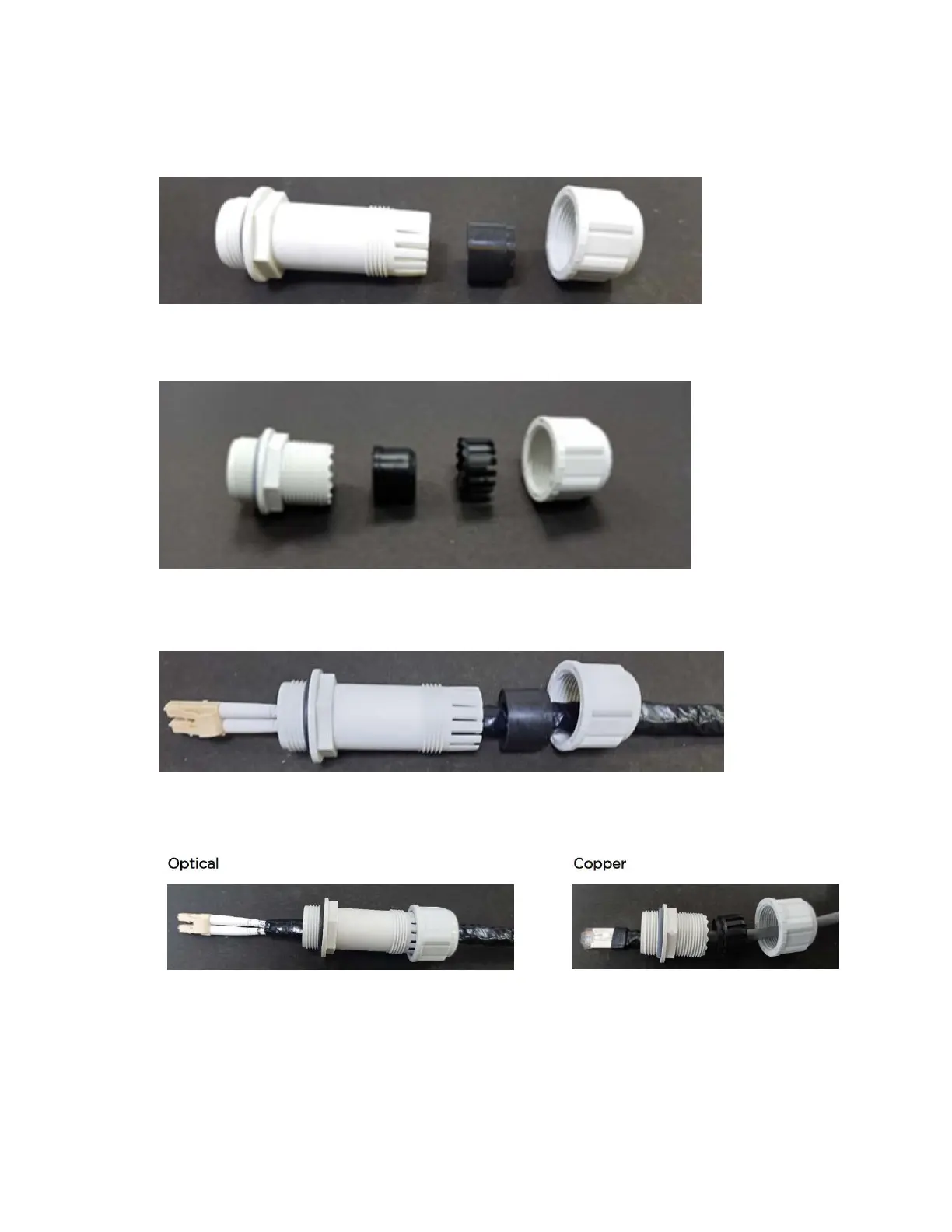
1. Disassemble the long cable gland used for the optical SFP interface.
Figure 139:
Disassembling the long cable gland - optical SFP interface
You must also disassemble the long cable gland used for the copper SFP interface.
Figure 140:
Disassembling the long cable gland - copper SFP interface
2. Thread each part onto the cable (the rubber bung is split).
Figure 141:
Threading the part onto the cable
3. Fit the parts into the body and lightly screw on the gland nut (do not tighten it).
Figure 142:
Fixing parts to the gland
Inserting the SFP module
To insert the SFP module into the ODU, follow the below steps:




 To Next Page