Operation 202
Radio
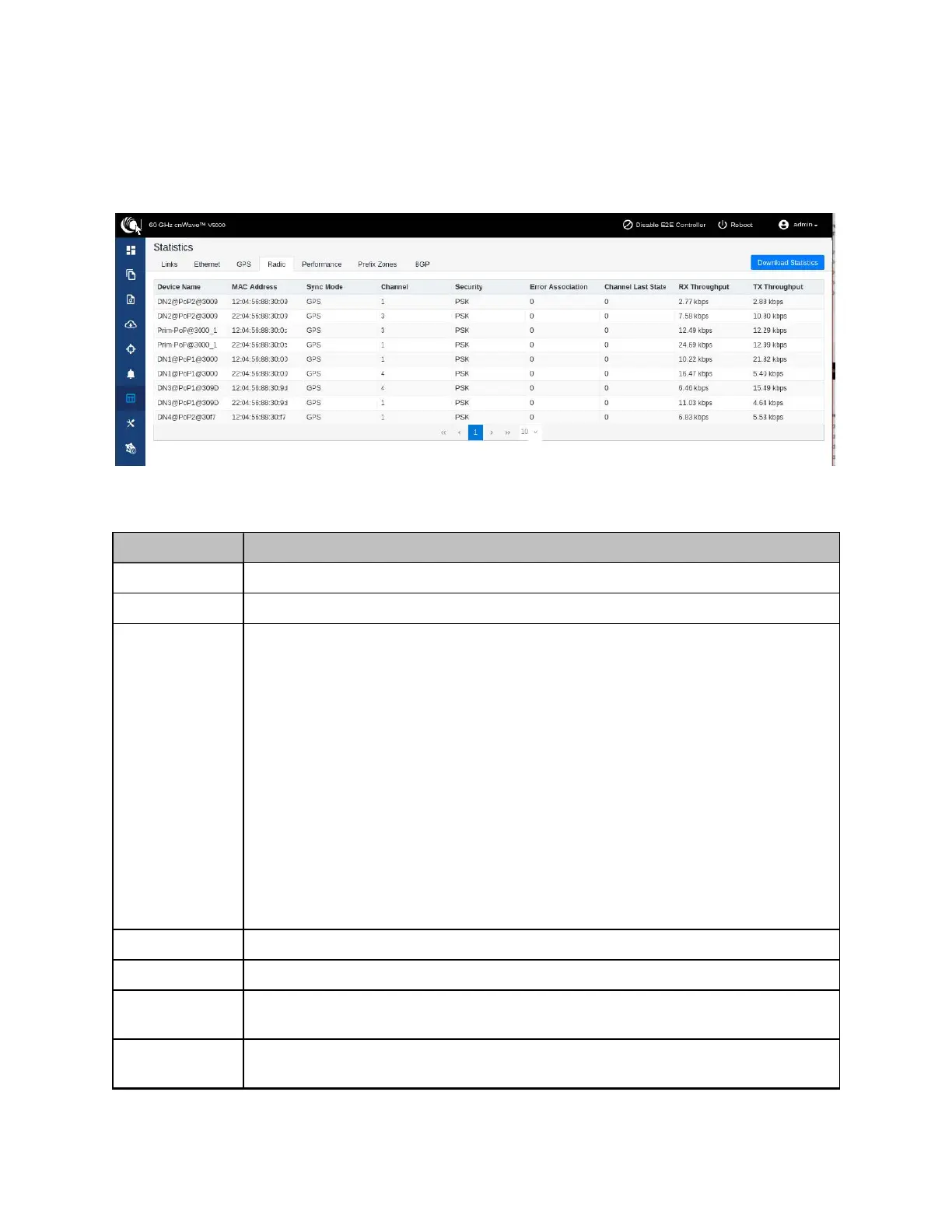
The Radio page displays the radio data of the nodes.
Figure 215:
The Radio page
The Radio page has the following elements:
Table 50: Elements in the Radio page
Elements Description
Device Name Name of the device
MAC Address MAC address of the device
Sync Mode
l GPS sync:
l
Entry condition
: Valid samples from GPS have been received for a few
consecutive seconds (typically 2 seconds).
l
Exit condition
: Valid samples from GPS have not been received for a
few consecutive seconds (typically 10 seconds).
l RF sync: Not in “GPS sync”, but is reachable to a DN with “GPS sync” over
wireless links (1-2 hops away).
l
Entry condition
: Conditions for “GPS sync” have not been met, but a
link exists to at least one other DN from which to derive timing.
l
Exit condition
: Conditions for “GPS sync” have not been met and no
links to other DNs exist from which to derive timing.
l No sync: Neither in GPS sync nor RF sync. This is the default state.
l
Entry condition
: Conditions for “GPS sync” or “RF sync” are not met.
l
Exit condition
: Condition for “GPS sync” or “RF sync” are met.
Channel Operating channel
Security Security type
Error
Association
Error Association
Channel Last
State
Channel Last State









 To Next Page