Configuring 60 GHz cnWave™ 147
Configuring 60 GHz cnWave™
Nodes deployment
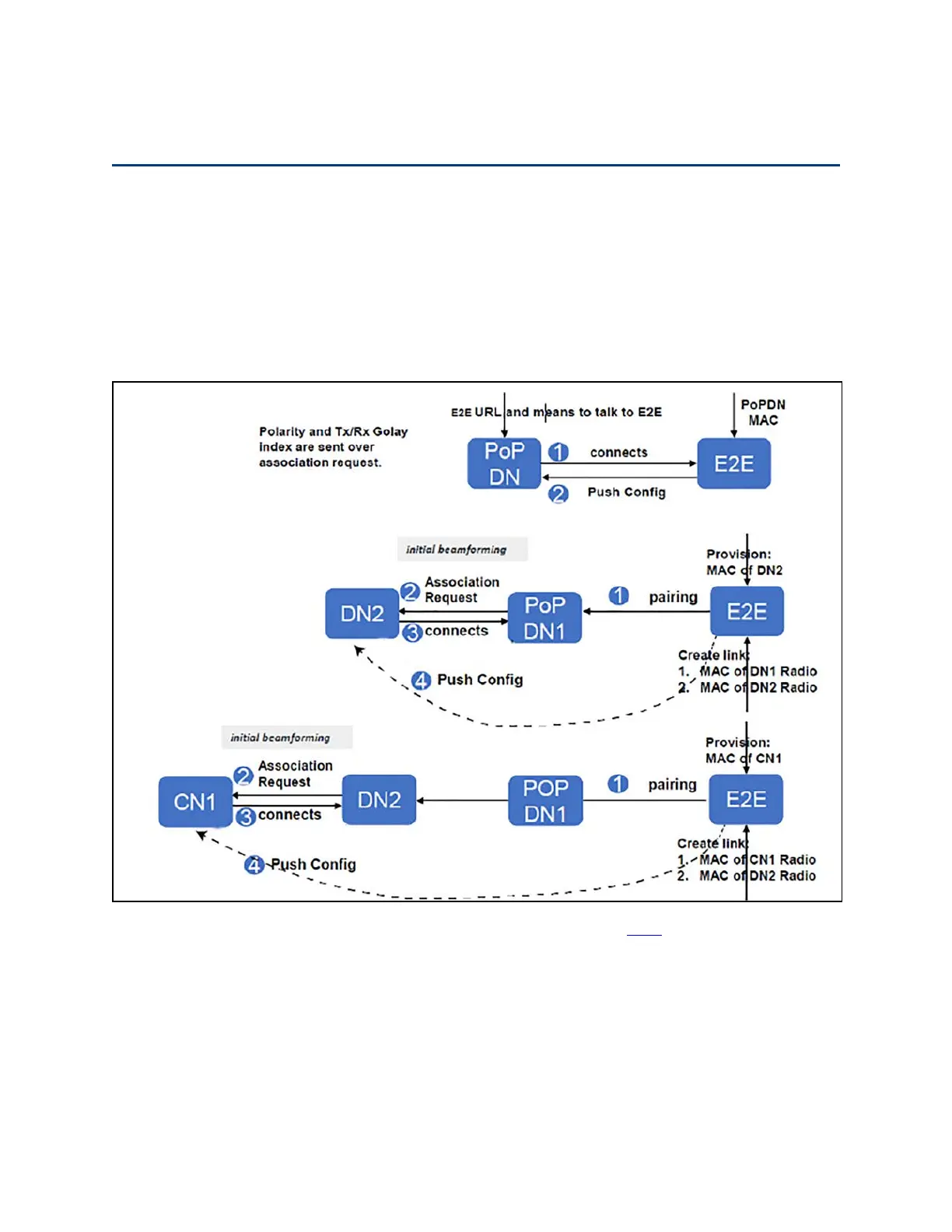
The configuration of cnWave nodes is handled automatically by the E2E service. However, the first PoP
node must be configured manually since connectivity to the E2E controller has not yet been established.
After establishing communication with the E2E controller, the nodes report a hash of their local
configuration file and the controller automatically pushes configuration changes to the nodes upon
seeing any mismatches. Centralized configuration management architecture implemented in which the
E2E controller, serves as the single point of truth for configurations in the network.
Figure 154:
Nodes deployment
More details on deployment of the 60 GHz series of products are available here.
Connecting to the unit
This section describes how to connect the unit to a management PC and power it up.
Configuring the management PC
Use this procedure to configure the local management PC to communicate with the 60 GHz cnWave
devices.









 To Next Page