Operation 220
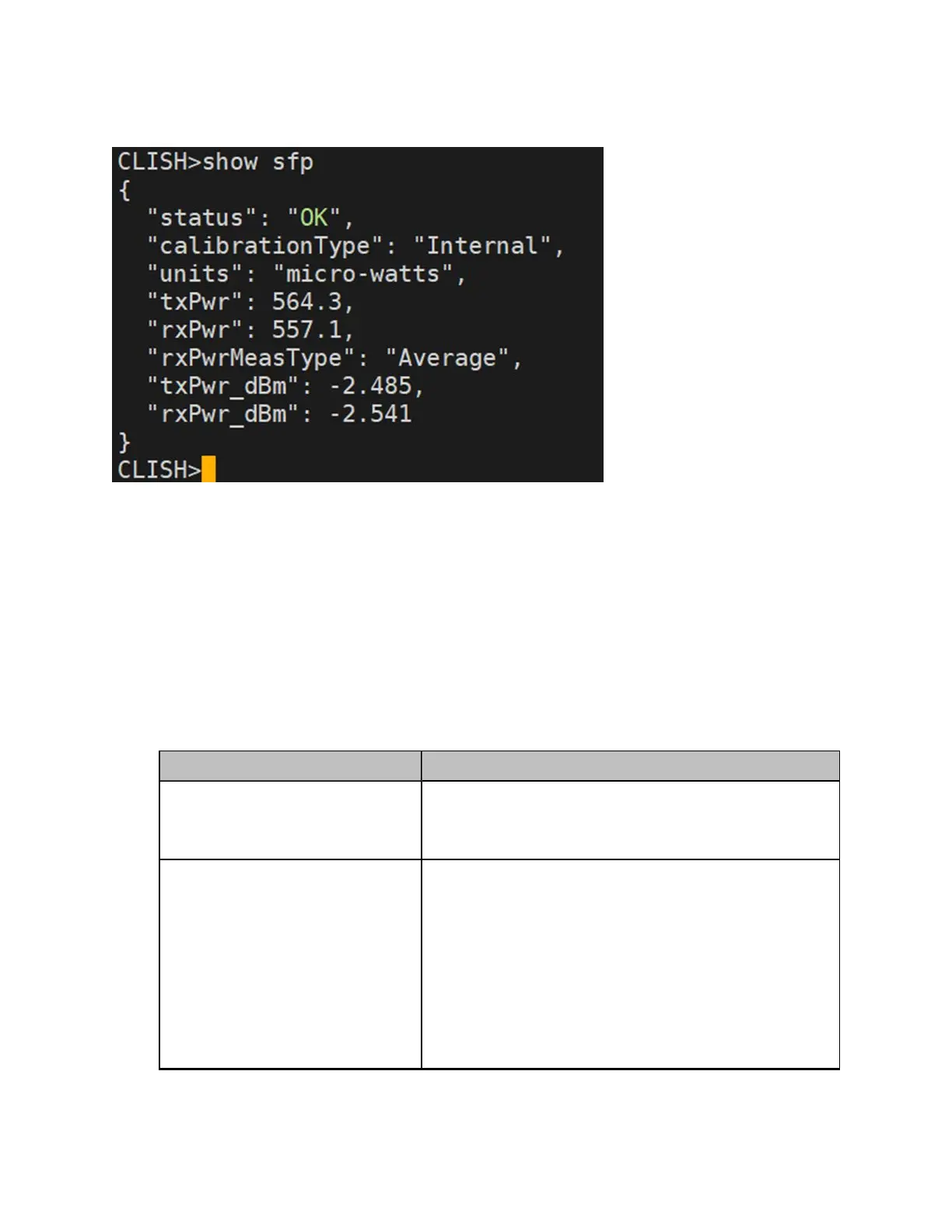
Figure 241:
The CLI supported output - SFP Power details
Ping
The Ping tool provides information that is used to identify the reachability between the required node
and another nodes or destination (for IPv4 and IPv6). The ping tool is useful in troubleshooting the radio
links.
To use the ping tool, perform the following steps:
1. Navigate to Tools > Remote Command from the home page of Onboard Controller UI.
The Ping page appears.
2. Set the parameters with the required values, as described in Table 53.
Table 53: List of parameters in the Ping page
Parameter Description
Source Node
The source node for which you want to find the
reachability with another node or destination.
Select the required source node from the drop-down list.
Destination Type
The required node or destination address (IPv4 or IPv6)
that for which the reachability has to be identified.
Following options are supported:
l Node
l IPv4
l IPv6
Select the required option (mandatory).




 To Next Page