Operation 196
You can also set additional options, if required, such as Upgrade Timeout, Download options, and
Download Timeout.
4. Click Commit to upgrade the node.
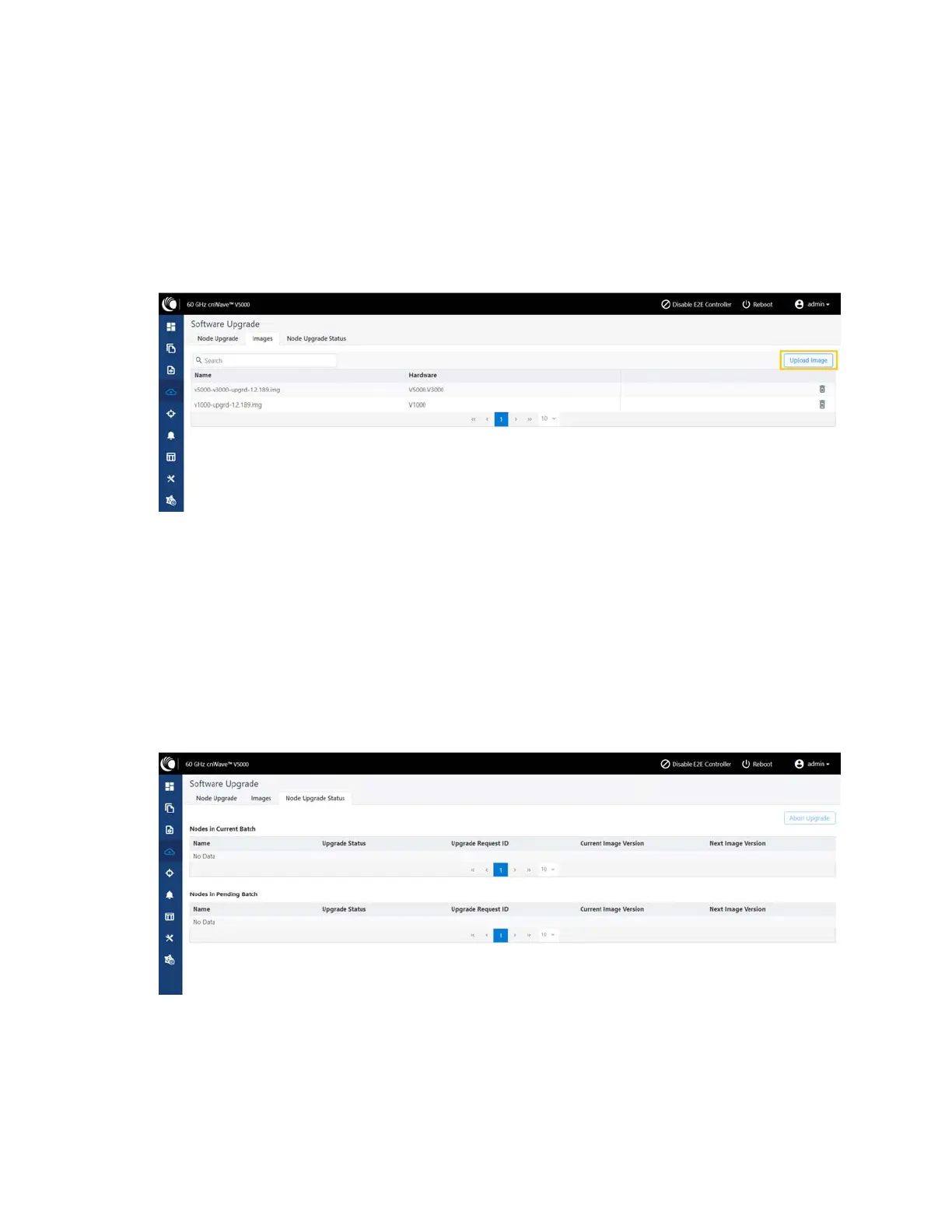
5. To upgrade the software image, click on the Images tab in the Software Upgrade page.
The Images page appears, as shown below:
Figure 210:
The Images page
6. In the Images page, click Upload Image.
You must browse and select the required image file from your machine. Example: Software image
or package (cnWave60-<release>.tar.gz). The selected image file gets uploaded.
You can also delete an existing image file in the Images page.
7. To view the node upgrade status, click on the Node Upgrade Status tab in the Software Upgrade
page.
The Node Upgrade Status page appears, as shown below:
Figure 211:
The Node Upgrade Status page
You can view the upgrade status for the required device nodes.
Diagnostics
The Diagnostics page contains the following tabs:









 To Next Page