Operation 221
Parameter Description
Number of Packets (-c)
Number of times that a packet is transmitted to find the
reachability.
Default value: 3
This parameter supports values between 1 (minimum) and
10 (maximum).
Type an appropriate value in the text box.
Buffer Size (-s)
Size (in bytes) of the packet.
Default value: 56
This parameter supports values between 1 (minimum) and
65507 (maximum).
Type an appropriate value in the text box.
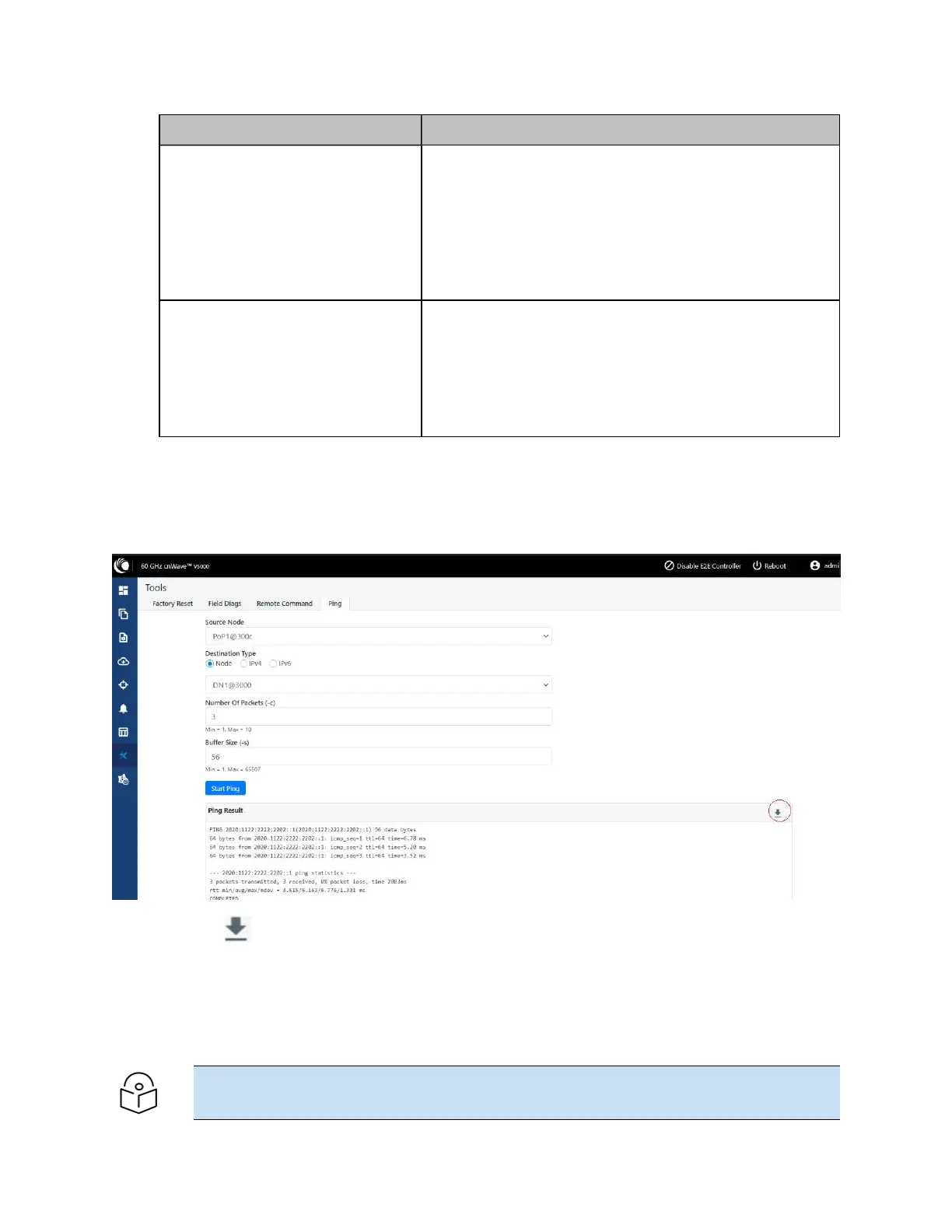
3. Click Start Ping.
The Ping Result section displays the information for the selected criteria, as shown in Figure 242.
Figure 242:
The Ping page
You can use the icon to download the ping result.
Quick PTP setup
Quick PTP Setup is a simple user-friendly tool used for quickly creating a PTP link between the PoP and
the CN. This option eliminates the long process of creating a PTP link with Onboard Controller in the
Topology UI page.
Note
The Quick PTP Setup option is supported only on V1000, V2000, and V3000 products.









 To Next Page