Operation 222
With the Quick PTP Setup option, you can skip the long process of creating a PTP link that involves the
following actions:
1. Enabling Onboard Controller on the required node that can also act as a PoP node.
2. Adding a site for the CN node.
3. Adding a node for the CN node.
4. Creating a link between the PoP and the CN nodes.
The Quick PTP Setup option enables you to create the PTP link using the simple process on the Tools
page of the device UI.
To create the PTP link quickly for the required nodes , perform the following steps:
1. Navigate to Tools > Quick PTP Setup from the home page of device UI.
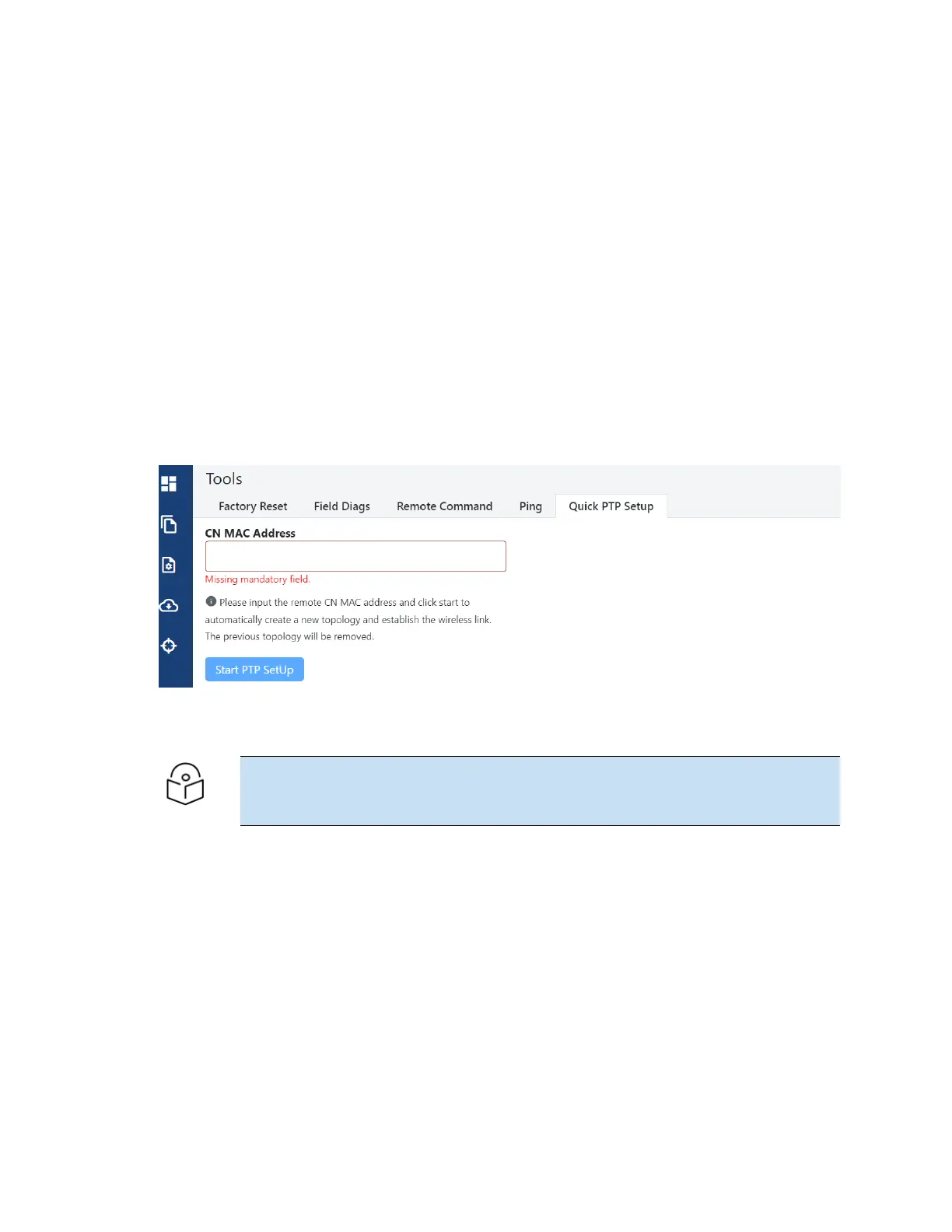
The Quick PTP Setup page appears, as shown in Figure 243.
Figure 243:
The Quick PTP Setup tab on the Tools page
2. In the CNMAC Address text box, enter the MAC address of the required CNnode (which is
connected).
Note
You can also access the MAC address of the connected CN in the Device Information
section of the main Dashboard page (of the device UI).
3. Click Start PTP Setup.
This action creates the PTP link between the PoP and the CNnodes, quickly.
When you configure Quick PTP Setup, the unit turns to a DN running E2E Controller with Layer 2,
and default IPv4 address of 169.256.1.1. When the client onboards, E2E Controller pushes the
configuration to a CN with the IPv4 address of 169.254.1.2.
You can view the connected PoP and CN details on the Topology page of the device UI.









 To Next Page