Troubleshooting 245
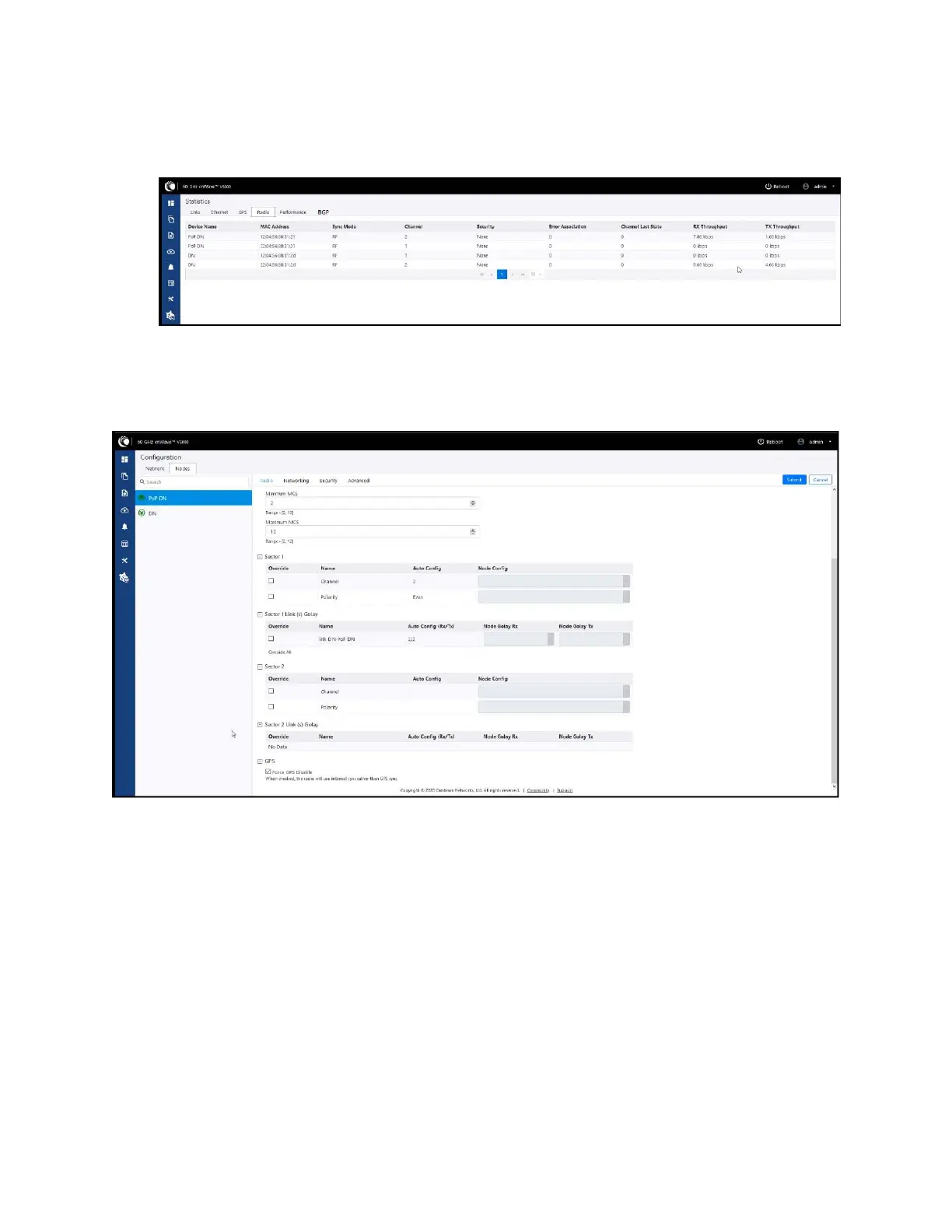
7. Go to Radio and monitor the throughput capacity.
Figure 267:
Monitoring the throughput in the Radio page
8. If internal GPS is used, then verify Configuration > Nodes > Radio > GPS > Force GPS Disable is
enabled.
Figure 268:
Verifying the Force GPS Disable check box
PoP not online from E2E or cnMaestro UI
This usually means that the PoP node is not able to talk to the E2E controller. Ensure that the PoP node
has the E2E IPv6 configured properly. Also ensure that there is a route between the E2E controller and
the PoP node, if they are not in the same VLAN. Try to ping the E2E from the PoP node (login to ssh).
Link is not coming up
1. Ensure that the two ends of the radios can see each other (clear line of sight in between). If the link
is using V3000, ensure that they are properly aligned.
2. Ensure that MAC address of the radios is configured correctly in the E2E Controller.
3. Ensure that GPS sync is not enabled if indoor and ensure that GPS sync is enabled if outdoor.









 To Next Page