Installation 142
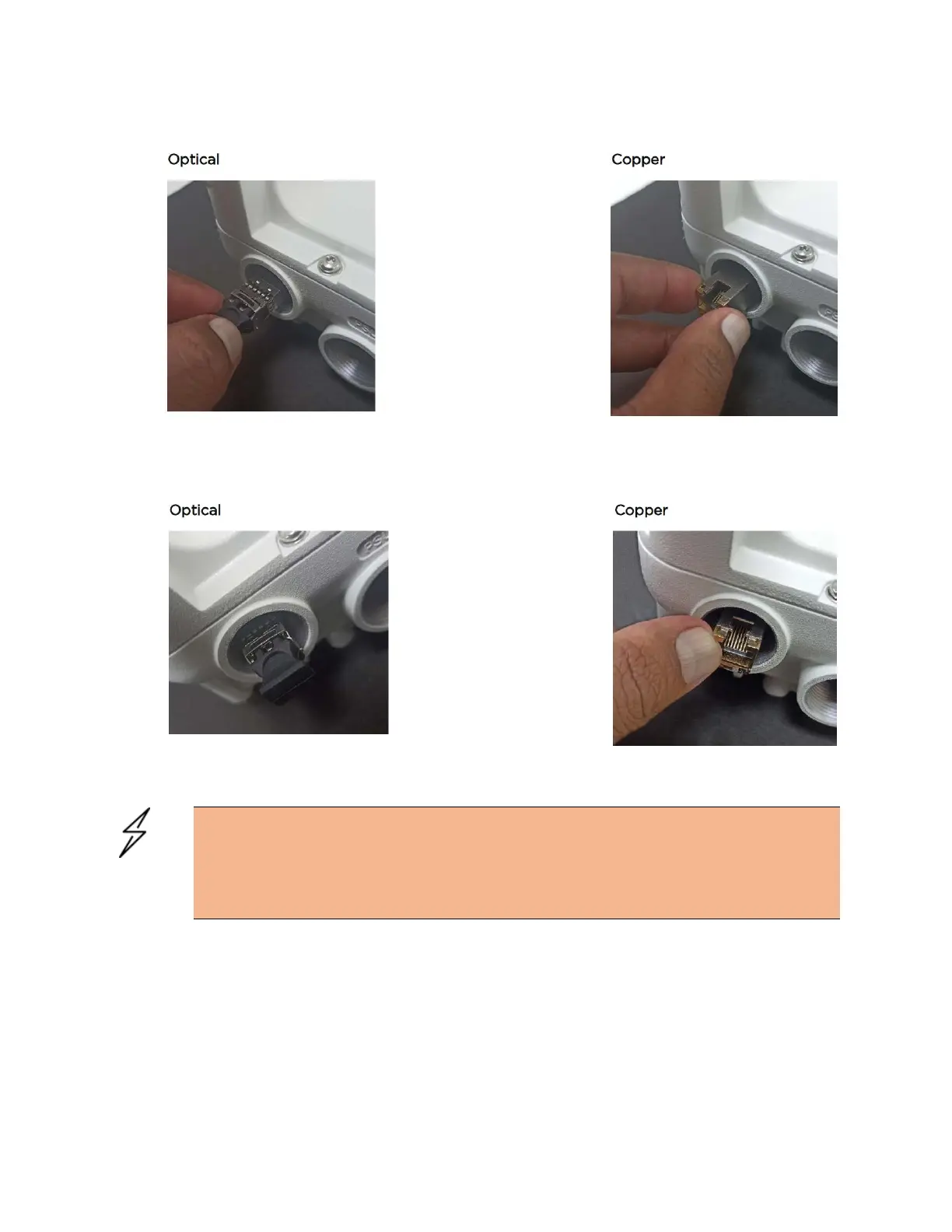
Figure 145:
Pushing the module home
4. Rotate the latch to the locked position.
Figure 146:
Rotating the latch
Connecting the cable
Attention
The Fiber optic cable assembly is very delicate. To avoid damage, handle it with extreme
care. Ensure that the fiber optic cable does not twist during assembly, especially when
fitting and tightening the weatherproofing gland. Do not insert the power over Ethernet
drop cable from the PSU into the copper SFP module, as this will damage the module.




 To Next Page