Configuring 60 GHz cnWave™ 161
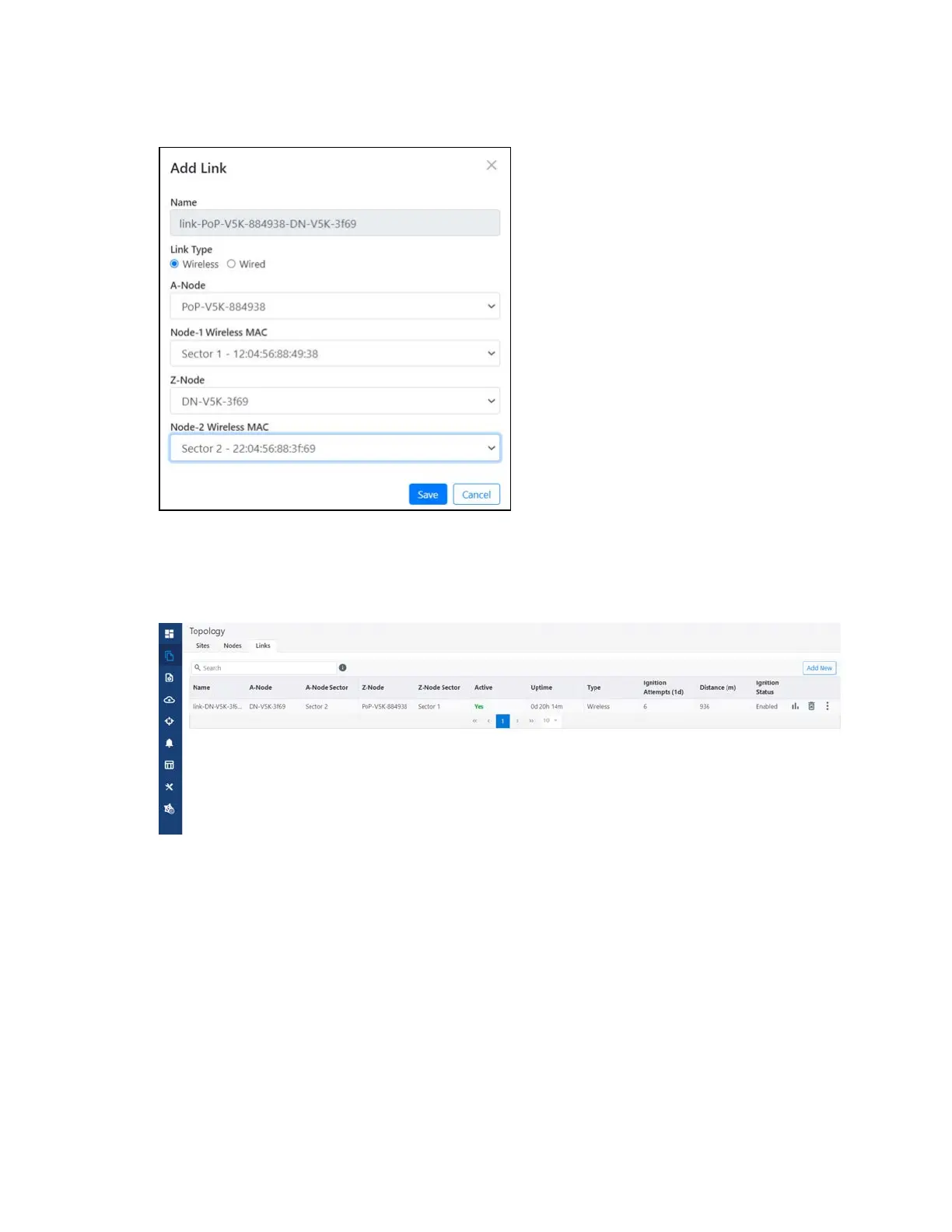
Figure 167:
The Add Link dialog box
9. Click Save.
The new link gets added to the topology, as shown below:
Figure 168:
The updated Links page with the new link details
Support for renaming nodes
A node can be renamed in the topology. To rename the node, perform the following steps:
1. From the dashboard page, navigate to Topology > Nodes.
2. Select the required node and click in the corresponding row. Then, select Edit Node.
The Edit Node dialog box appears with information for the selected node.
3. Rename the node, as shown below:









 To Next Page