Troubleshooting 247
Warning
Factory reset is followed immediately by a system reboot. You must carefully
configure the factory reset settings as the device comes up with the default settings.
All the existingconfigurations are lost when the system comes up.
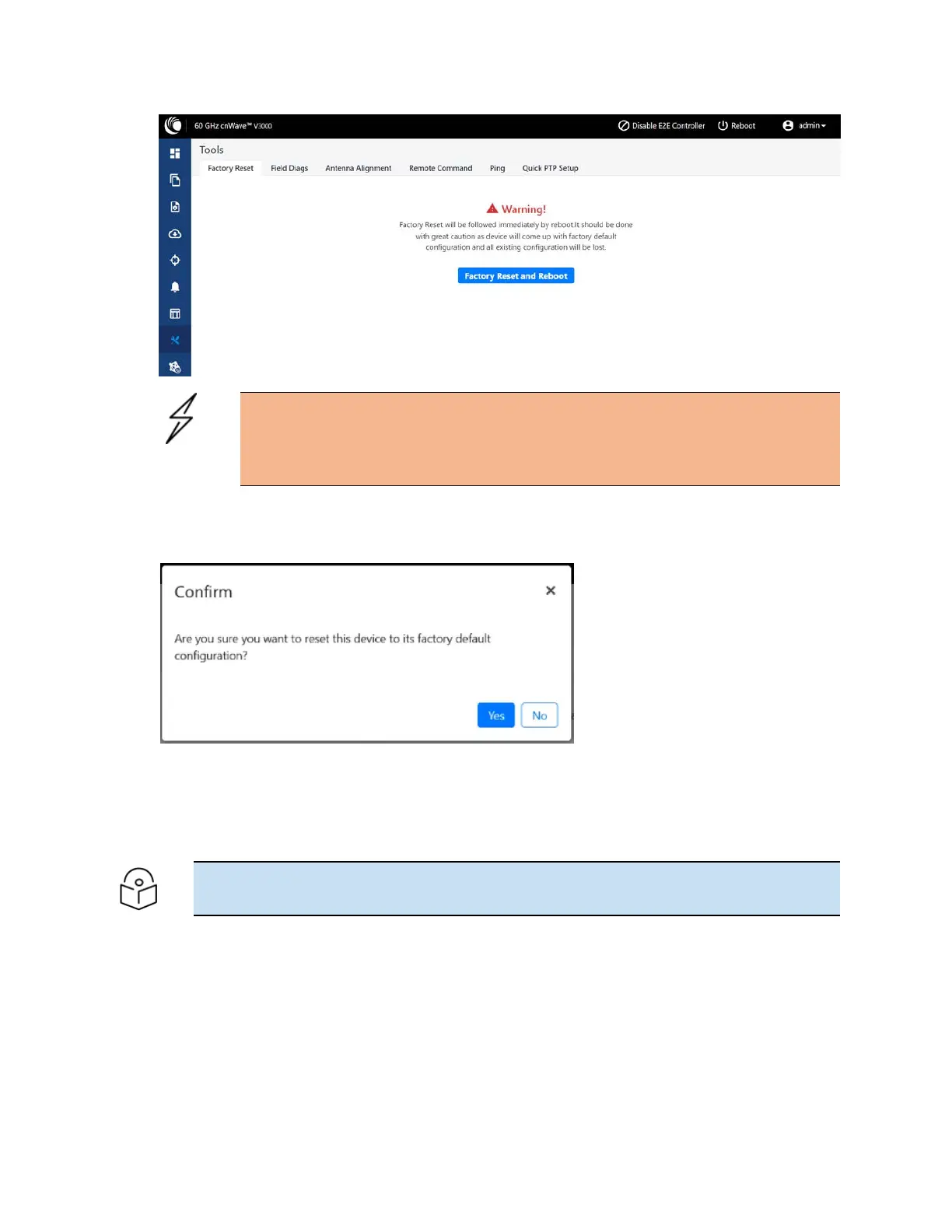
2. Click Factory Reset and Reboot.
The Confirm message box appears, as shown in the following figure:
3. Click Yes to confirm on the factory reset of the system.
The system reboots immediately following the factory reset.
4. When the reboot is complete, access the device using 169.254.1.1 (IP address).
Note
After factory reset, all configurations are set to default mode.









 To Next Page