Jam (Main Unit)
0128 jam code due to high density image output in a high
temperature/humidity environment
[Symptom]
0128 jam may occur when an image of high density exceeding 200% is printed out on a sheet of paper that has been left in a
high temperature/humidity environment.
0128: Bypass Sensor 1 Delay Jam (PS322)
[Cause]
The output sheet of a high density image has a tendency to curl upward.
As the paper that has been left in a high temperature/humidity environment contains a plenty of moisture in it, the more the paper
curls, the more its elasticity gets reduced and it would have a folded corner as a result.
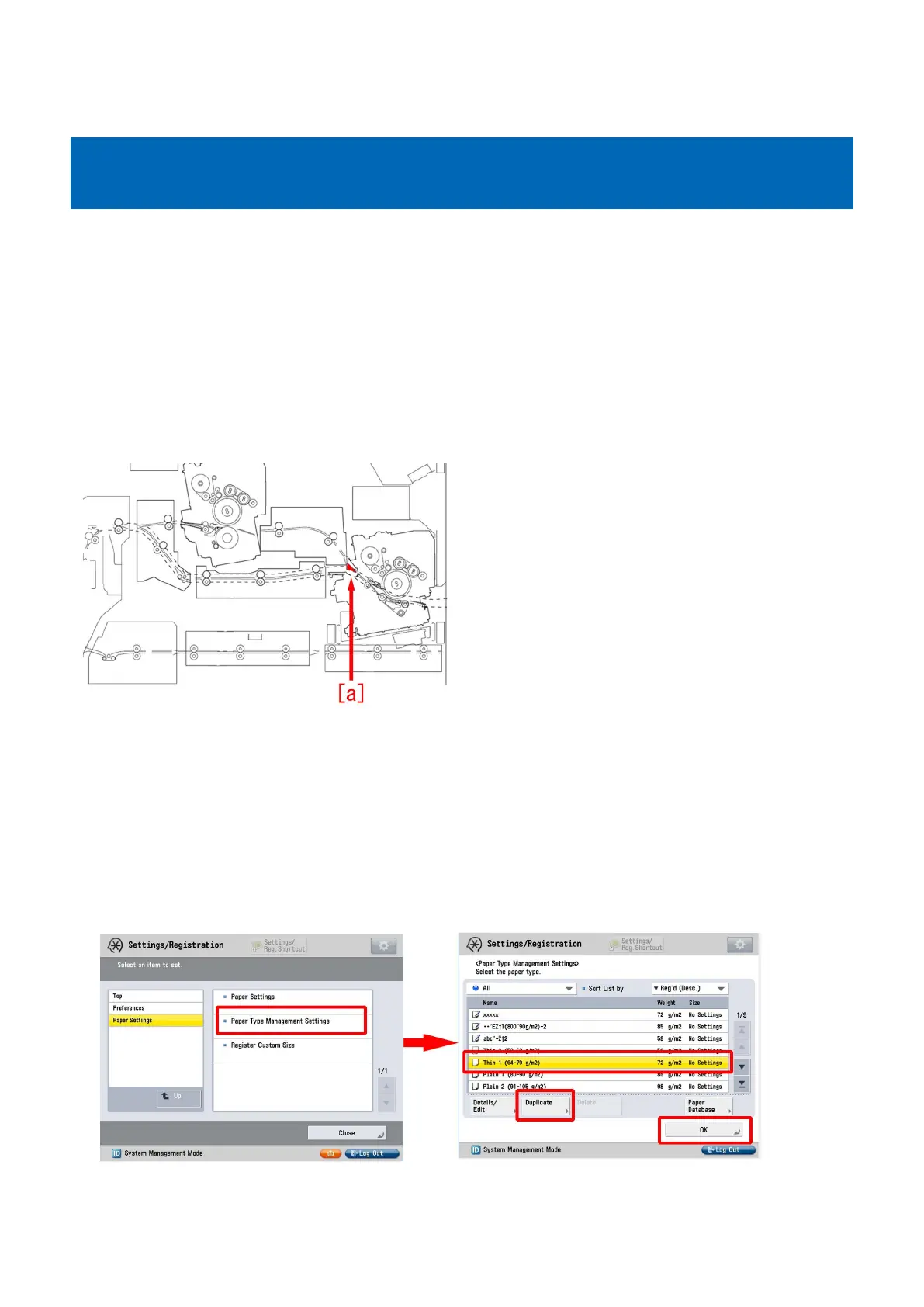
If a sheet of paper that is curled upward has a folded corner at the flapper [a] that switches the single fixing path and the tandem
fixing path, the above mentioned symptom may occur.
[Service work]
[Reference]
Improving a state of preservation of paper may be effective in resolving a trouble in some cases.
Explain to a customer that unused or remaining paper should be stored by being covered with wrapping paper in a place avoiding
direct sunlight.
1) Have the customer log in from System Management Mode in user mode.
2) Go to Select Settings/Registration > Paper Settings > Paper Type Management Settings, select an appropriate paper type
from among the list, press "Duplicate" button and then "OK" button.
3) Enter any name as the duplicated paper type and press "OK" button.
124











 To Next Page