Uneven gloss on the entire high density image
[Symptom]
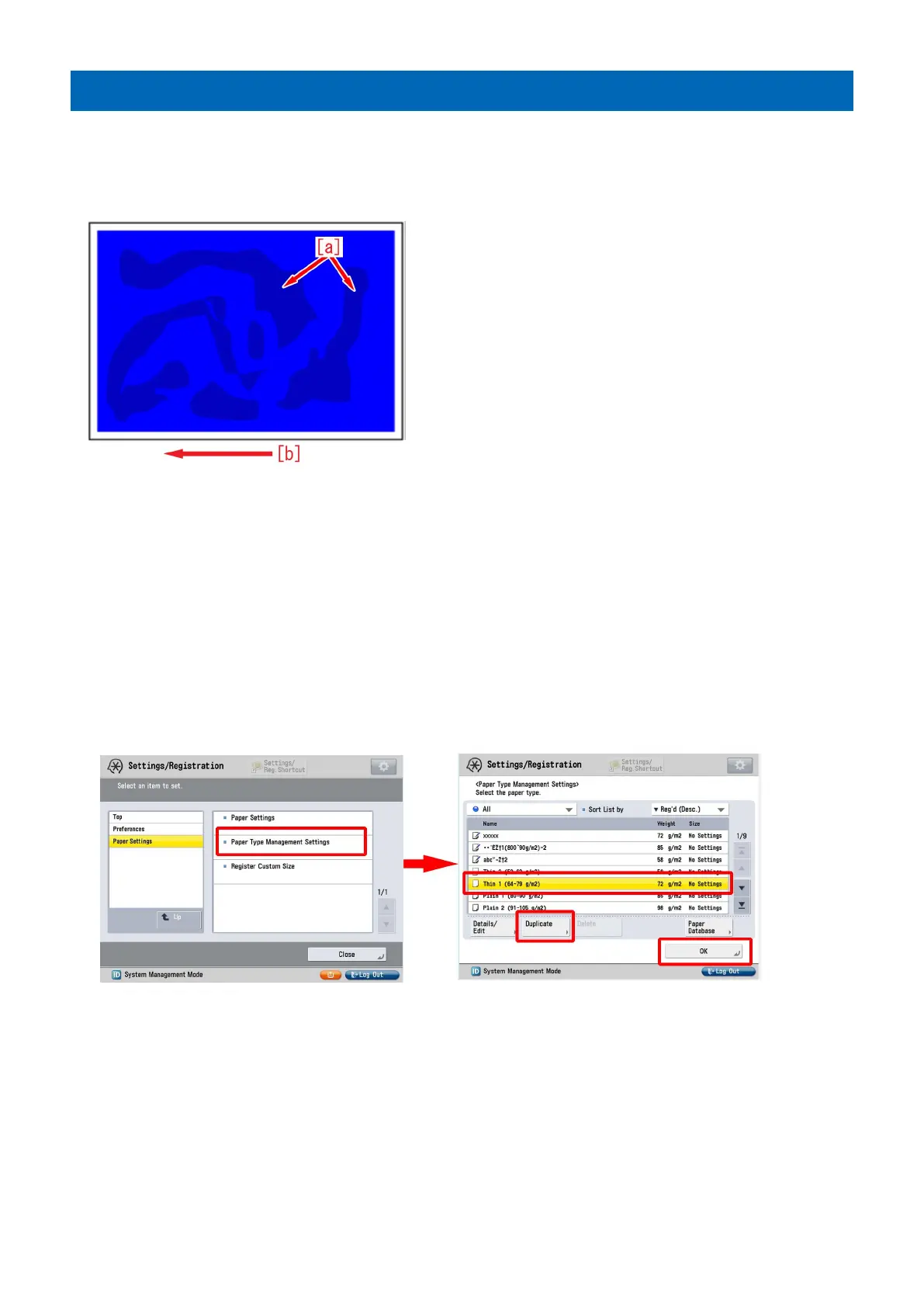
Uneven gloss [a] may occur on the entire high density image such as solid image.
The arrow [b] indicates the direction of feeding.
[Cause]
The influence of an uneven temperature and uneven cooling of the member (guide etc.) on the delivery path after fixing may
cause the time difference in solidifying the wax components included in the toner.
When there is the time difference in solidifying the wax components, the difference in glossiness on the image surface tends to
stand out, and the above-mentioned symptom occurs.
This symptom is likely to be seen on the high density image with high quantity of toner and heavy paper/coated paper that is fixed
at a high temperature.
[Service work]
1) Have the customer log in from System Management Mode in user mode.
2) Go to Select Settings/Registration > Paper Settings > Paper Type Management Settings, select an appropriate paper type
from among the list, press "Duplicate" button and then "OK" button.
3) Enter any name as the duplicated paper type and press "OK" button.
8











 To Next Page