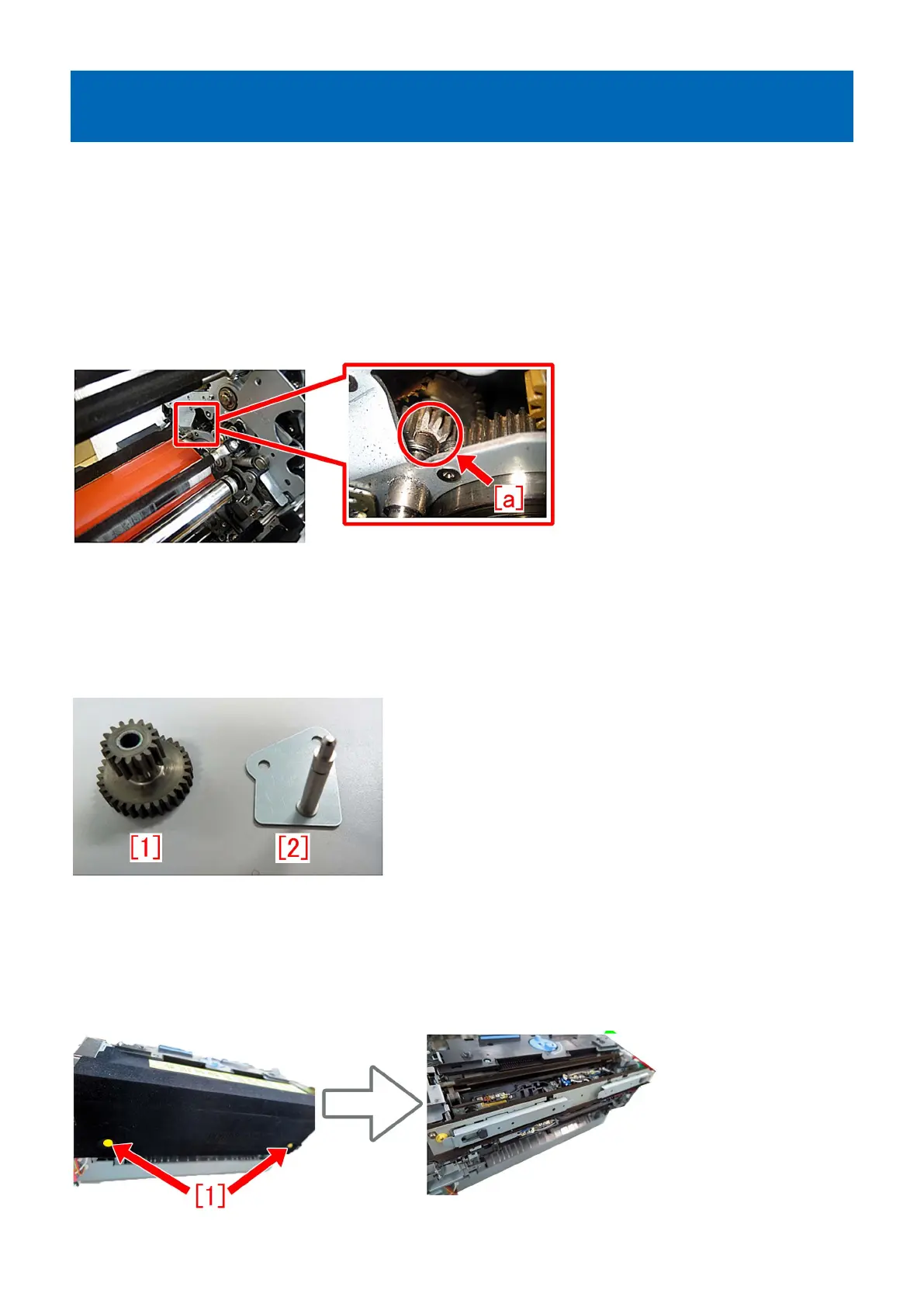
E842-011x or the refresh roller does not work due to broken pieces
of 16T/31T gear going into the fixing pressure belt assembly
[Symptom]
E842-011x may occur or the refresh roller may not work on the products whose serial number is earlier than the following
countermeasure cut-in serial number in factory. ( x = 1,3 )
- E842-0111 : An error in engagement/disengagement operation of the Primary Fixing Pressure Belt was detected.
- E842-0113 : An error in engagement operation of the Primary Fixing Pressure Belt was detected.
[Cause]
16T/31T gear in the fixing assembly may break [a] due to load applied when press fit a bearing into the gear and some endurance
time. When broken pieces go into the fixing pressure belt assembly, one of the above symptoms occurs.
[Service work]
When the above symptom occurs, prepare the following service part and follow the steps below.
- imagePRESS C10000 Series : Idler gear unit (FM1-T019-000)
- imagePRESS C6000/C6000VP/C7000VP/C7000VPE/C6010/C6010VP/C7010VP/C6011/C6011VP/C7011VP : Idler gear unit
(FM1-T026-000)
[Reference] The idler gear unit contains the new type 16T/31T gear [1], the small gear fixed plate [2], one washer and one E-ring.
1) Refer to the service manual and remove the fixing assembly.
[Reference]
- Work procedures are same for both the primary fixing assembly and the secondary fixing assembly.
- Remove the broken pieces of the gear, if found.
2) Remove the 2 yellow screws [1] and the upper cover.
205











 To Next Page