110F jam code due to meshing failure on timing belt of operation
feed motor (M26) (Staple/Saddle/Booklet/Finisher)
[Symptom/Question]
In the machine earlier than the following countermeasure cut-inserial numbers in factory, when printing using the finisher, 110F
jam may occur.
- 110F: Lower Delivery Sensor (PS6) Stationary Jam
[Cause]
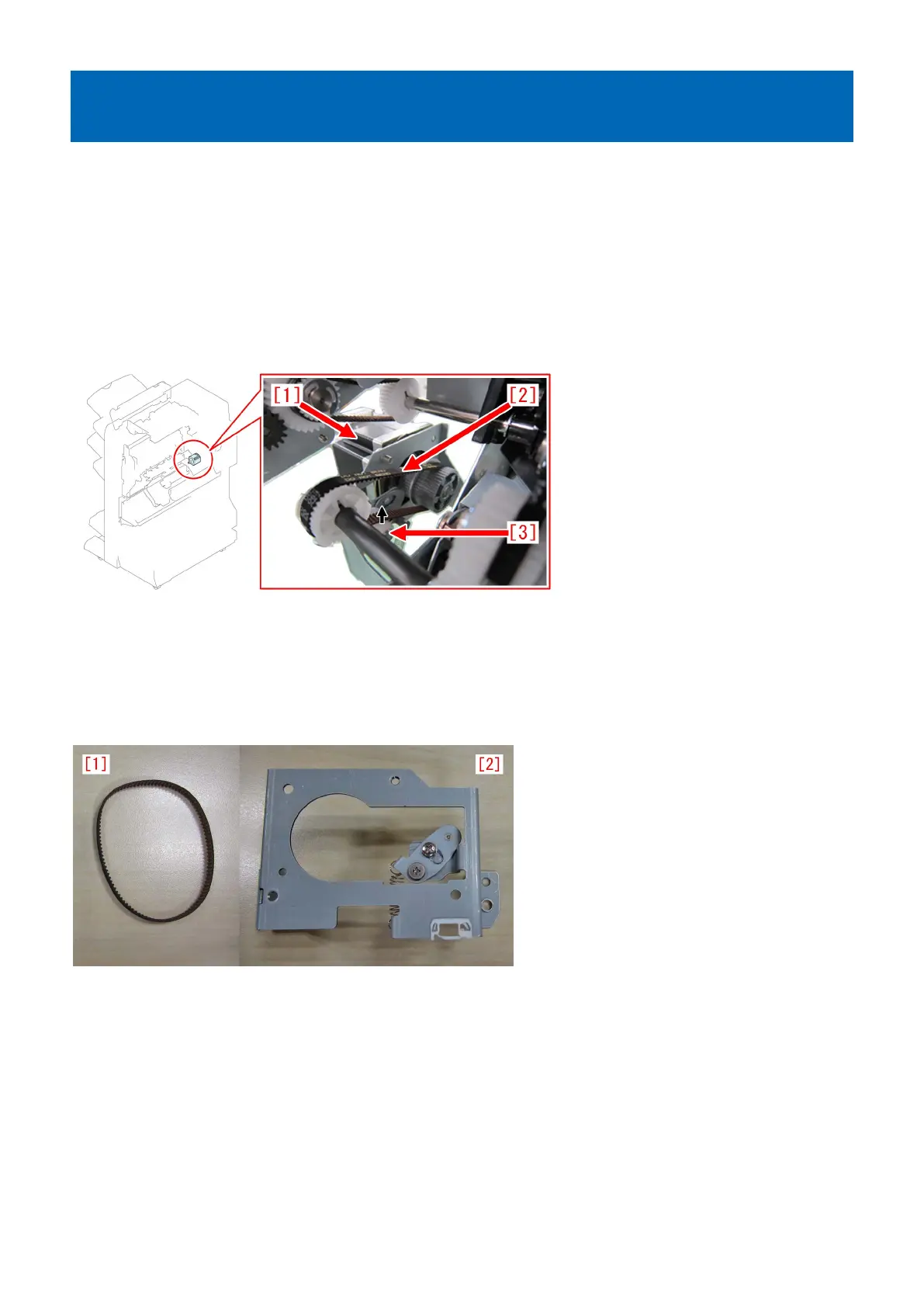
The timing belt [2] in the operation feed motor (M26) [1] is designed to keep its tension and prevent from being loose by having
the tensioner [3] pressed in the direction of the arrow. This tensioning method is "unfixed type". However, the pressing power of
the tensioner [3] in the unfixed type is insufficient in some cases and when the operation feed motor (M26) [1] drives rapidly a
meshing failure occurs on the timing belt because of power, resulting in the above symptom.
[Remedy/Answer]
When the above symptom occurs, prepare and replace the paper delivery drive set (L) (4Y8-3156-000).
The paper delivery drive set (L) (4Y8-3156-000) contains the following 2 items.
- Timing belt [1]
- Paper delivery drive assembly (L) [2]
1) Refer to "Removing the Rear Cover" of Service Manual and remove the rear cover.
2) Remove the 2 screws [2], the connector [3] and the edge saddle [4], and then remove the paper delivery drive
assembly (L) [1] including the motor.
169











 To Next Page