Countermeasure against E060-0x01 or white line image
[Symptom]
E060-0x01 or a white line image may occur in the main body earlier than the following countermeasure cut-in serial numbers in
factory.
- E060-0x01 : Primary Charging Wire error (x:1=Y, 2=M, 3=C, 4=Bk)
[Cause]
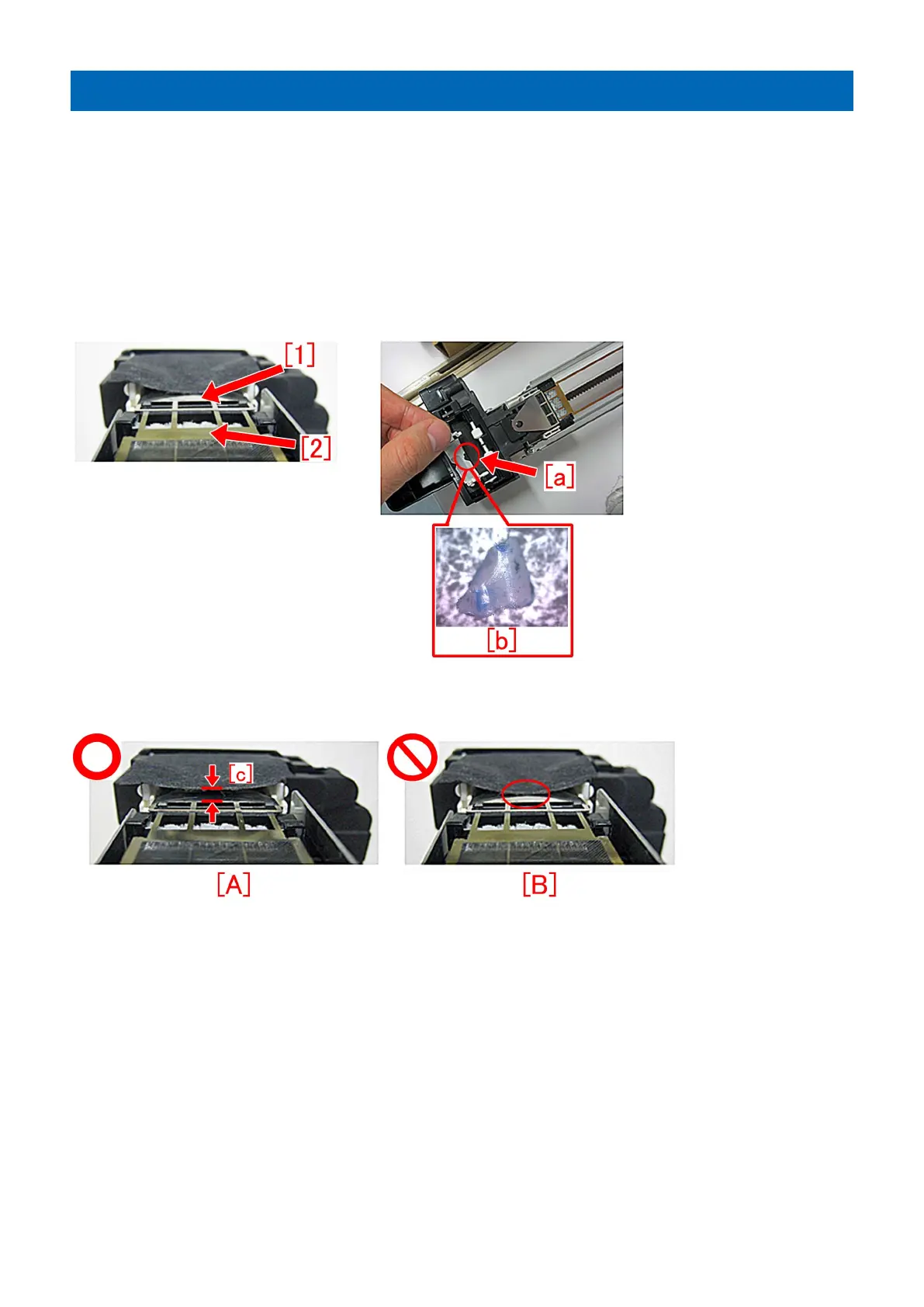
In the field service, as a step of cleaning the primary charger, the leaf spring may be deformed from opening/closing the shutter
by holding the leaf spring or replacing the grid plate. From either of the operations the sheet [1] of the leaf spring catches the grid
plate [2] and this condition leads to an E060-0x01. If the protective sheet is torn [a] and the fragment [b] mixes into the cylinder
of the developing assembly, it results in a white line image.
The photo [A] shows a normal state where the distance [c] between the grid and the leaf spring is maintained properly. Meanwhile
the photo [B] shows a state where the leaf spring is deformed and the leaf spring has come in contact with the grid.
[Service work]
When the aforementioned symptom has occurred, prepare and replace with the new type shutter unit (FM1-A485-010) following
the below procedure:
[Note]
- The primary charging assembly (FM1-K629-010) is operator maintenance part.
- Refer to the service information (F01537) that was already issued for notabilia in detaching/installing/cleaning the primary
charger.
1) Referring to the service manual, remove the primary charger, and then remove the shutter sheet from the shutter slider.
2) Remove the 3 screws [1] to remove the primary handle from the primary charger.
202











 To Next Page