1008 Jam Code due to nip failure of post card feeding rollers
(Finisher)
[Symptom]
In the machine earlier than the following countermeasure cut-in serial numbers in factory, when feeding a postcard or a paper
with a length less than 182mm in feeding direction, were ejected, 1008 jam may occur in rare occasion.
-1008 Jam: Buffer path 2 sensor (UN14) Delay Jam
[Cause]
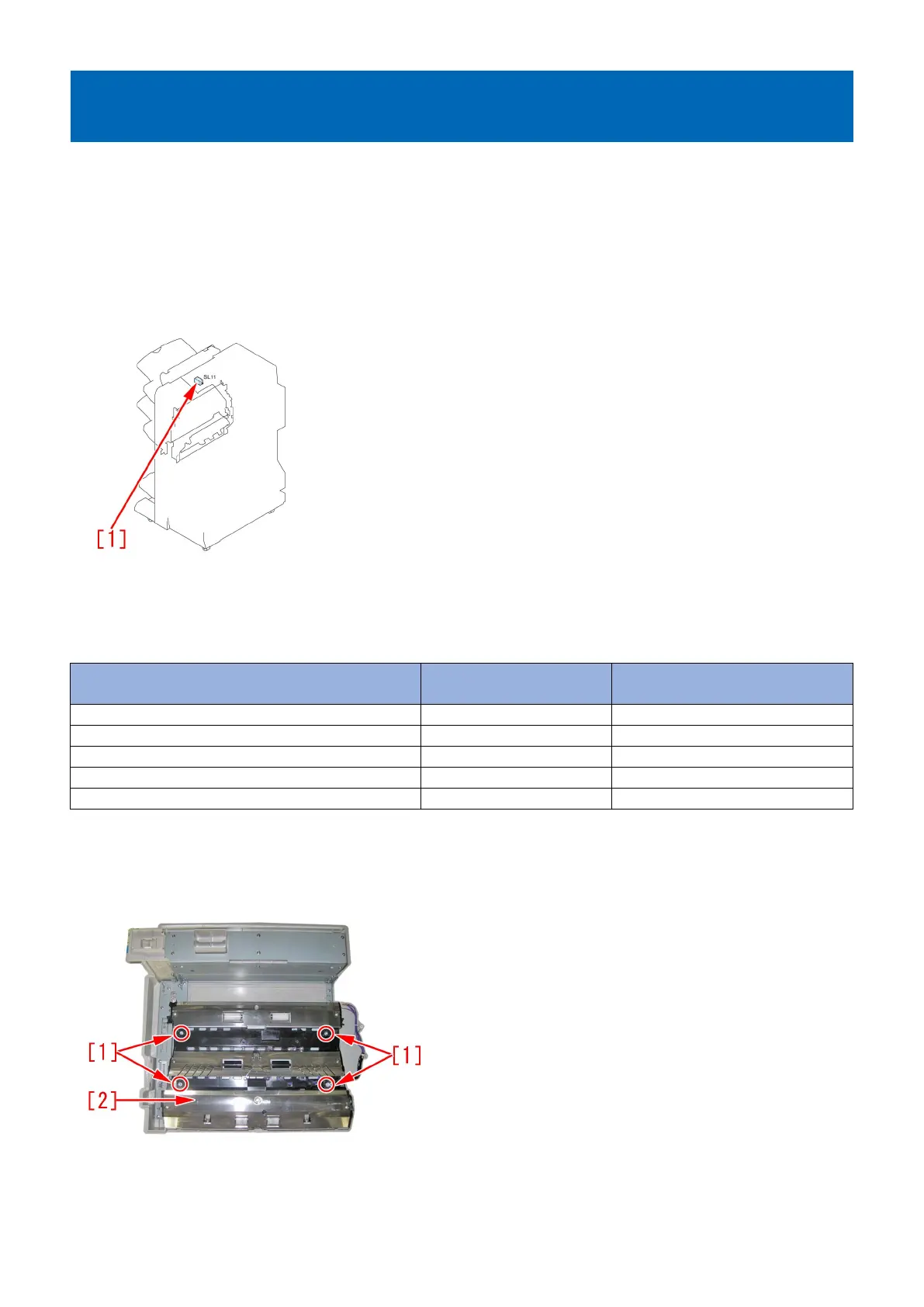
When pull in current value of the solenoid was insufficient and the installed position of estrangement solenoid unit (SL11) [1] was
inappropriate, nip pressure of the postcard feeding rollers may be insufficient. This may lead to the above mentioned phenomenon.
[Remedy/Answer]
When the aforementioned symptom has occurred, conduct the following 2 steps.
a) Upgrade the firmware of SORTER, according to the list below.
Model Firmware Version Service Information(Software) Ref
No
Staple Finisher-Q1/Booklet Finisher-Q1 SORTER Ver.11.01 F02396
Staple Finisher-W1/Booklet Finisher-W1 SORTER Ver.12.01 F02183/ F02185
Finisher-AK1/Saddle Finisher-AK2 SORTER Ver.11.01 F02189
Finisher-AM1/Saddle Finisher-AM2 SORTER Ver.10.01 F02187
Finisher-AN1/Saddle Finisher-AN2 SORTER Ver.06.01 F02191
b) Prepare and replace with a new type of estrangement solenoid unit (FM1-A170-010), following the procedure below. Note that
the following procedure starts from where the finisher was removed from main body of a copying machine.
b-1) Detach the upper feeder assembly, referring to the service manual.
b-2) Turn over the upper feeder assembly, remove stepped screws [1] x4pcs and remove a buffer guide [2].
b-3) Disconnect a connector [1] x1pc of the estrangement solenoid unit.
160




 To Next Page