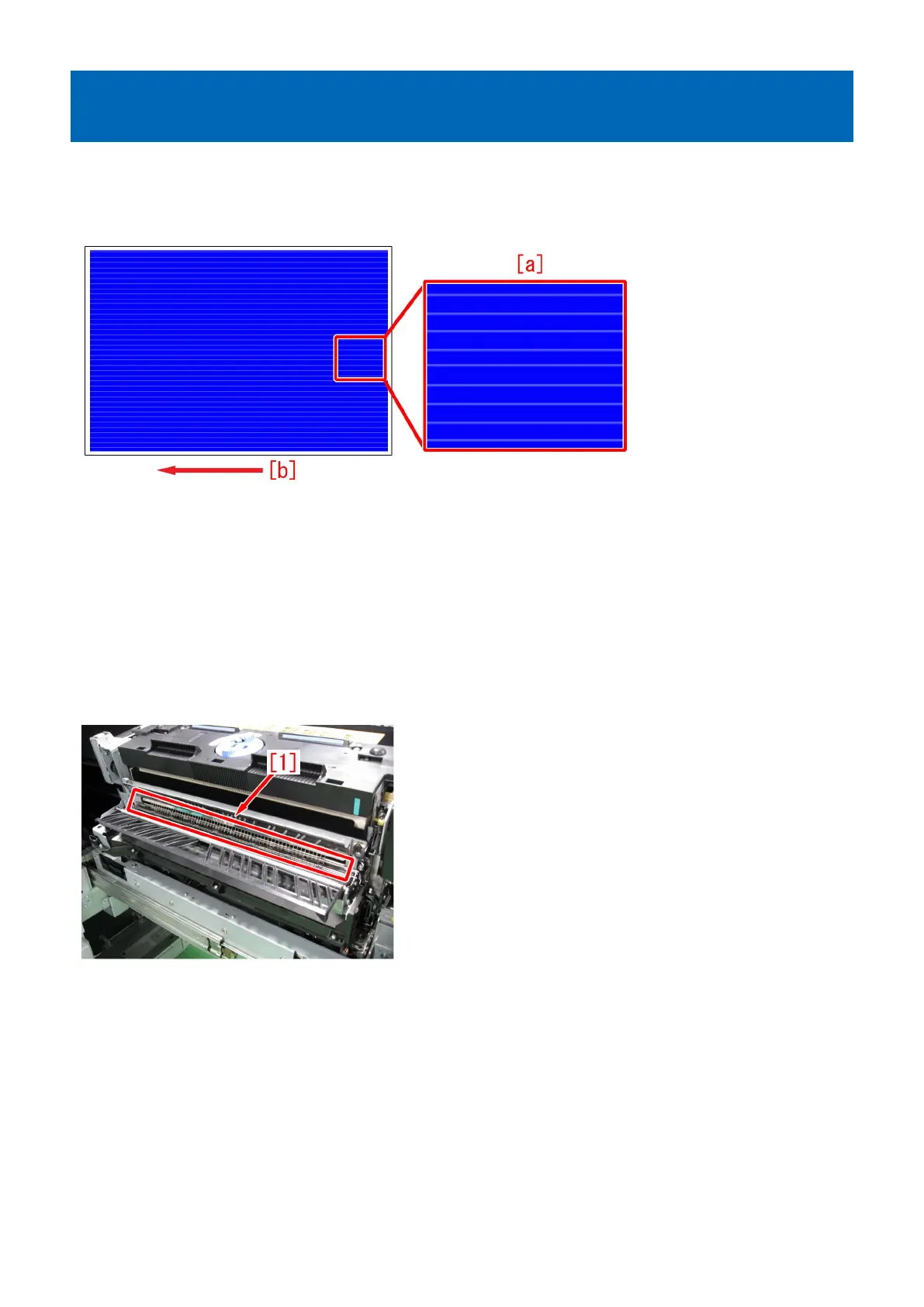
1 mm-wide glossy lines at intervals of 5 mm in the high-density
area on the first side of duplex printing
[Symptom]
Several 1 mm-wide glossy lines [a] may occur at intervals of 5 mm in the high-density area on the first side of duplex printing.
The arrow [b] indicates the direction of feeding.
[Cause]
After heavy usage, toner may adhere to static eliminator located at the outlet of the first fixing assembly. If toner adheres to the
static eliminator, the static eliminator becomes firm and it rubs the image surface, and the above-mentioned symptom occurs.
This symptom can be seen more clearly on the high-density image having larger quantity of toner.
This symptom cannot be seen clearly on the heavy paper / coated paper since the paper is fixed again in the secondary fixing
assembly.
[Service work]
1) Open the sub station front right cover and take out the first fixing assembly.
2) Fold the five-ply lint-free paper in four, and clean the static eliminator [1] to become unraveled.
3) Insert the first fixing assembly and close the sub station front right cover.
4) Output the image having shown the symptom, and check that the symptom does not occur.
If the symptom no longer occurs, the work is completed.
If the improvement of the symptom is not enough, go to step 5).
5) Have the customer log in from System Management Mode in user mode.
6) Go to Select Settings/Registration > Paper Settings > Paper Type Management Settings, select an appropriate paper type
from among the list, press "Duplicate" button and then "OK" button.
14











 To Next Page