Marks appear on the front side of the back face of one-sided print
or of the first face of two-sided print
[Symptom]
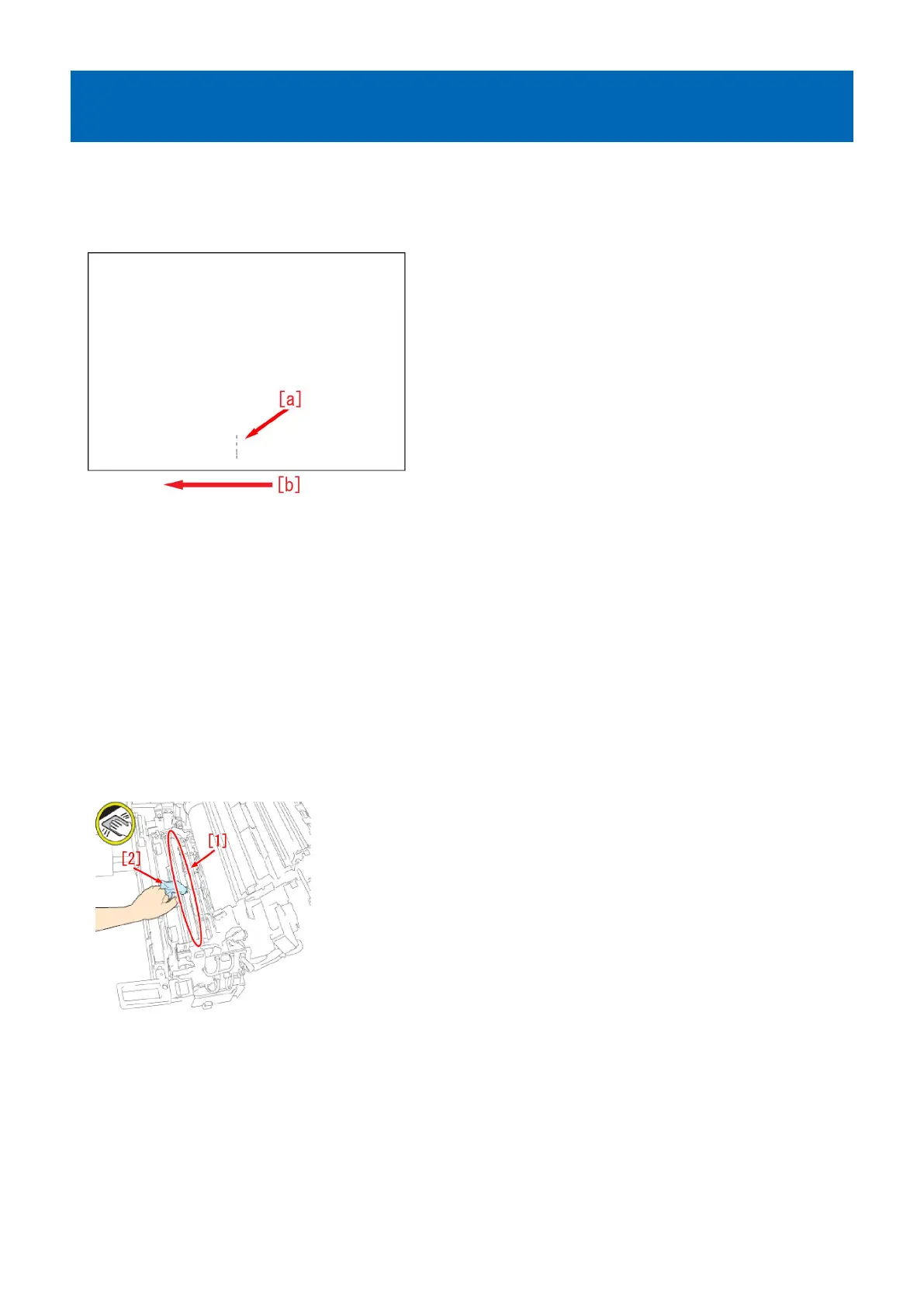
Marks may appear on the front side [a] of the back face of one-sided print or of the first page of two-sided print.
The arrow [b] indicates the direction of feeding.
[Cause]
Paper dust or toner may attaches onto the pressure belt of the primary fixing assembly from the influence of the paper or toner
scattering inside the machine.
At that time, if the pressure belt displacement control is executed, the fixing belt comes in contact with the belt pressure shaft,
and paper dust and toner attach onto the belt pressure shaft.
When hundreds of thousands or more of sheets of paper has passed through the device, the paper dust or toner piled up on the
belt pressure shaft increases and it may move to the pressure belt during the pressure belt displacement control.
Paper dust and toner moved to the pressure belt attaches onto the paper, and this brings on the aforementioned symptom.
[Service work]
1) Remove the primary fixing pressure belt unit referring to "Disassembly/Assembly > Fixing System > Replacing the Primary
Fixing Pressure Belt Unit" in the service manual.
2) Clean the primary fixing belt pressure shaft and the adjacent shaft [1] with lint free paper moistened with alcohol [2].
3) Reassemble the primary fixing pressure belt unit in reverse order from the step 1).
4) Output the image having shown the symptom, and check that the symptom does not occur.
If the symptom does not improve, check other causes.
24











 To Next Page