1014/1086/10B5/10E9/17B5/17E9 Jam codes due to softened
spacer (Paper Folding Unit/Document Insertion / Folding Unit)
[Symptom/Question]
In the machine earlier than the following countermeasure cut-inserial numbers in factory,when making copies using the paper
folding unit, 1014/1086/10B5/10E9/17B5/17E9 Jams may occur.
- 1014: Slowdown timing sensor (S24) Delay Jam
- 1086: Inlet sensor (S20), Slowdown timing sensor (S30) Delay Jam
- 10B5: Slowdown timing sensor (S24) Delay Jam
- 17B5: Slowdown timing sensor (S24) Delay Jam
- 10E9: Slowdown timing sensor (S30) Delay Jam
- 17E9: Slowdown timing sensor (S30) Delay Jam
[Cause]
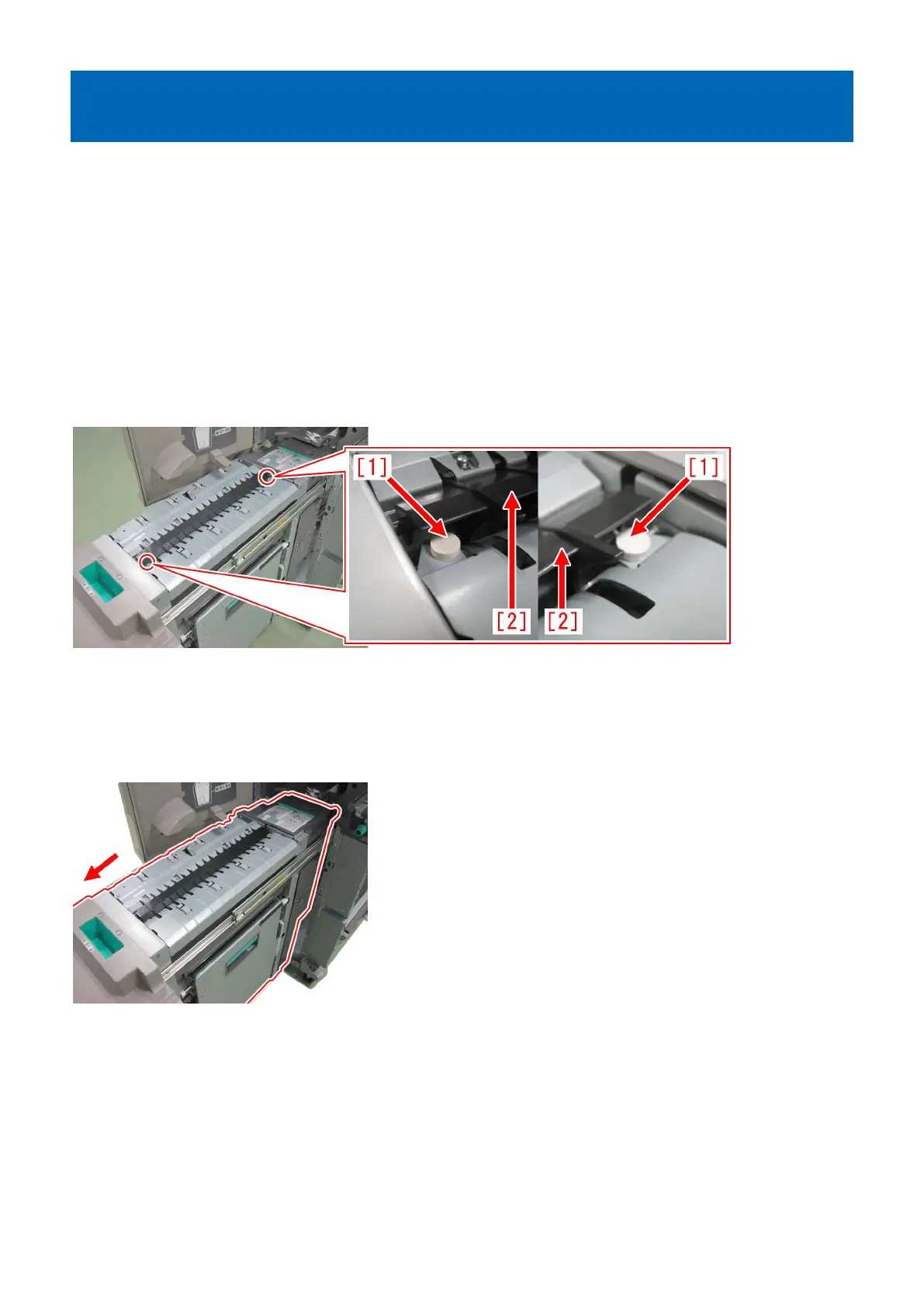
As the spacer [1] gets softened and its surface gets sticky, the folding/straight flapper [2] sticks to it, causing the above symptom
to occur.
[Remedy/Answer]
Follow the steps below and check if the spacer [1] is stuck to the folding/straight flapper [2]. If it is stuck, prepare the 2 new
type spacers (FL1-6535-000) and replace with them.
1) Refer to Service Manual and pull out the folding unit in the direction of the arrow.
2) Press the folding/straight flapper [1] lightly with a finger and check if it is stuck to the spacer [2]. If the folding/straight
flapper and the spacer are stuck together, proceed to the step 3). If not, look for another cause.
165











 To Next Page