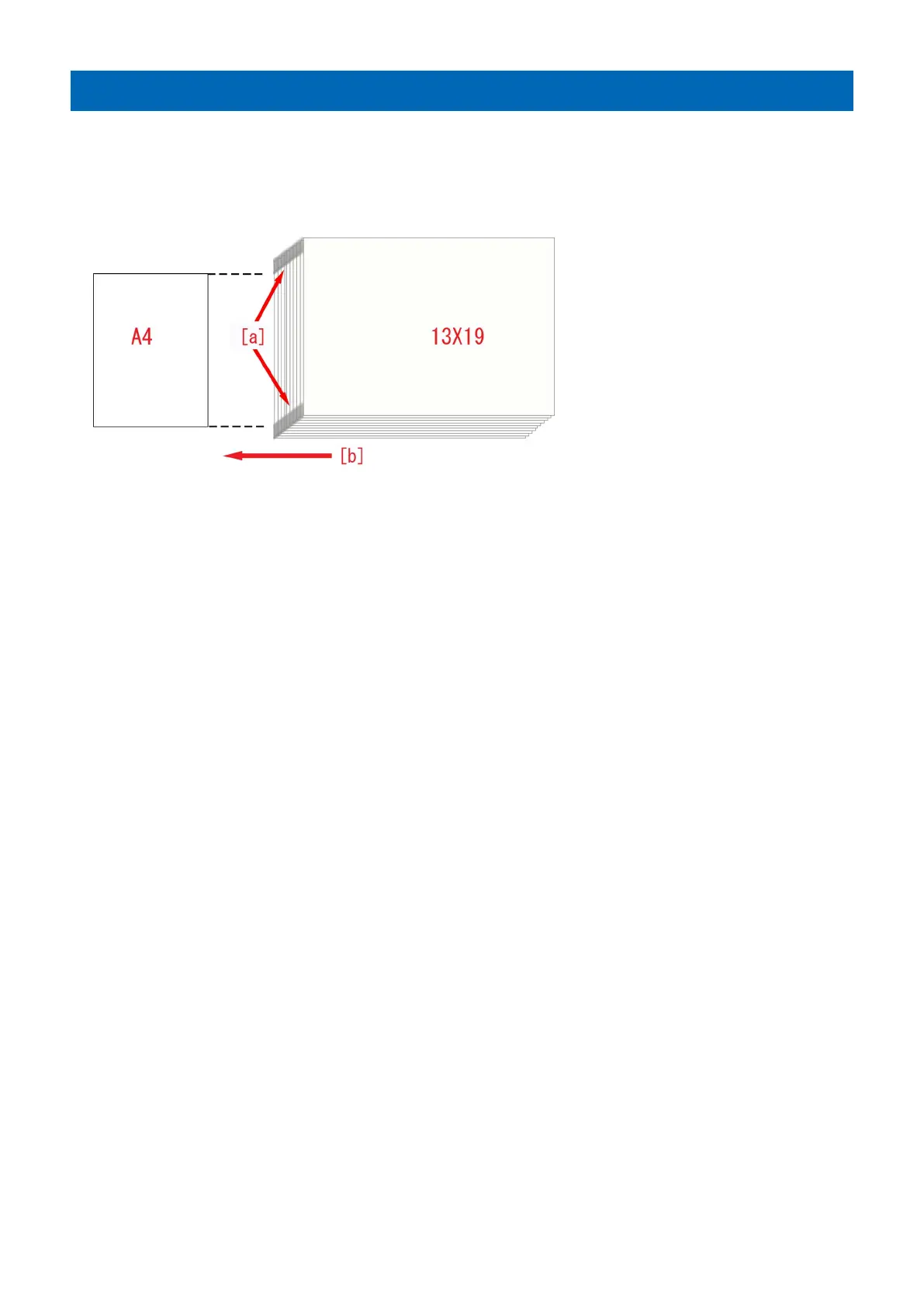
Edge Soiling due to a soiled fixing inlet guide
[Symptom]
When feeding a wide media after reams of outputting of same size paper with high-density image, edge soiling [a] may occur on
the edges of the media.
The arrow [b] indicates the direction of feeding.
[Cause]
Floating pre-fixing toner adheres to the fixing inlet guide when high-density images are fed.
The attached toner is released by feeding paper, however paper do not pass around the both ends of fixing inlet guide whose
width is wider than the paper's and some toner will be accumulated there.
When a wider media is output after reams of outputting of same size paper with high-density image, the accumulated toner on
the both ends of fixing inlet guide will adhere to the edges of the media. Therefore, the above-mentioned symptom occurs.
[Service work]
1) Clean the fixing inlet guide referring Service Manual [Disassembly/Assembly > Fixing System > Cleaning the Primary Fixing
Inlet Guide] and [Cleaning the Secondary Fixing Inlet Guide].
[Note] The cleaning timing for the primary fixing inlet guide and the secondary fixing inlet guide is 5 hundred thousand-sheet
feeding. However, when a lot of high-density image have been output, the cleaning for the primary fixing inlet guide and the
secondary fixing inlet guide each time is recommended.
2) Output the image having shown the symptom, and check that the symptom does not occur.
If the symptom does not improve, then check other factors.
43











 To Next Page