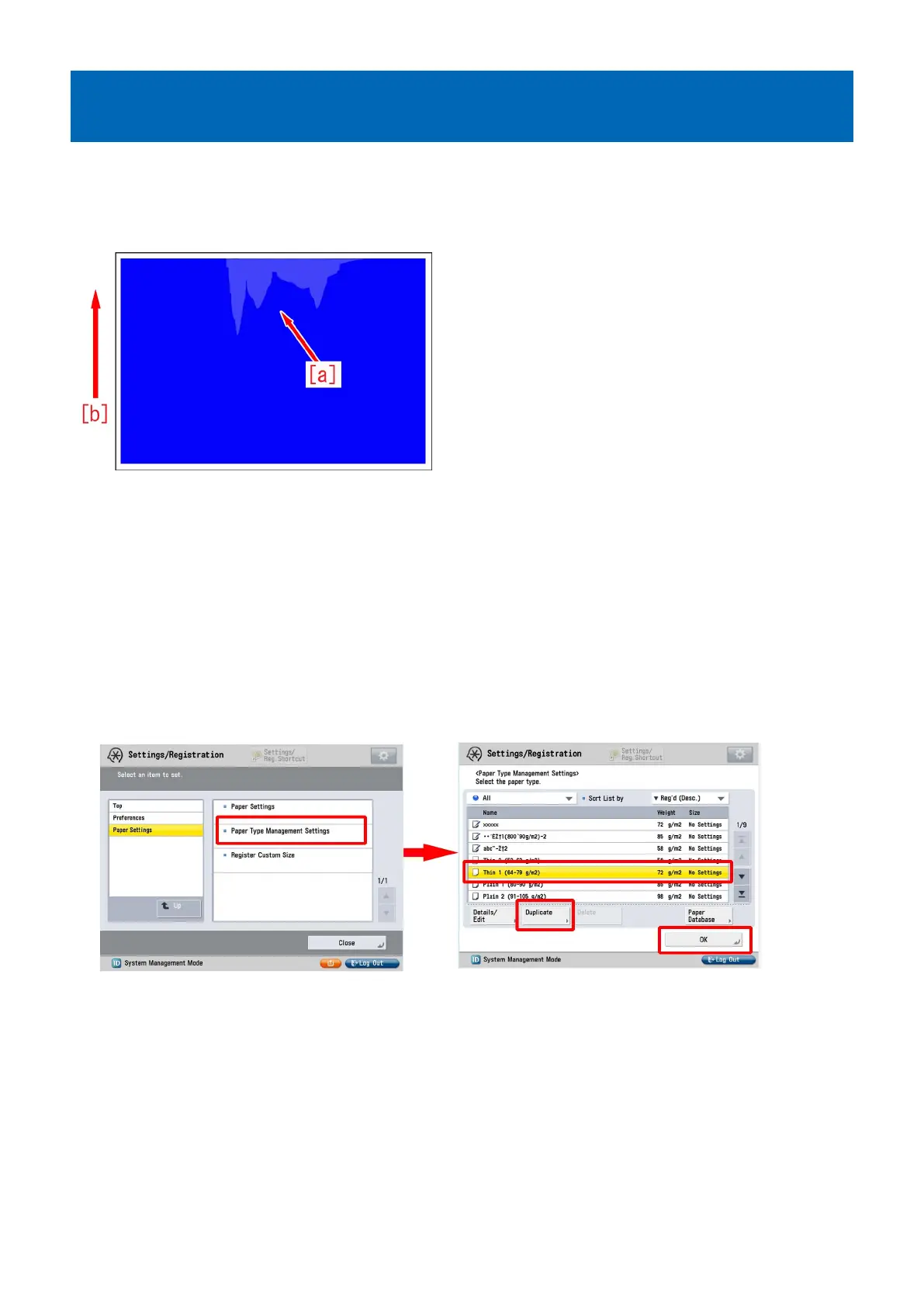
Uneven gloss (Rain drop mark) in the high-density area in usage
of OHT
[Symptom]
Uneven gloss (Rain drop mark) [a] may occur in the high-density area in usage of OHT.
The arrow [b] indicates the direction of feeding.
[Cause]
Since the thickness and components of OHT vary depending on the kind, quantity of heat required for toner to fix on the film also
varies.
In case an excessive temperature is added on OHT, toner tends to melt beyond necessity.
The difference in glossiness made between the area where toner melts beyond necessity and the other image area causes the
above-mentioned symptom.
[Service work]
1) Have the customer log in from System Management Mode in user mode.
2) Go to Select Settings/Registration > Paper Settings > Paper Type Management Settings, select an appropriate paper type
from among the list, press "Duplicate" button and then "OK" button.
3) Enter any name as the duplicated paper type and press "OK" button.
2











 To Next Page