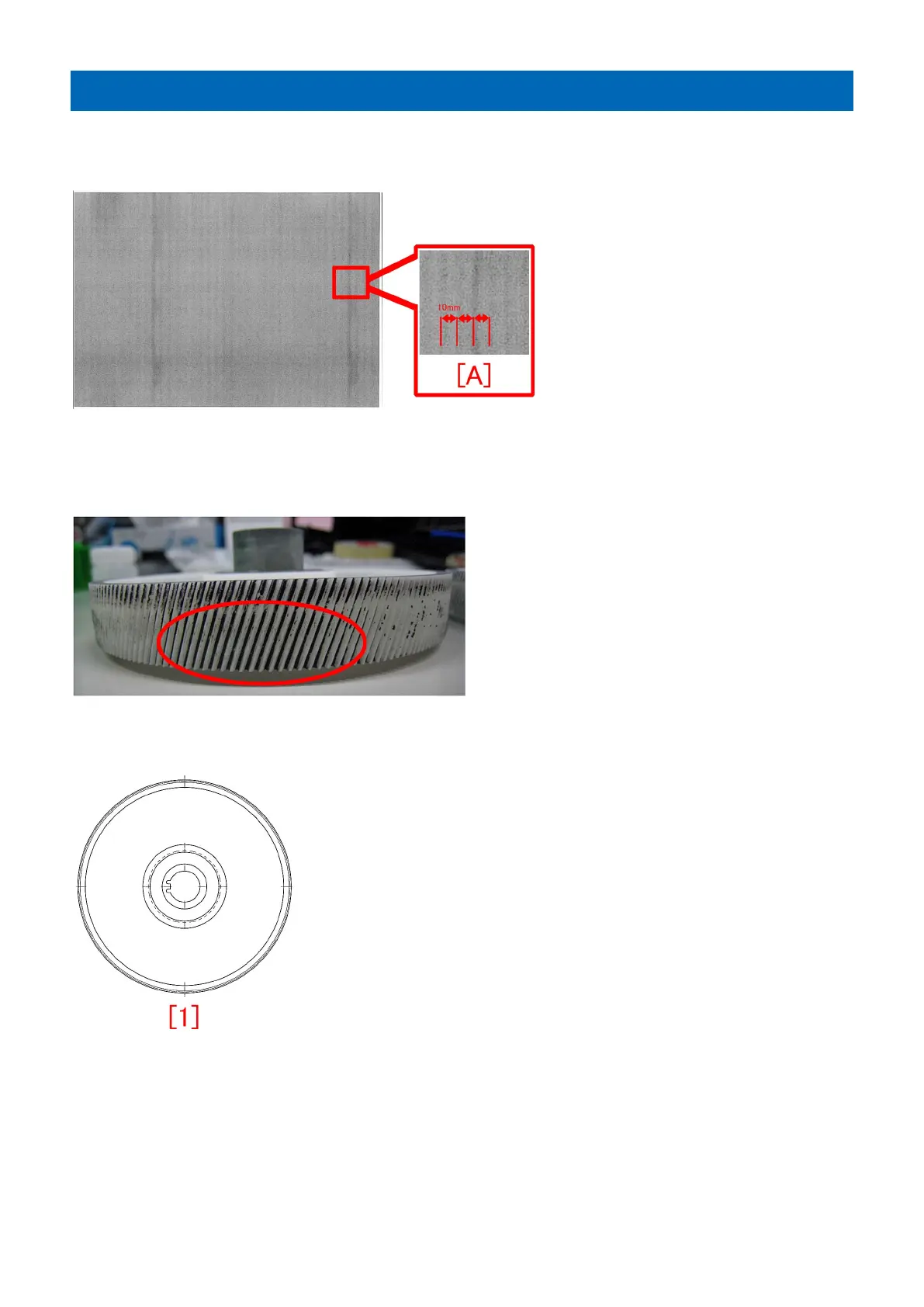
Countermeasure against uneven density at 10mm intervals
[Symptom]
Uneven density [A] at regular intervals of 10mm may appear during printing.
[Cause]
If a large amount of paper dust attaches onto the 192T gear connected to the drum drive assembly, this reduces the precision of
meshing between the gears and leads to the above mentioned symptom.
[Service work]
Replace the 192T gear (FL3-0561-010) following the procedure below.
1) When the aforementioned symptom has occurred, identify which drum unit among Y/M/C/Bk causes the uneven density at
regular intervals and prepare the brand-new 192T gears (FL3-0561-010) as needed.
[Note]
• For uneven density with Y, replacing the 192T gear (FL3-0561-010) connected to the Y drum drive assembly is
recommended.
• For uneven density with M, replacing the 192T gears (FL3-0561-010) connected to the Y/M drum drive assemblies is
recommended.
• For uneven density with C, replacing the 192T gears (FL3-0561-010) connected to the Y/M/C drum drive assemblies is
recommended.
56











 To Next Page