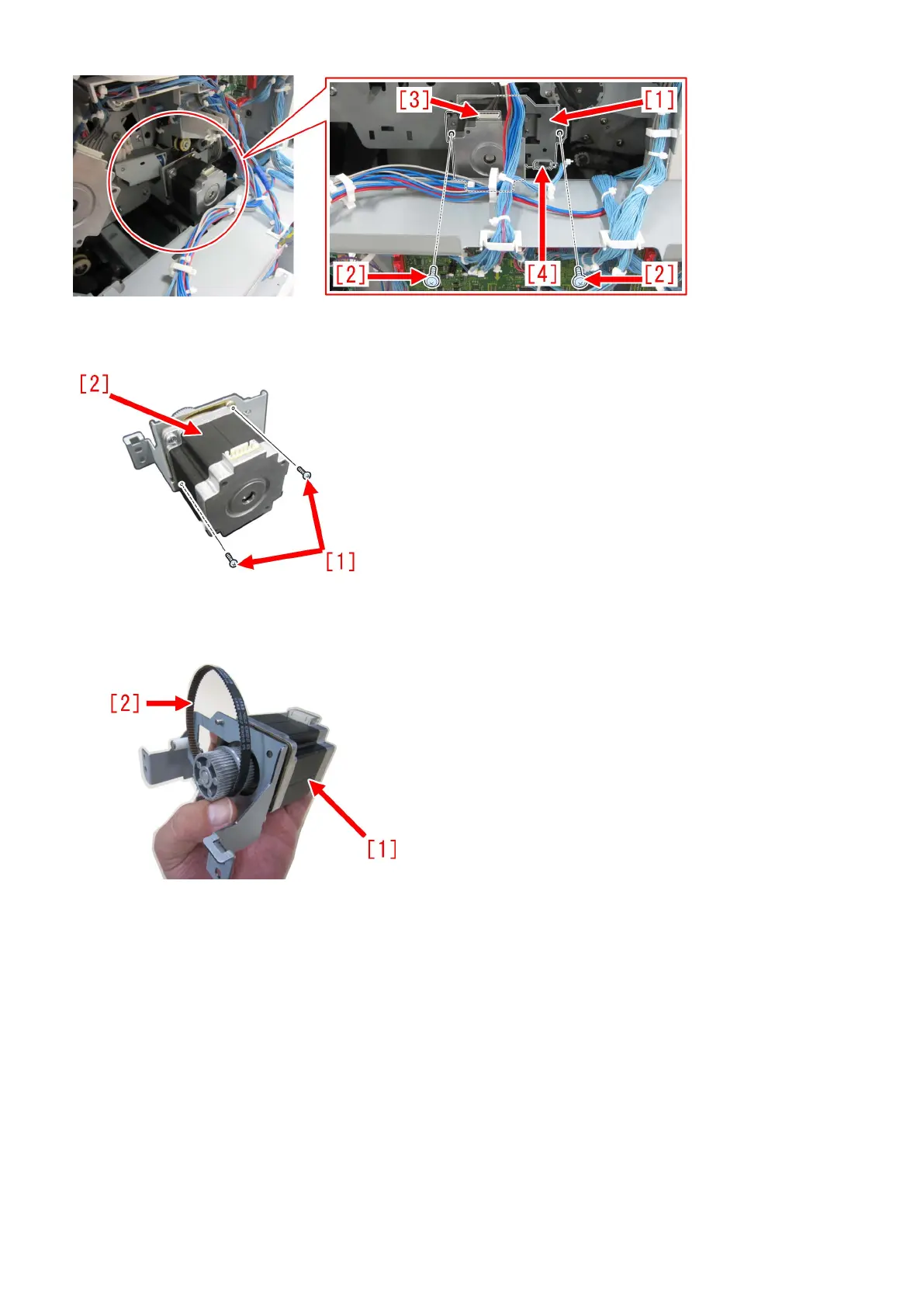
3) Remove the 2 screws [1] and then remove the motor [2]. Then, attach the motor to the paper delivery drive
assembly (L) which is included in the set. To attach the motor, use the 2 screws that were previously removed [1].
4) After attaching the timing belt [2] that is included in the set to the paper delivery drive assembly (L) [1] with the motor attached,
attach the whole thing to the machine using the 2 screws removed in the step 2).
[Note] When replacing to the paper delivery drive assembly (L), be sure to also replace the timing belt [B] at the same time that
is included in the set. 110F jam occurs when using the old type timing belt [A] as the number of teeth of the new type is different
from the old type originally attached to the engine.
In the photo below, [A] is the old type and [B] is the new type.
The old type [A] has "S2M 214" [a] printed on it. The new type [B] has "60S2M216" [b] printed on it.
170











 To Next Page