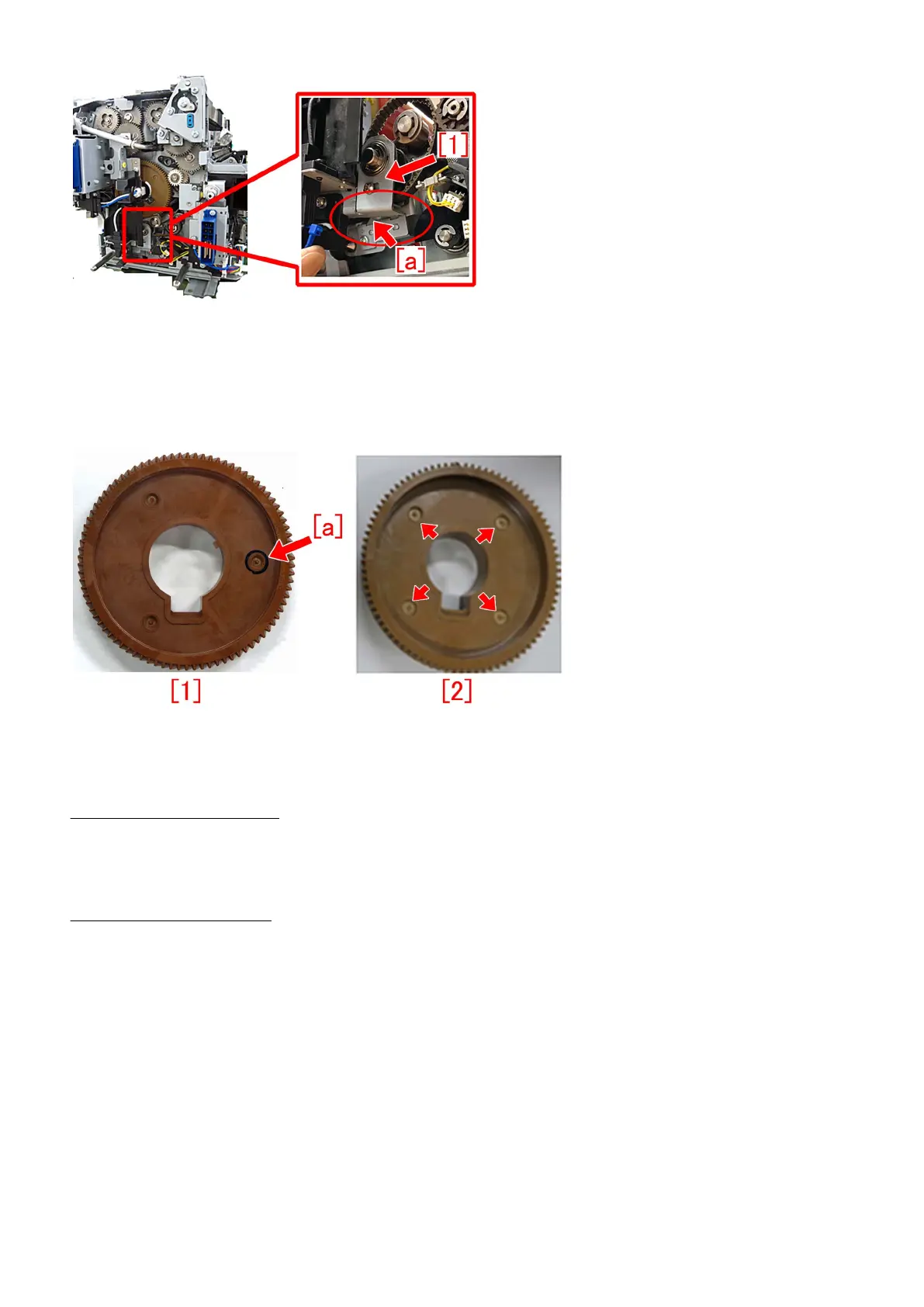
[Service work]
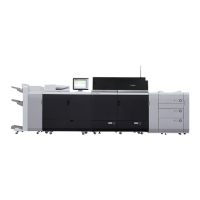
When the above-mentioned symptom occurs, prepare new type 86T which is strengthened gear (FU6-0336- 020) [2] and then
replace the gear referring "Replacing the primary fixing roller, bearings, and insulating bushes" or "Replacing the secondary fixing
roller, bearings, and insulating bushes" for the service manual.
[Reference] The old type 86T gear (FU6-0336-010)[1] has a permanent pen marking [a] in the hollow of the surface. On the new
type 86T gear (FU6-0336-020)[2], there are 4 hollows on the surface and there is no permanent pen marking.
When the separation drive mount 2 is broken, prepare the model-specific separation drive mount 2[1] and an e-ring
(XD2-1100-642).
When the separation drive mount 1 is broken, prepare the model-specific separation drive mount 1[2] and an e-ring
(XD2-1100-642).
- imagePRESS C10000VP Series
• SEPARATION DRIVE MOUNT 2 (FE3-7867-000) [1] 1pc
• SEPARATION DRIVE MOUNT 1 (FE3-7866-000) [2] 1pc
• E RING (XD2-1100-642) 1pc
- imagePRESS C7000VP Series
• SEPARATION DRIVE MOUNT 2 (FC6-0312-000) [1] 1pc
• SEPARATION DRIVE MOUNT 1 (FC6-0315-000) [2] 1pc
• E RING (XD2-1100-642) 1pc
129




 To Next Page