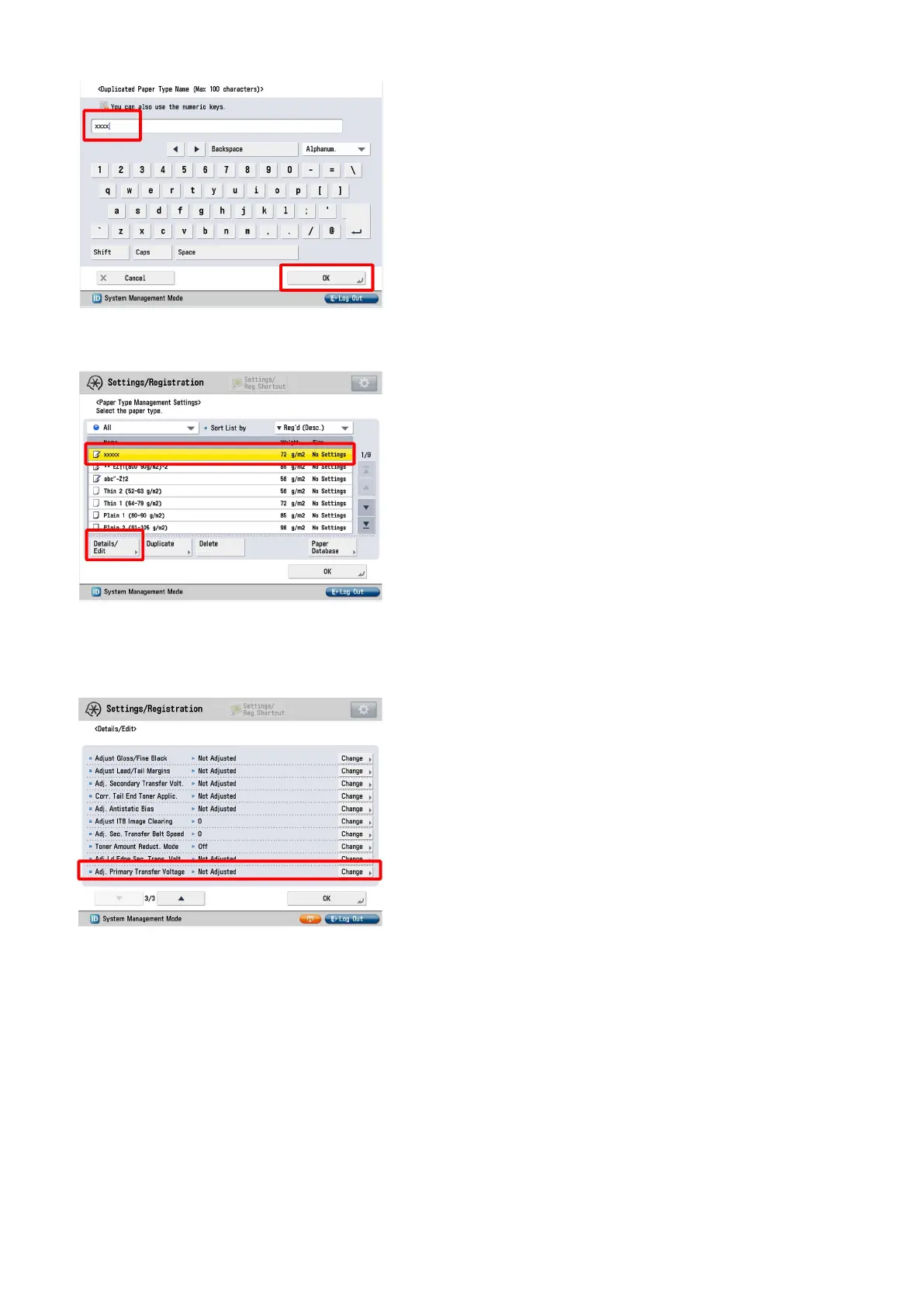
4) Select the paper type duplicated in the step 3) and press "Details/Edit".
5) Select "Adj. Primary Transfer Voltage" and press "Change".
[Reference] In case Adjust Primary Transfer Voltage will not be displayed on the control panel, change the setting value of Service
Mode > Mode List > COPIER > Option > DSPLY-SW > IMGC-ADJ to "1". The value is "0" by default.
6) In "Adj. Primary Transfer Voltage", set the value to "-10" for all colors.
The configurable range for the value is from "-10" to "+10". (Default: 0)
[Note] Image failures (decrease in density, etc.) may occur because the primary transfer voltage decreases.
7) Output the image having shown the symptom, and check that the symptom does not occur.
If the symptom does not improve, then check other factors.
32











 To Next Page