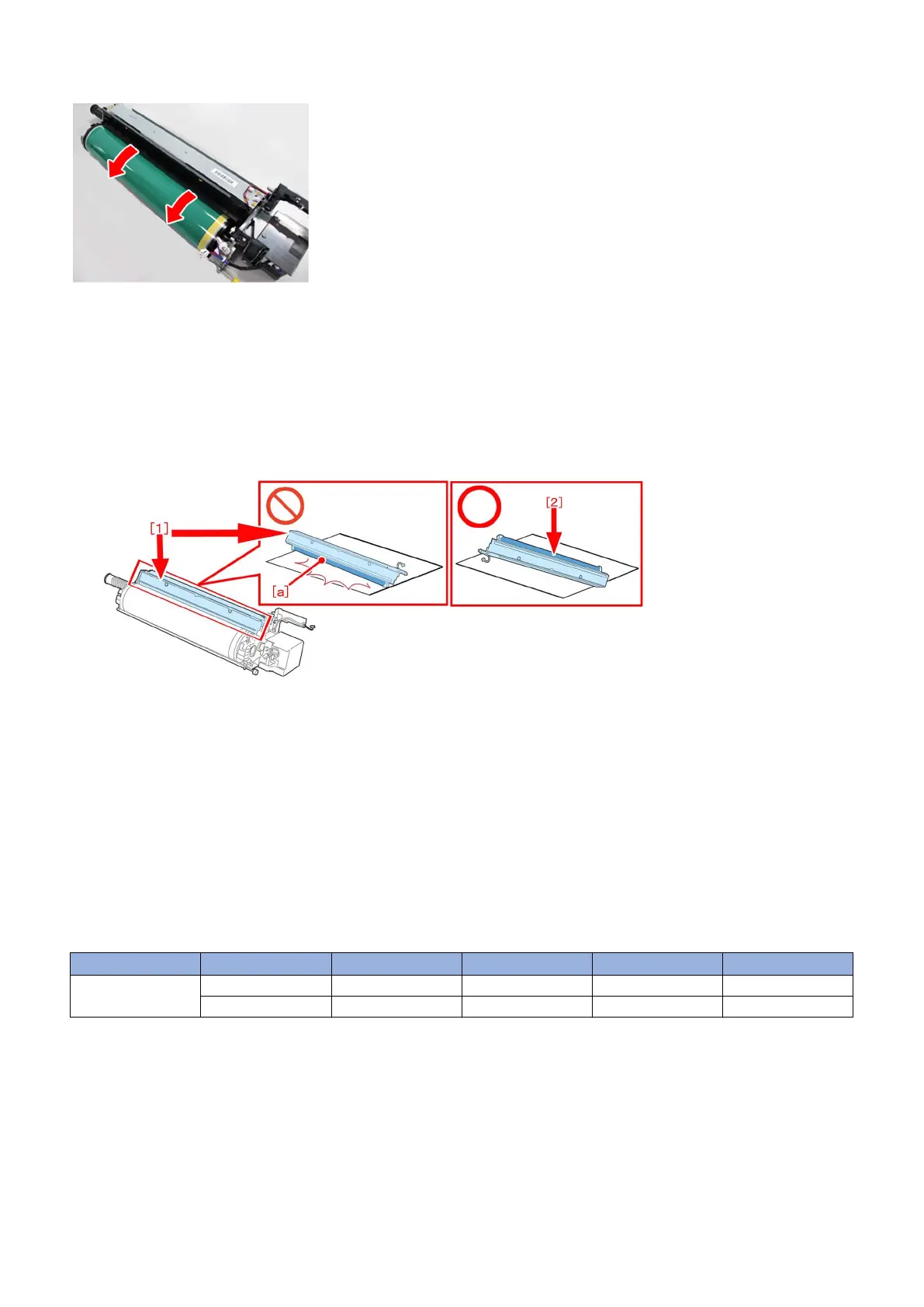
[Note]Be sure to rotate the drum in the direction of arrows only shown in the following photo.
6) Remove the cleaning unit [1] from the drum unit, and replace the cleaner blade (FC5-8829-000) [2] with a new
one.
[Note]
- Be sure not to damage the edge [a] of a cleaner blade.
- To prevent damage, place the cleaner blade [2] upward.
7) Install the cleaning unit on a drum unit, and install it in a main body.
8) If multiple drum units are to be replaced, conduct procedure 2) to 7) every time before proceeding to next step.
Perform auto gradation adjustment (Full-PASCAL)
Settings/Registration > Adjustment/Maintenance >Adjust Image Quality > Auto Adjust Gradation, then select [Full
Adjustment]
Check the output images made out of Auto Adjust Gradation and confirm that the symptom is not occurring
anymore.
[Service parts]
No. Part Number Description Q'ty Fig. No.
1 Old FC5-8829-000 BLADE, CLEANER 1-> 1 710
New
65











 To Next Page