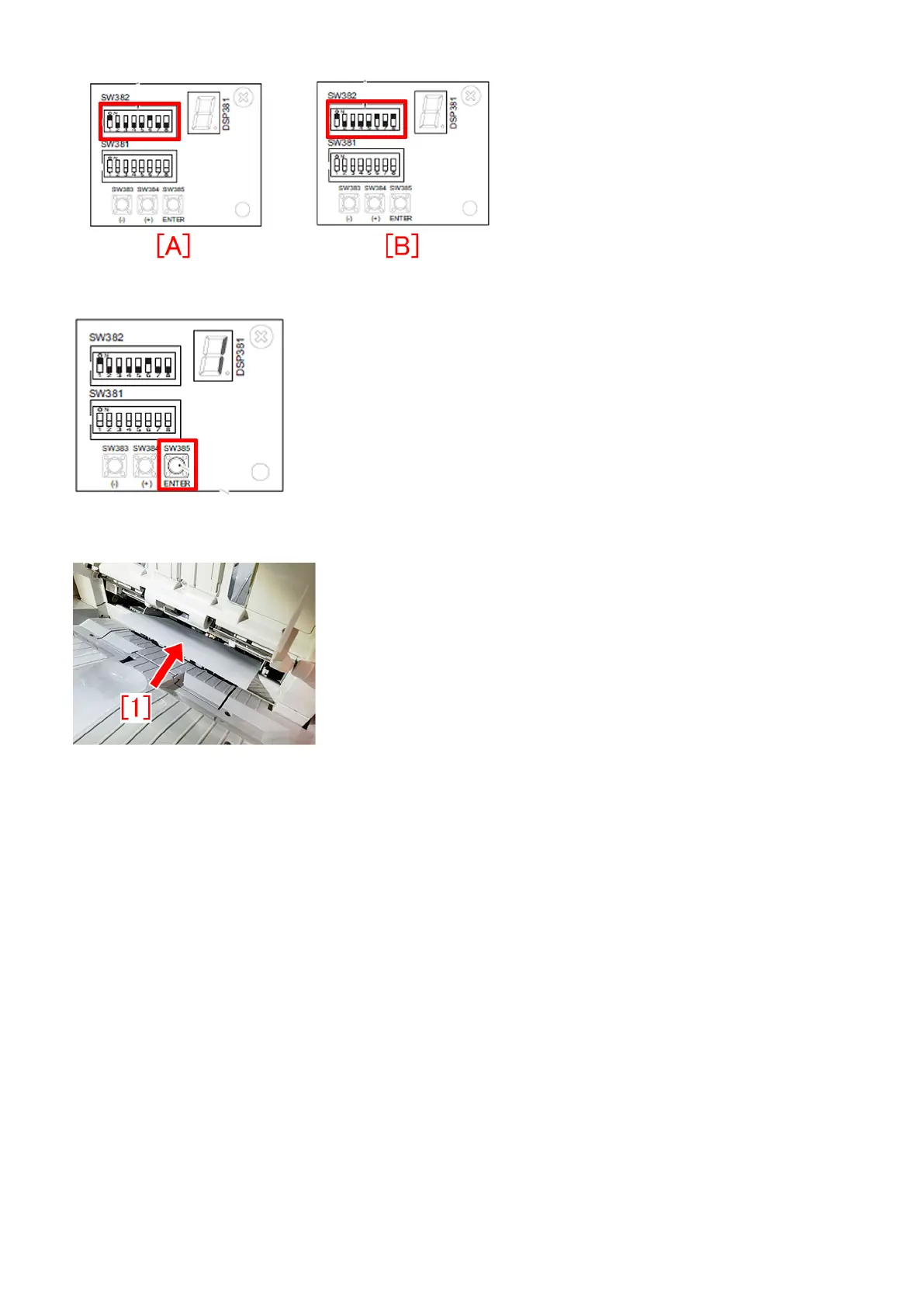
A-5) Pressing push switch SW385 determines shifting amount of the front alignment plate.
A-6) Place A4 paper [1] on the intermediate process tray. (Be sure to push in the paper to the rear side of the process tray)
A-7) Pressing switch SW383 [1] or SW384 [2] determines adjustment level.
Adjust the position of the front alignment plate so that the A4 paper placed on the intermediate process tray does not warp when
pushing the paper.
[Note]
- Perform adjustment by placing only 1 sheet of A4 paper.
- If pushing the paper too much with the front alignment plate, alignment will get worse.
[When the initial setting value is "0".]
By pressing SW383 once, the LED [3] indicates "-1" and the front alignment plate [4] shifts to the front by approx. 0.2mm. In the
same way, by pressing SW384 once, the LED [3] indicates "+1" and the front alignment plate [4] shifts to the rear by approx.
0.2mm.
- Adjustment range: +20 to -20 (shifting amount per unit: 0.2mm)
93











 To Next Page