SERVICING THE IMAGEPRESS SERVER WITH FURNITURE 138
REMOVING THE IMAGEPRESS SERVER FROM THE FURNITURE
Never lift the imagePRESS Server by grasping the top panel. The top panel does not support
the weight of the system.
1. Make sure that the imagePRESS Server is shut down and that all the cables are removed from
the back of the imagePRESS Server.
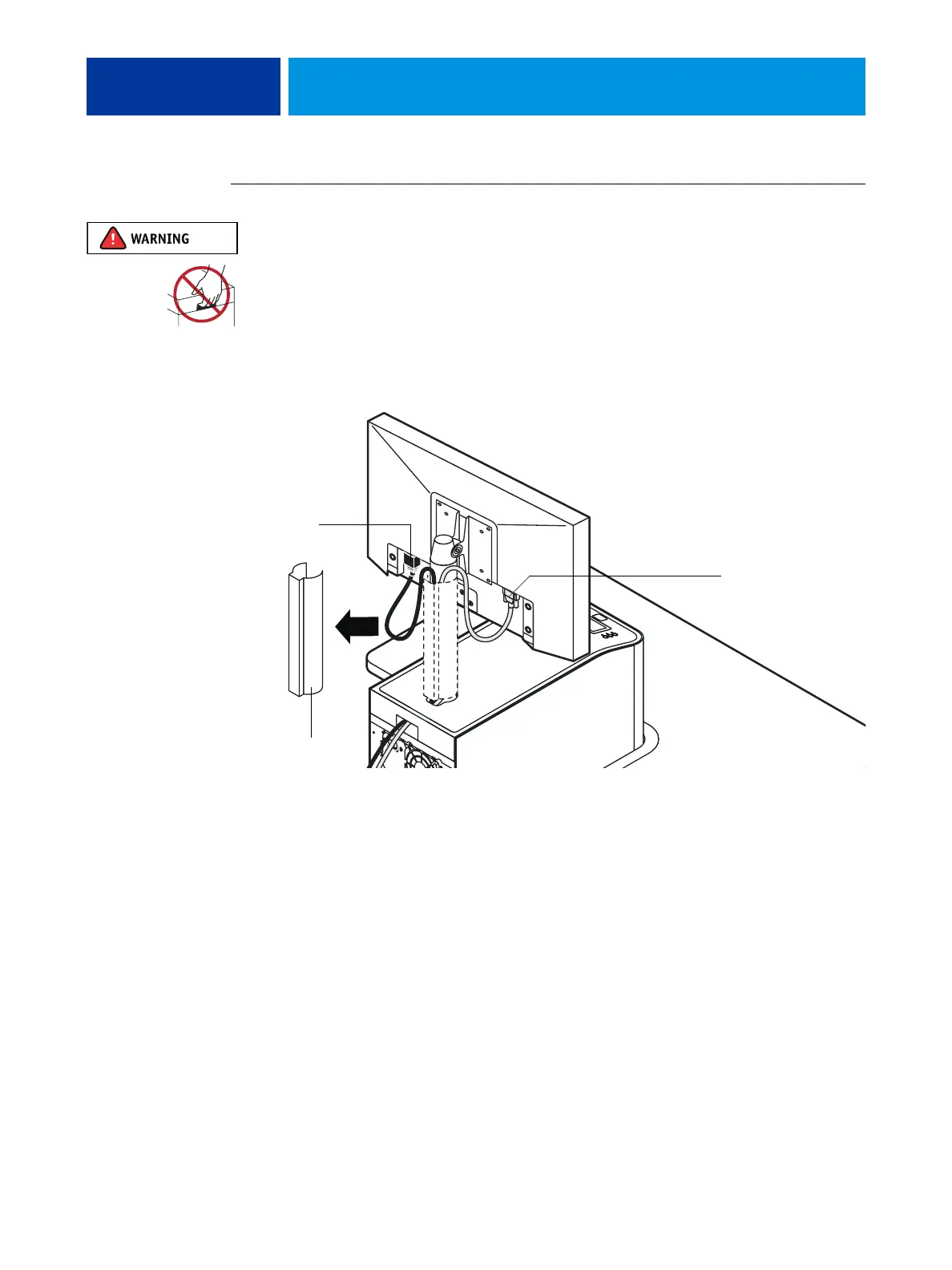
2. Remove the cable cover and disconnect the two monitor cables (power and video):
• Power—from the back of the monitor and from the wall outlet
• Video—from the back of the monitor and from the back of the imagePRESS Server
Video cable
Cable cover
Power cable












 To Next Page