INSTALLATION 28
Connecting the imagePRESS Server
You are now ready to make the following connections:
• Monitor, keyboard, and mouse (if present)
• Dongle (if present)
• Power cable connection
• Copier interface cable connections
• Command/Status Ethernet Crossover cable connection
• Network cable connection
For detailed information about the monitor, keyboard, and mouse, see the documentation
that accompanies the optional kit.
Follow standard ESD precautions when handling components.
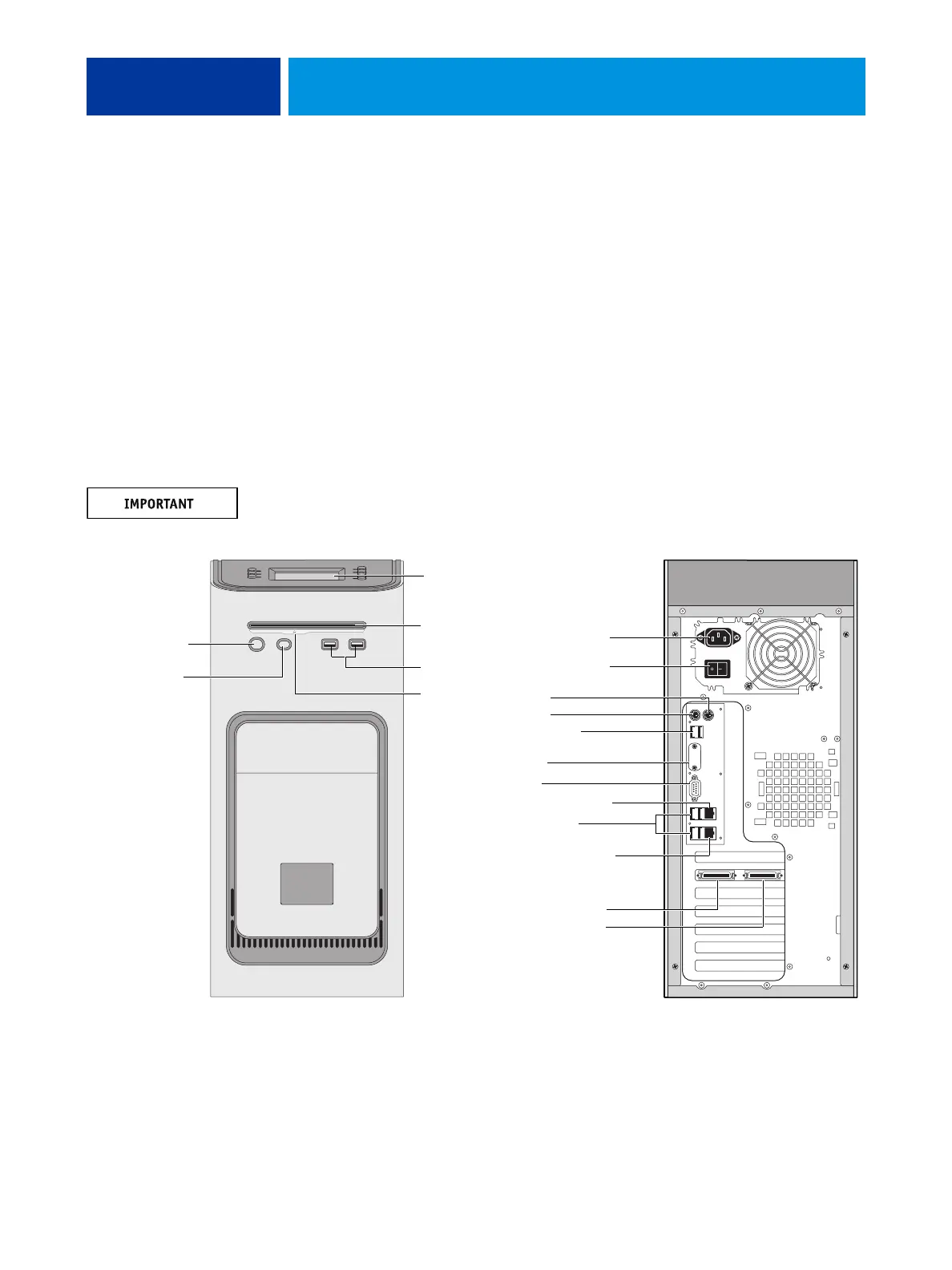
FIGURE 5: imagePRESS Server connections
Front panel Back panel
USB ports
Power button
Control panel
DVD drive
Not used
Power cable
Monitor
Not used
Not used
Network port (RJ-45)
Command/Status port
Ethernet crossover cable
USB ports (x2)
USB ports (x4)
Copier interface connectors
(keyed for proper connection)
To copier upper port
To copier lower port
Eject button
Reset button
NOTE: Use the
reset button only
if the system is
unresponsive to
keyboard or
mouse actions.
Power switch












 To Next Page