SERVICE PROCEDURES 77
Replacing parts on the motherboard
This section describes how to remove and replace the DIMMs, CPU, and battery on the
motherboard. Before you perform any of these procedures, shut down and open the
imagePRESS Server (see page 49).
DIMMs
The motherboard has four DIMM sockets. The imagePRESS Server standard memory
configuration populates all four sockets, for a total of 3GB of memory.
NOTE: When installing DIMMs, note the following:
• To upgrade the imagePRESS Server to 4GB, remove the 512MB DIMMs from sockets
DIMM 1 and DIMM 3 and install the 1GB DIMMs included in the upgrade kit.
• Different capacity DIMMs look alike. Make sure that you know the capacity of each
DIMM before you install it in a socket.
• Install only approved DIMMs available from your service representative.
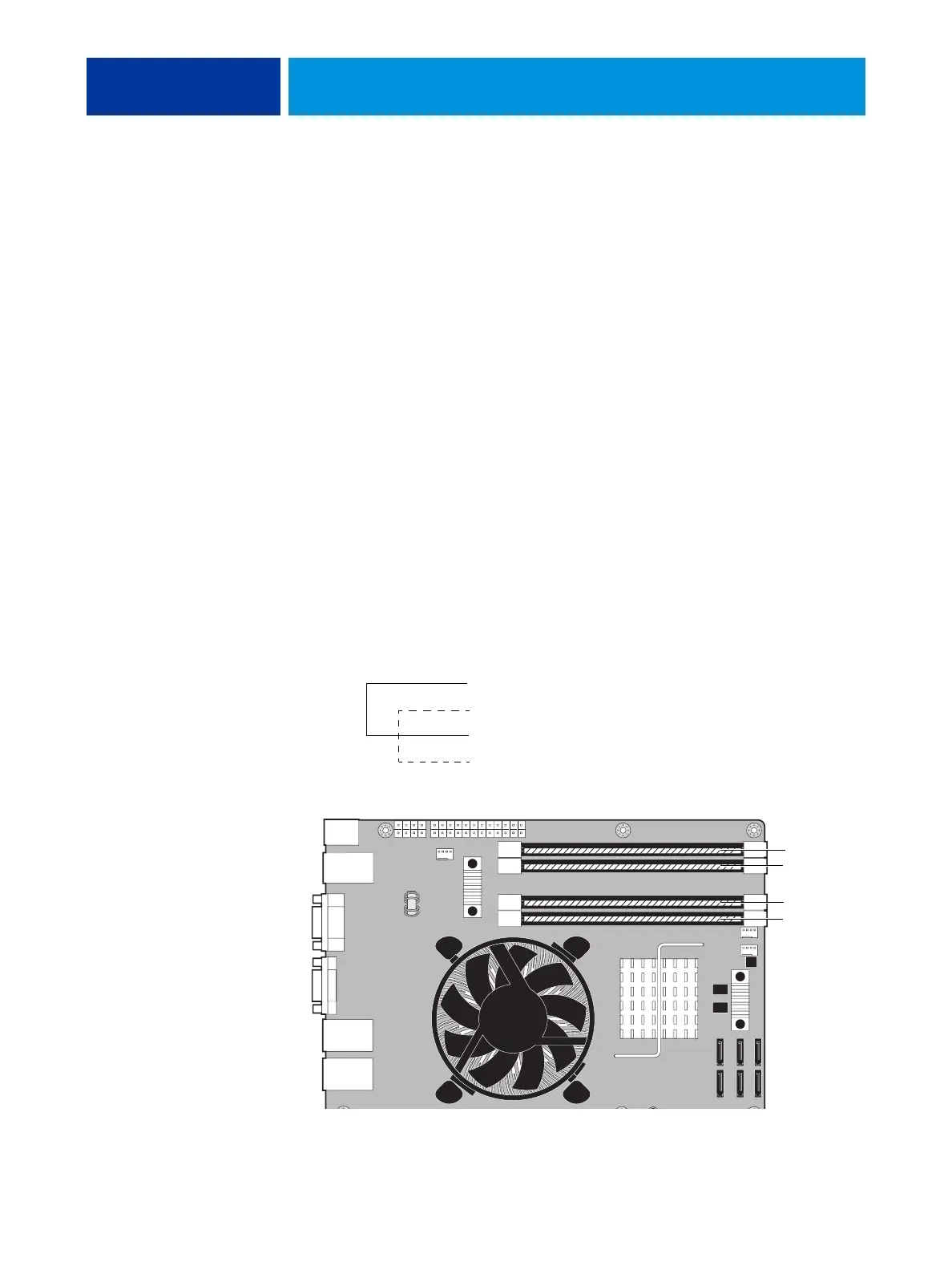
• DIMMs must be installed in matched pairs. A matched pair is comprised of two alternate
sockets (see following figure). DIMMs within a pair must be identical (same capacity
and same number of chips on each side). For example, in a two-DIMM configuration,
populate DIMM 4 and DIMM 2 with DIMMs of identical capacity, with the same
number of chips on each side.
FIGURE 25: Motherboard DIMM sockets
Standard configuration = 3GB Upgrade configuration = 4GB
• DIMM 4—1GB DIMM • DIMM 4—1GB DIMM
• DIMM 3—512MB • DIMM 3—1GB DIMM
• DIMM 2—1GB DIMM • DIMM 2—1GB DIMM
• DIMM 1—512MB • DIMM 1—1GB DIMM
Matched pair
Matched pair
DIMM 4
DIMM 3
DIMM 2
DIMM 1












 To Next Page