USING THE IMAGEPRESS SERVER 35
Using the copier touch panel
The imagePRESS Server area of the copier touch panel is the main user interface for the
imagePRESS Server. Navigating to the imagePRESS Server area allows you to view status
information, print system pages, set up printing, and shut down the imagePRESS Server.
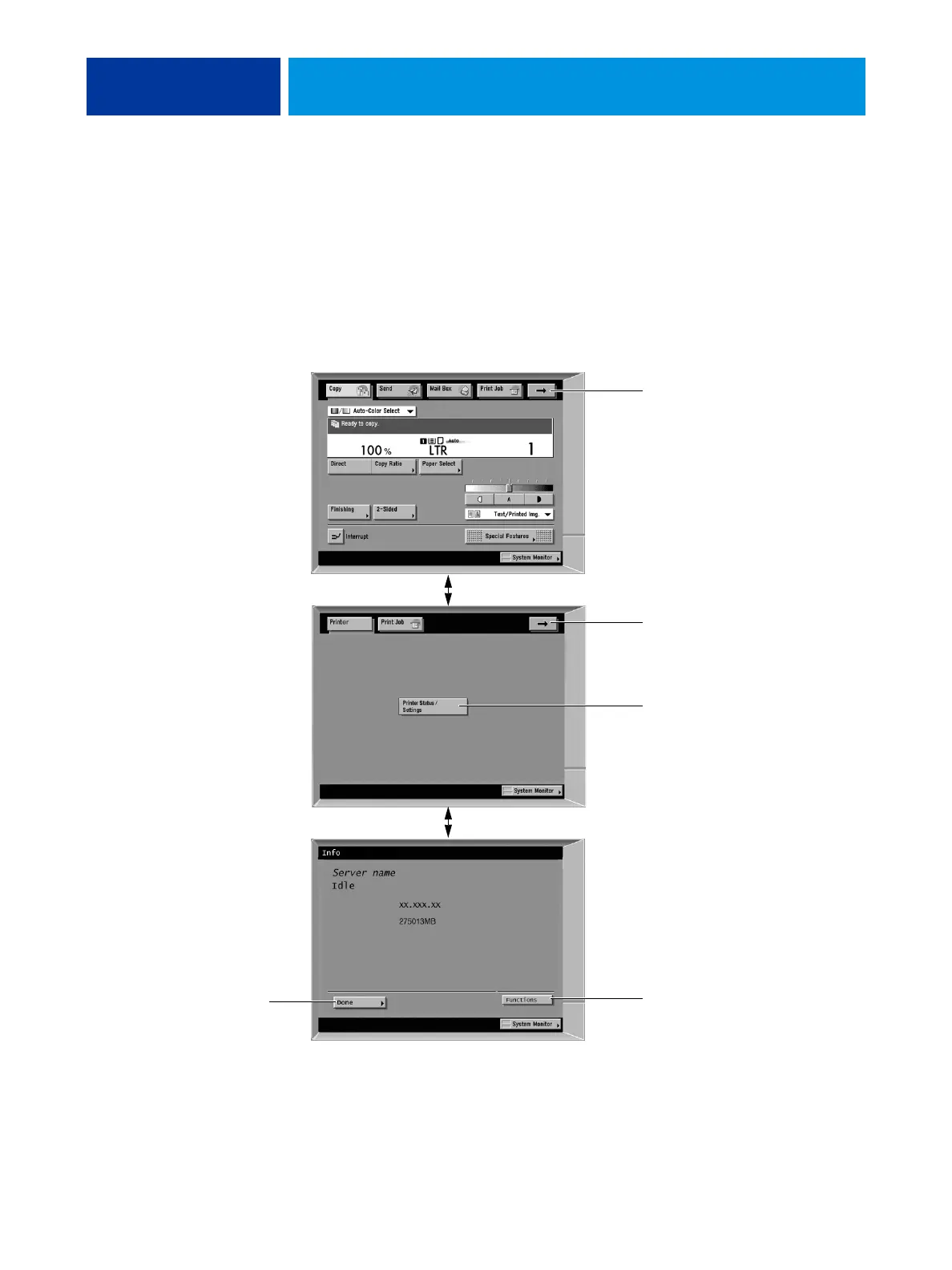
To access the imagePRESS Server area, scroll as follows:
Copy screen > Printer screen > Info screen > Functions menu (see page 36).
FIGURE 9: Accessing the imagePRESS Server area of the copier touch panel
Copy screen
Press the arrow to scroll
to the Printer screen.
Press the Printer Status/
Settings button to display
the Info screen.
Press the Functions
button to display
the Functions menu.
Press the arrow to scroll
back to the Copy screen.
Info screen
Displays the current status
of the imagePRESS Server.
Printer screen
Press Done to return
to the Printer screen.












 To Next Page