SERVICE PROCEDURES 93
TO REMOVE THE HDDS
1. If you are removing a HDD in order to install a new drive, give the network administrator the
opportunity to print the Job Log and save any custom simulations. If possible, print the
Configuration page and the Font Lists from the Functions menu (see 40).
2. Shut down and open the imagePRESS Server (see pages 49 and 51).
To access the HDDs, you must remove the left panel.
3. Remove the power supply cables from the HDDs.
4. Remove the HDD data cables from the HDDs.
5. Remove the screw securing the HDD bracket to the bracket shelf.
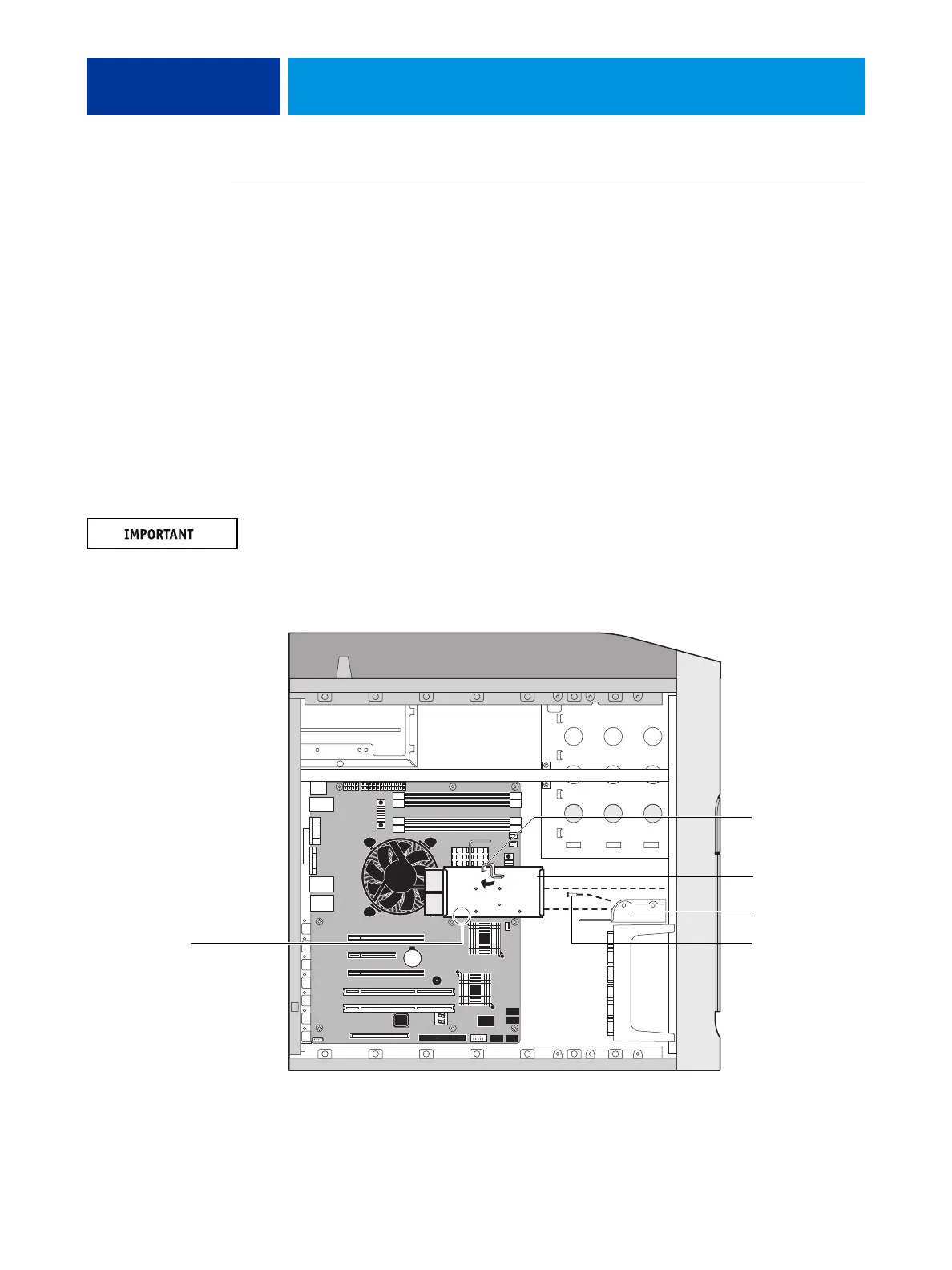
6. Slide the HDD bracket off the shelf and lift it out of the chassis (see Figure 34).
Unlock the HDD bracket by moving the latch toward the back panel, and then sliding the
bracket off the bracket shelf.
Avoid striking the DIMMs as you remove the HDD bracket.
NOTE: You will encounter slight resistance as you slide the bracket off the shelf. The resistance
is caused by two tension points on the bottom of the bracket. The resistance helps control the
bracket’s movement during removal and installation.
FIGURE 34: Removing/replacing the HDD bracket
Latch
HDD bracket
Tension points
Shelf
Screw
NOTE: Copier interface board and
internal cables are not shown.












 To Next Page