SERVICE PROCEDURES 71
Entering Service Mode
Use the following procedure to verify that the system functions properly after installing a new
motherboard.
TO ENTER SERVICE MODE AND VERIFY THE SYSTEM
NOTE: This procedure assumes that the imagePRESS Server is powered off, no CD is in the
DVD drive, you have installed a new motherboard, and that you have reassembled the
imagePRESS Server and attached external cables.
NOTE: Do not insert the Fiery Options Utility CD into the DVD drive yet. You will install
the Fiery Options Utility CD when you are ready to transfer options to the new motherboard
(page 73) after you verify the system in Service Mode.
1. Make sure that the imagePRESS Server is connected to the copier (see page 28).
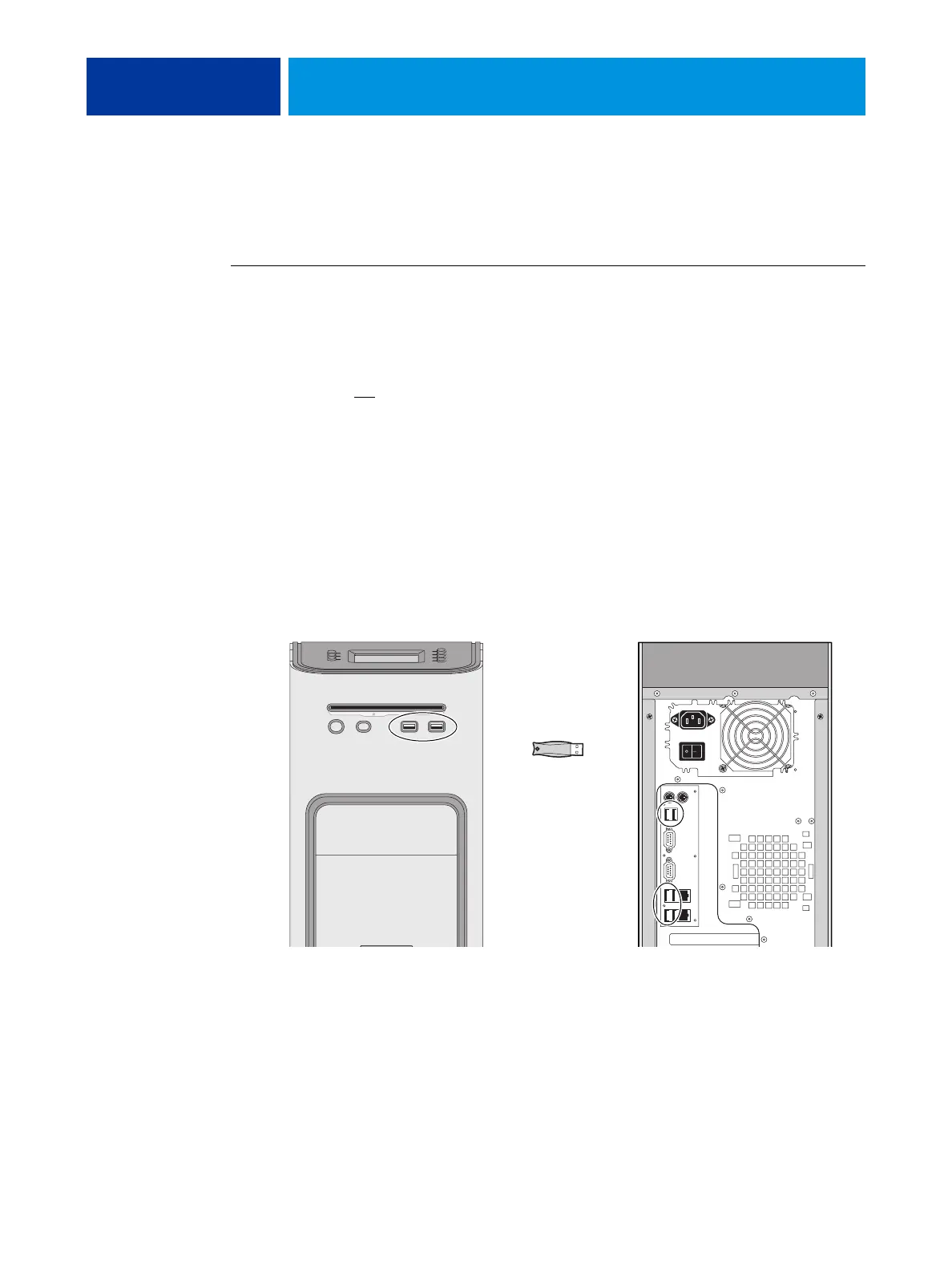
2. Locate the one-time use dongle provided with the new motherboard and connect it to a USB
port on the front or back panel.
3. Remove and set aside all other dongles and USB storage devices (such as a flash or thumb
drive) that may be connected to any other USB port.
Reconnect other dongles and USB devices only after you verify that the imagePRESS Server
starts up successfully in Service Mode.
FIGURE 24: Connecting the dongle
Connect to an
available USB port
One-time use
dongle












 To Next Page