USING THE IMAGEPRESS SERVER 42
Starting, shutting down, restarting, and rebooting
The customer will generally leave the imagePRESS Server on all the time. Remember that
when the imagePRESS Server is powered off, network access to the copier is interrupted.
Power off the imagePRESS Server when you need to service it and before you remove or
attach any cables to it.
NOTE: Use the reset button on the front of the imagePRESS Server only if the system is
unresponsive to keyboard or mouse actions.
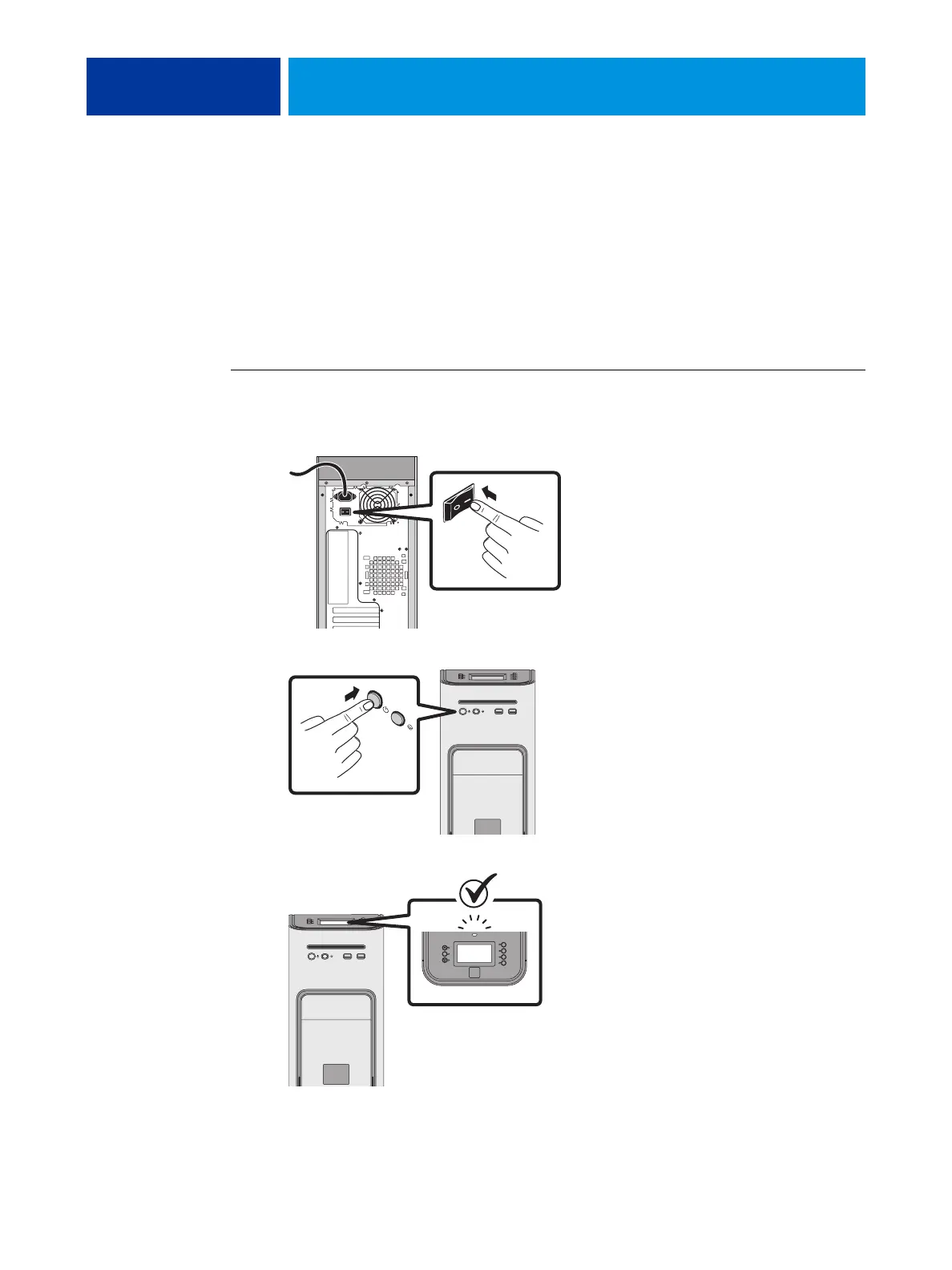
TO START THE IMAGEPRESS SERVER
1. Make sure that the power cable is attached and that the power switch (if present) is in the
ON position.
2. Press the power button on the front panel.
3. Check the Activity light on the Control Panel.
The power supply automatically senses the correct voltage. Allow startup to proceed without
interruption. Do not press any buttons on the Control Panel while the system is starting.












 To Next Page