INSTALLATION 30
TO CONNECT TO THE NETWORK
1. Make sure that the imagePRESS Server is powered off.
2. Locate the straight-through Ethernet cable that shipped with the imagePRESS Server.
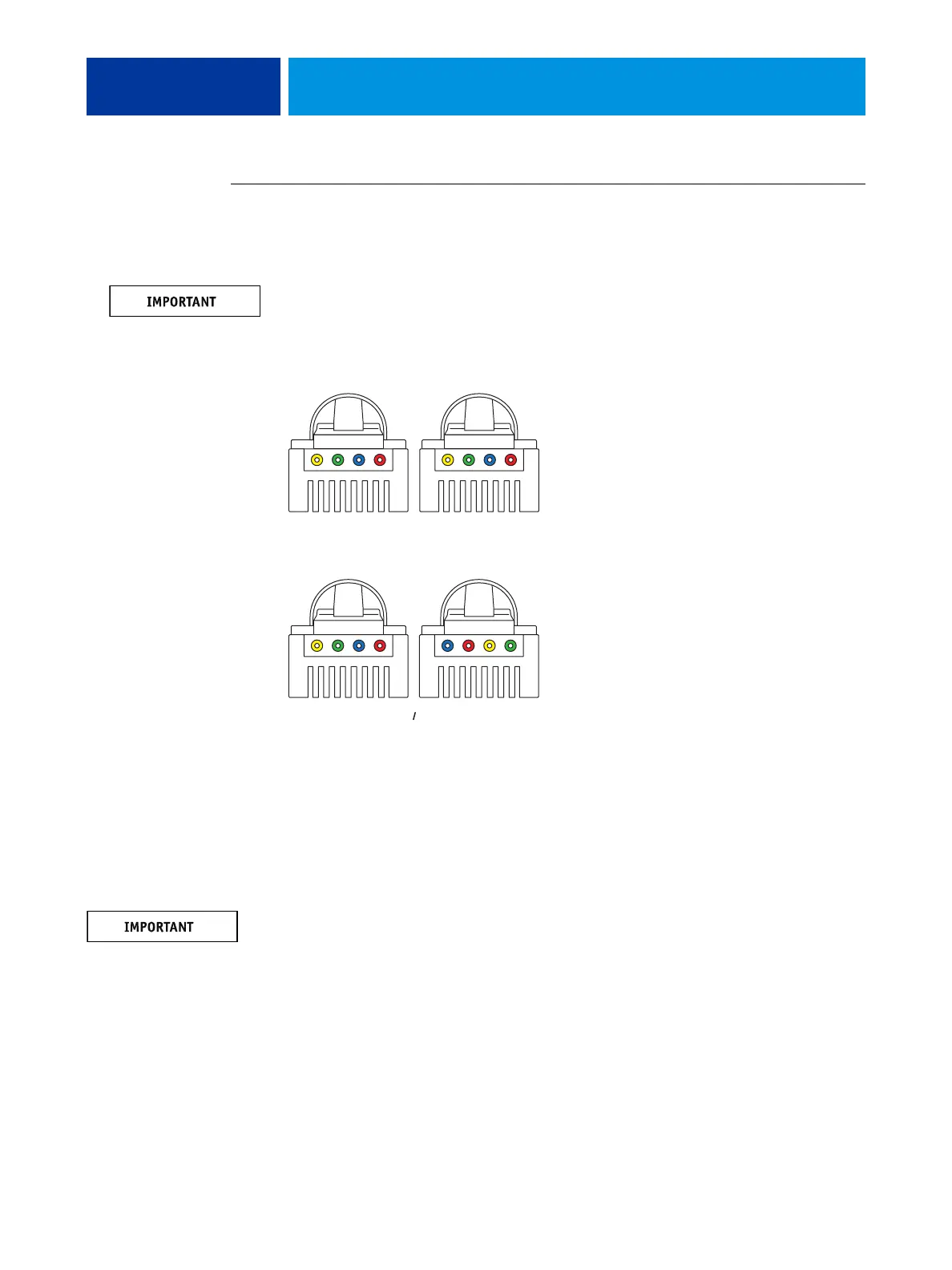
You must use this straight-through Ethernet cable for the network connection. To verify the
cable type, align the connectors on each end of the cable as shown in Figure 7. On a straight-
through cable, the wire arrangements are identical on both ends; on a crossover cable, the wire
arrangements are different.
FIGURE 7: Straight-through and crossover Ethernet cables
3. Connect the network cable to the upper network port on the back of the imagePRESS Server
(see Figure 5 on page 28).
The imagePRESS Server network port supports 10/100/1000 Mbps link speed. Use the
upper RJ-45 port to connect to the network. The lower RJ-45 port is for the Command/
Status Ethernet Crossover cable.
The straight-through Ethernet network cable and the Command/Status Ethernet Crossover
cable included with the imagePRESS Server look similar, but are not interchangeable. Make
sure that you attach the straight-through Ethernet network cable to the upper RJ-45 port on
the imagePRESS Server back panel (see Figure 5 on page 28).
4. Make sure the other end of the network cable is connected to the customer network hub.
1
234
1
234
1
234
3
412
=
=
Straight-through cable:
wire arrangements are
identical on both connectors
Crossover cable:
wire arrangements are different
(The wire arrangement shown here
is an example; actual
arrangements may vary.)
Align cables side by side
and examine wires.












 To Next Page