SERVICE PROCEDURES 50
TO SHUT DOWN THE IMAGEPRESS SERVER FROM THE IMAGEPRESS SERVER CONTROL PANEL
1. Make sure that the Info screen on the copier touch panel displays Idle (see page 35).
If Printing or RIPping appears on the copier touch panel, the imagePRESS Server is
processing. You must wait until the system finishes and reaches the Idle state.
If the system has just finished processing, wait at least five seconds after the system reaches
Idle before beginning the shutdown procedure.
NOTE: Notify the network administrator before you remove the imagePRESS Server from
the network.
2. At the imagePRESS Server Control Panel, press the Menu button.
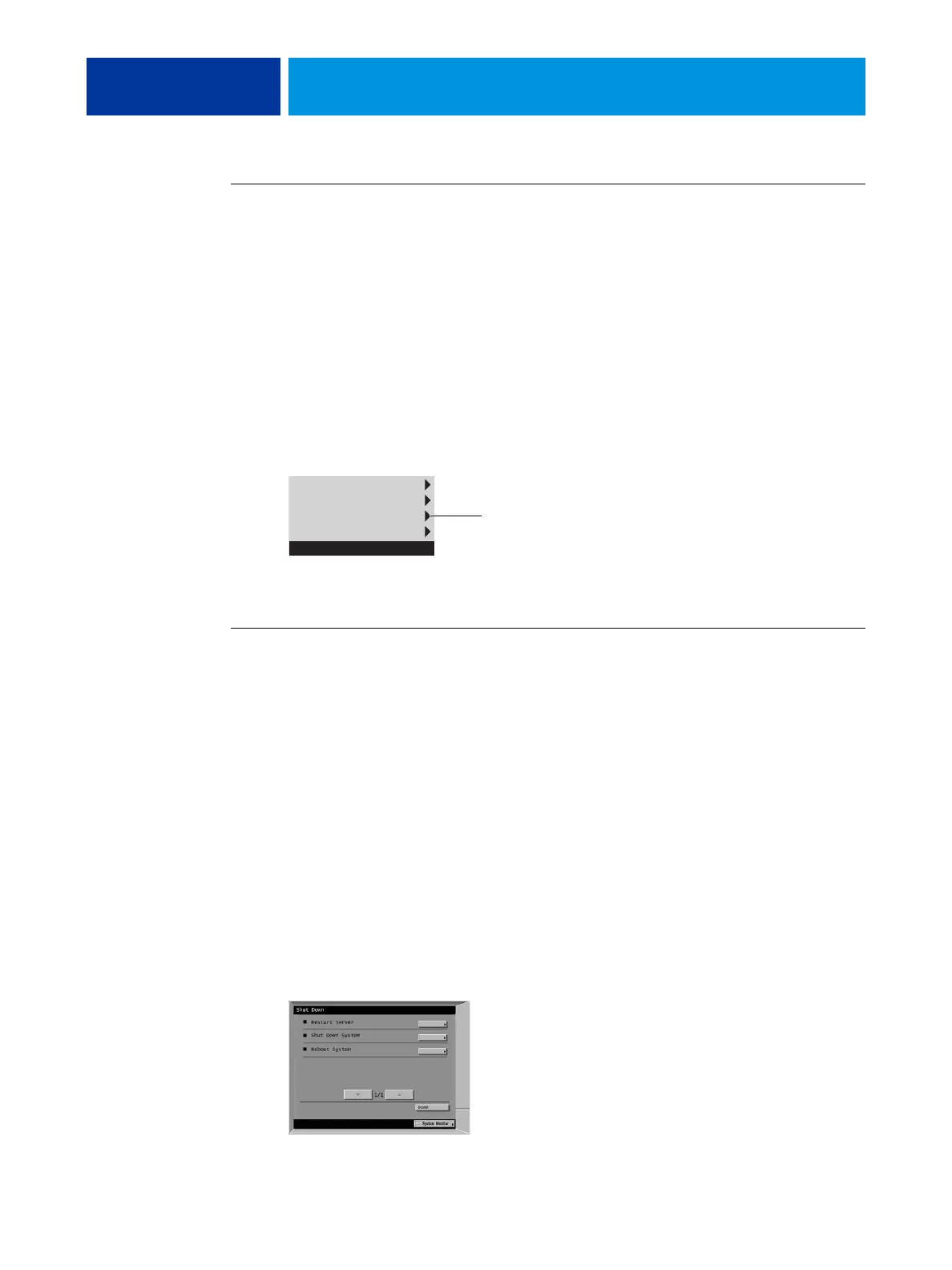
3. Select Shut Down System.
Before accessing internal components, make sure that all cables are disconnected from the
back of the imagePRESS Server.
TO SHUT DOWN THE IMAGEPRESS SERVER FROM THE COPIER TOUCH PANEL
1. Make sure that the Info screen on the copier touch panel displays Idle (see page 35).
If Printing or RIPping appears on the touch panel, the imagePRESS Server is processing. You
must wait until the system finishes and reaches the Idle state.
If the system has just finished processing, wait at least five seconds after the system reaches
Idle before beginning the shutdown procedure.
NOTE: Notify the network administrator before you remove the imagePRESS Server from
the network.
2. Press the Functions button to display the Functions menu.
3. Press the Shut Down button.
4. Select Shut Down System.
Before accessing internal components, make sure that all cables are disconnected from the
back of the imagePRESS Server.
Eject CD/DVD
Restart Server
Shut Down System
Reboot System
Functions
Select Shut Down System
Use the line selection buttons to select Restart Server,
Shut Down System, or Reboot System.












 To Next Page