Chapter 3
3-9
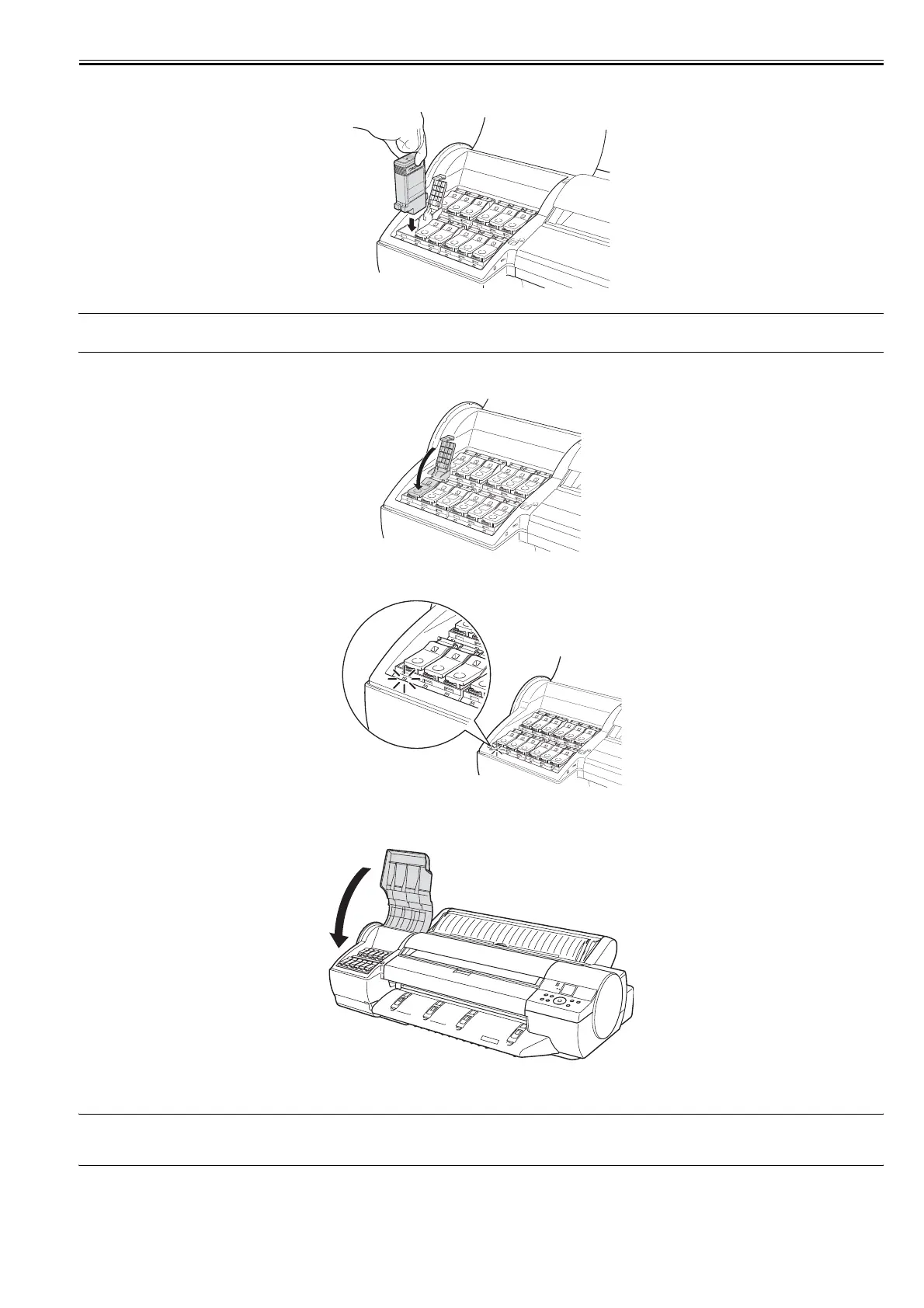
(24) Insert the Ink Tank into the holder facing as shown, with the ink holes down.
F-3-28
MEMO:
If you do not shake the ink tank, the ink may sediment, which may affect printing quality.
(25) Close the Ink Tank Lock Lever until it clicks.
F-3-29
(26) Make sure the Ink Lamp is lit in red.
F-3-30
(27) Repeat steps 21-26 to install all Ink Tanks.
(28) Close the Ink Tank Cover.
F-3-31
(29) After all Printheads and Ink Tanks are installed, Keep Cover Closed is shown on the Display Screen. The system now automatically fills with ink. This process
takes about 14 minutes.
MEMO:
Initial ink filling performed at printer installation consumes ink beween the ink tanks and printhead. The ink level indicators may drop to 80% immediately, but this
does not indicate a problem with the printer.














 To Next Page