Chapter 3
3-8
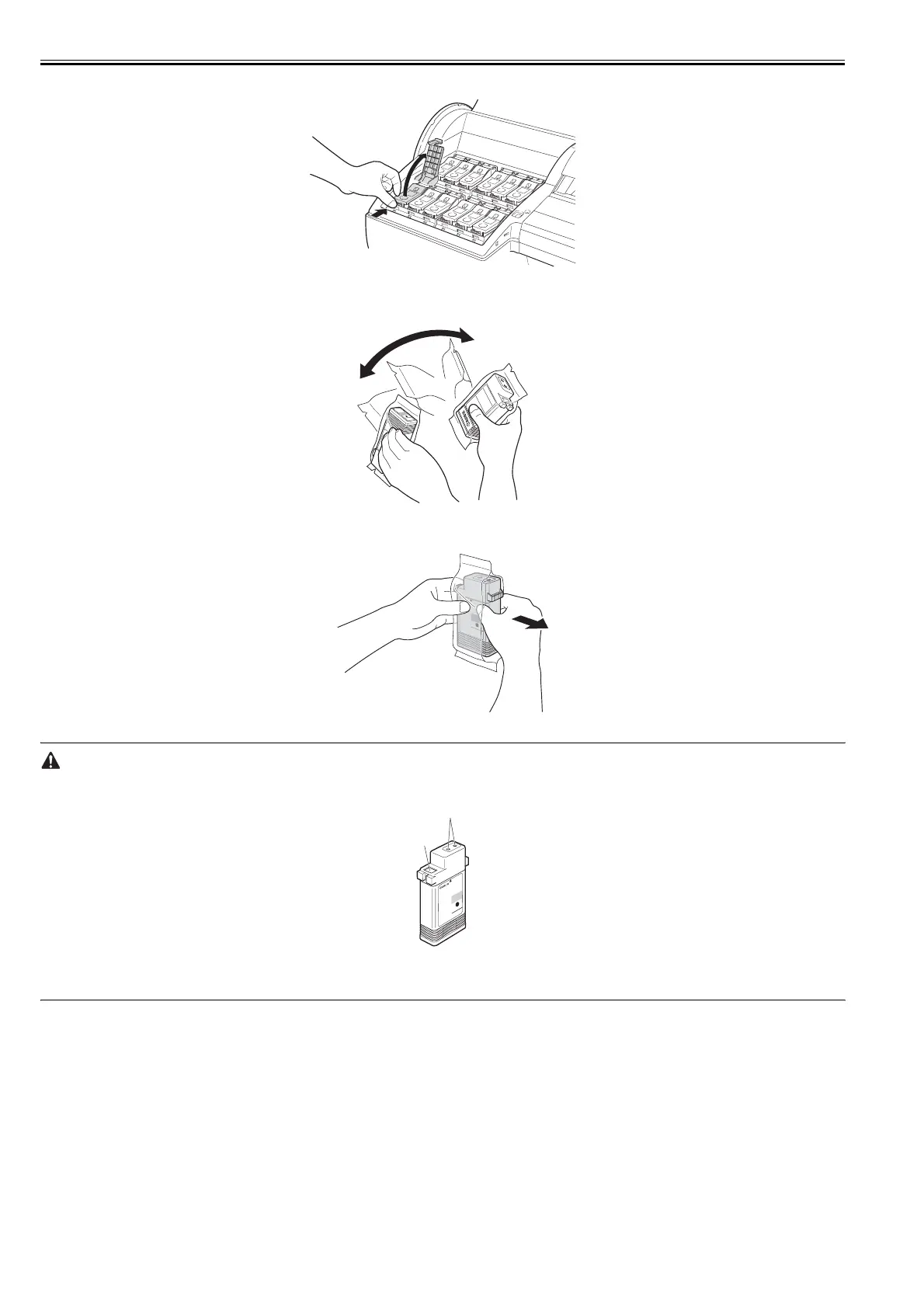
(21) Press the tip of the Ink Tank Lock Lever of the color for installation and open the Ink Tank Lock Lever.
F-3-24
(22) Before removing the Ink Tank from the pouch, shake it gently seven or eight times. Agitate the ink in the Ink Tank by rotating your wrist to turn the Ink Tank
upside-down and right side up repeatedly.
F-3-25
(23) Open the pouch and remove the Ink Tank.
F-3-26
- Never touch the ink port [1] and contacts [2]. The peripheral parts may be stained, the ink tank may be broken, or a printing failure may occur.
F-3-27
- Becareful not to drop the ink tank once it is unpacked. The leaked ink may stain the peripheral area.
- Do not remove and shake the ink once it is installed. Ink may spatter.
[1]
[2]














 To Next Page