Chapter 3
3-7
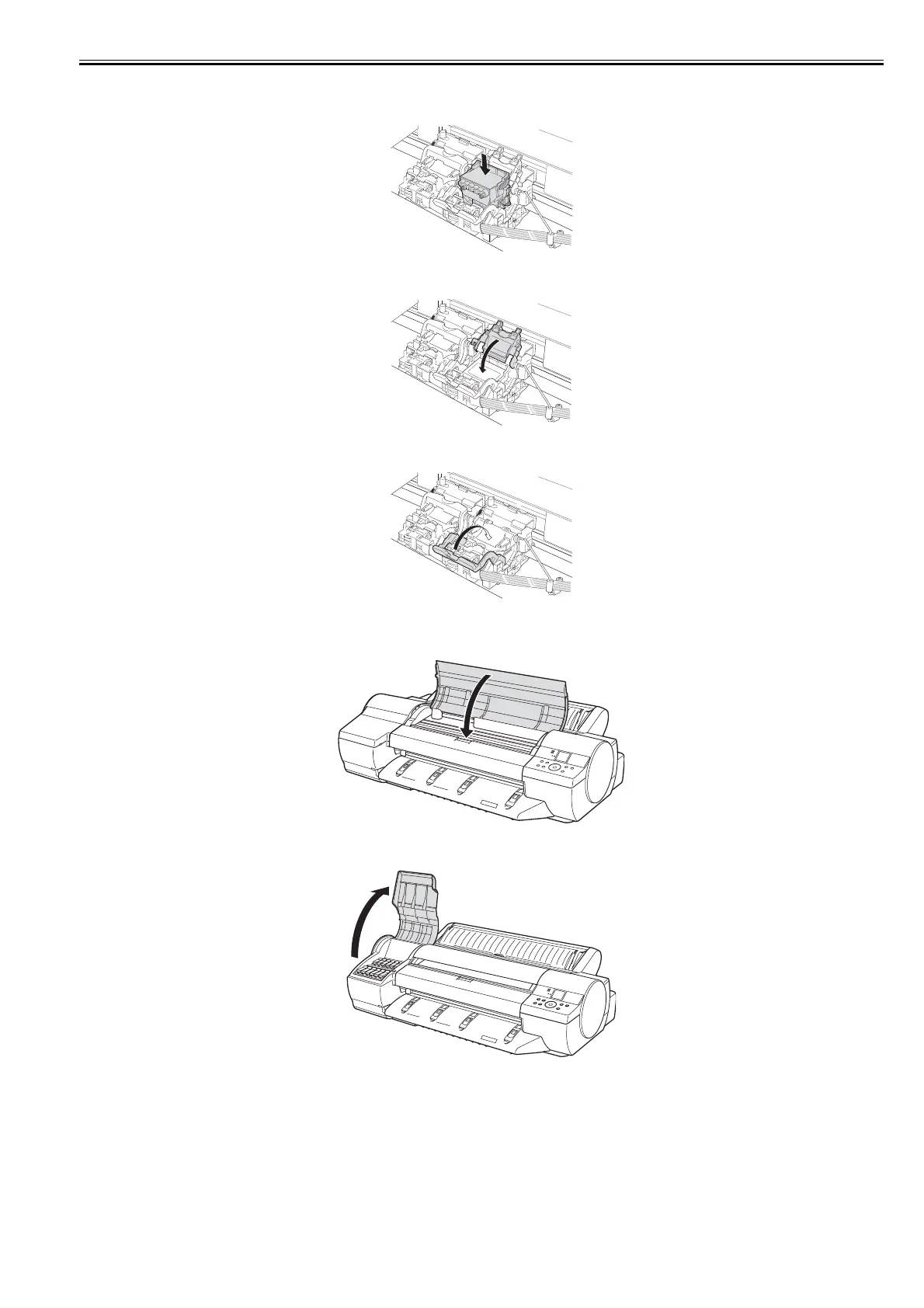
(15) With the nozzles facing down and the metal contacts toward the back, insert the Printhead into the Carriage. Carefully push the Printhead firmly into the Car-
riage, ensuring that the nozzles and metal contacts do not touch the Carriage.
F-3-19
(16) Pull the Printhead Fixer Cover down toward the front to lock the Printhead in place.
F-3-20
(17) Push the Printhead Fixer Lever toward the back of the printer until it clicks.
F-3-21
(18) Repeat steps 11-17 to install the second Printhead.
(19) Close the Top Cover.
F-3-22
(20) Open the ink tank cover according to the message shown on the display.
F-3-23














 To Next Page