Chapter 4
4-50
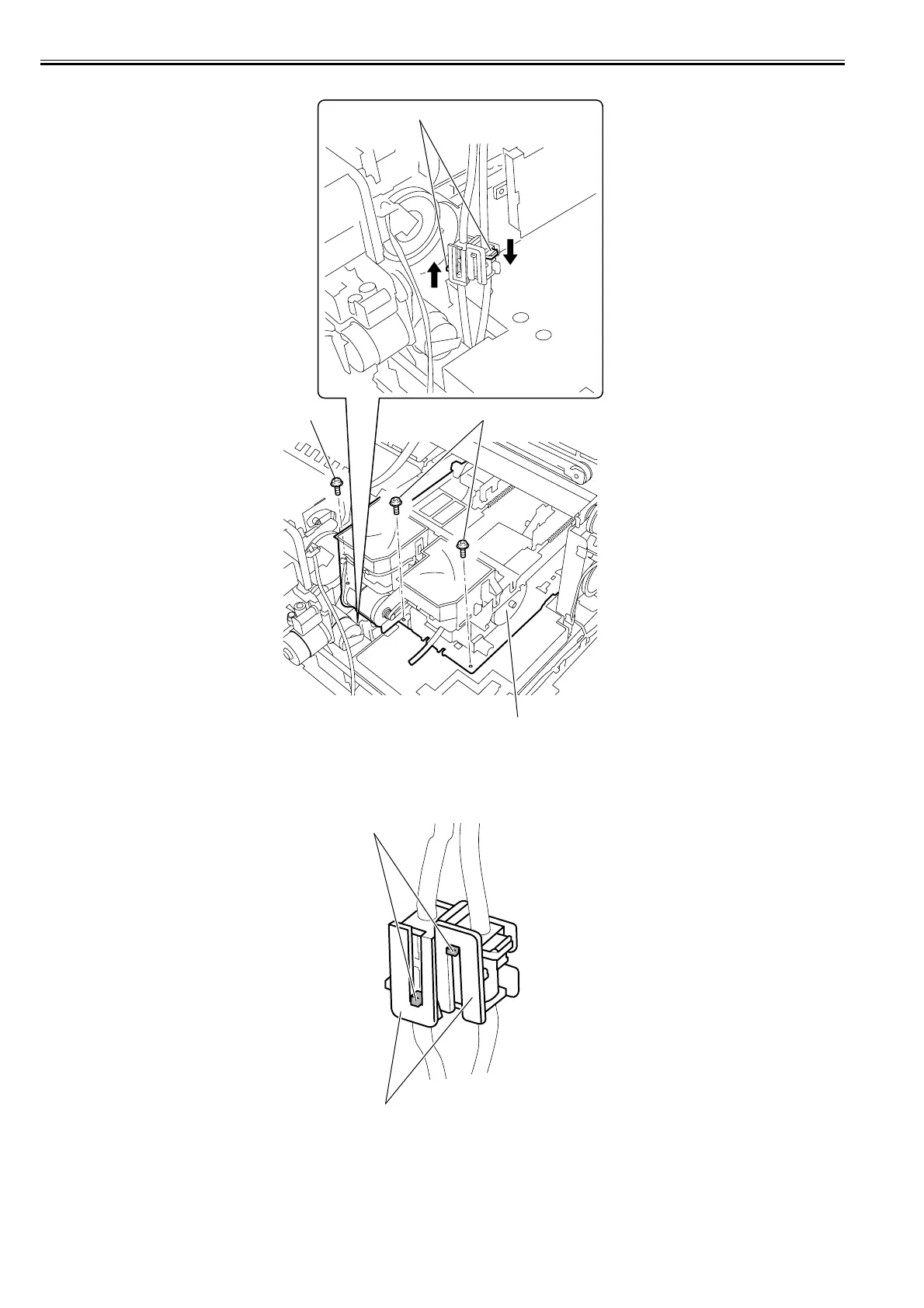
3) Remove the three screws[3] and press two claws[1] in the joint of the waste ink tube in the arrow direction to remove the purge unit[2].
F-4-111
b) Precaution for mounting the purge unit
1) When attaching the waste ink tube, make sure that the waste ink tube has been firmly attached with the two projections[1] of the joint engaging to the each
hook[2].
If the waste ink tube has not been attached firmly, it causes the ink leakage.
F-4-112
[2]
[1]
[3]
[3]
[1]
[2]














 To Next Page