Chapter 4
4-51
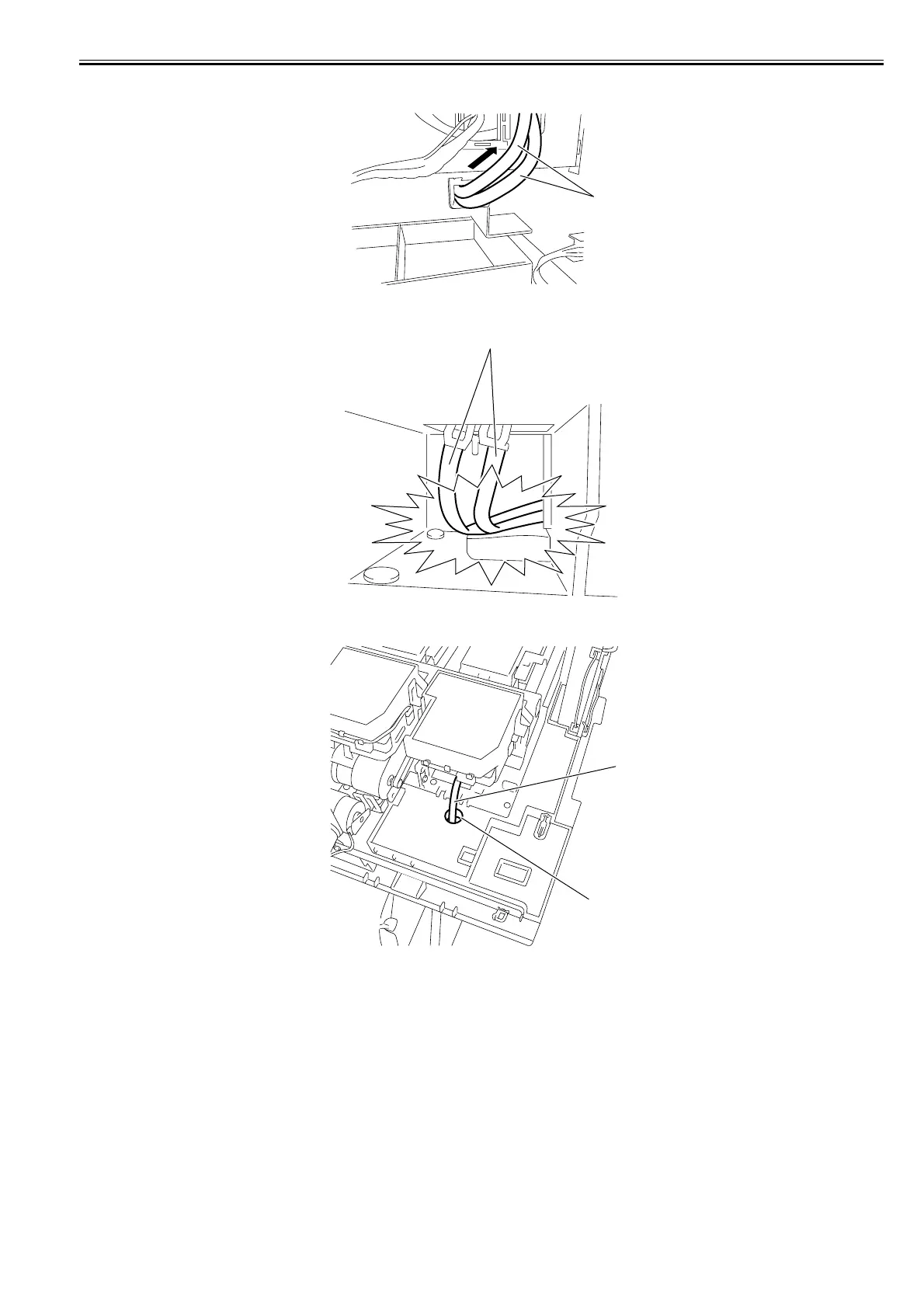
2) When mounting the purge unit, pull out the waste ink tube[1] from the back of the printer to the position where the marking is visible. It the waste ink tube is not
pulled out to the marking position, it may bend and cause ink leakage.
F-4-113
3) Check the waste ink tube[1] from the front of the unit to make sure that it is not broken or twisted.
F-4-114
4) Check that waste ink tube[1] is inserted in the hole[2] in the absorber.
F-4-115
[1]
[1]
[2]
[1]














 To Next Page